AI trend

Perfume Transition AI: Make the Orange Wash Yours Today

Perfume Transition AI turns 2 uploaded photos, 1 person photo and 1 outfit photo, into a 12-second vertical outfit change.

Choose Human and use the two photo positions to separate identity from the clothing shown after the transition.

PERFUME TRANSITION AI
VIRAL RIG
2 Photos12s HD

PERFUME TRANSITION AI

Upload one person photo and one outfit photo for a 12-second perfume transition, turning an orange wash into a black-dress wardrobe reveal.

Swipe ⟷
Example

What does a perfume transition trend video look like?

The Editorial demo starts with a perfume close-up, crosses a color change and reveals a black off-shoulder look in the same bedroom. Your person photo turns your first photo into the lead while the outfit photo becomes the post-change clothing.

Human
9:16 Vertical·Clean MP4
Ready to Remake

Upload your photo to star in this exact scene in 3 minutes.

Remake ↑
Second by second

What happens in the perfume transition video, shot by shot?

The perfume transition trend centers on a perfume-led change. The perfume transition video works because the change between a familiar perfume gesture and a complete outfit change. The key frames below show the actual prop, color transition, dress angles and final close-up without adding a new scene.

Reference clip · Clip time

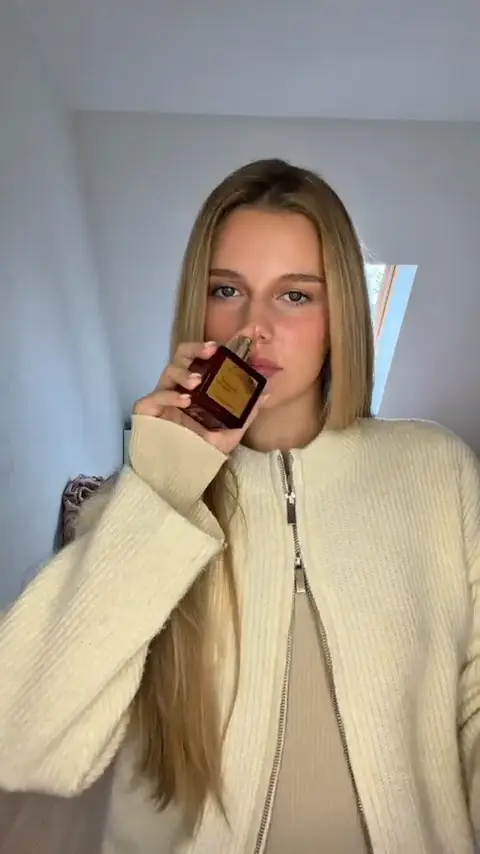
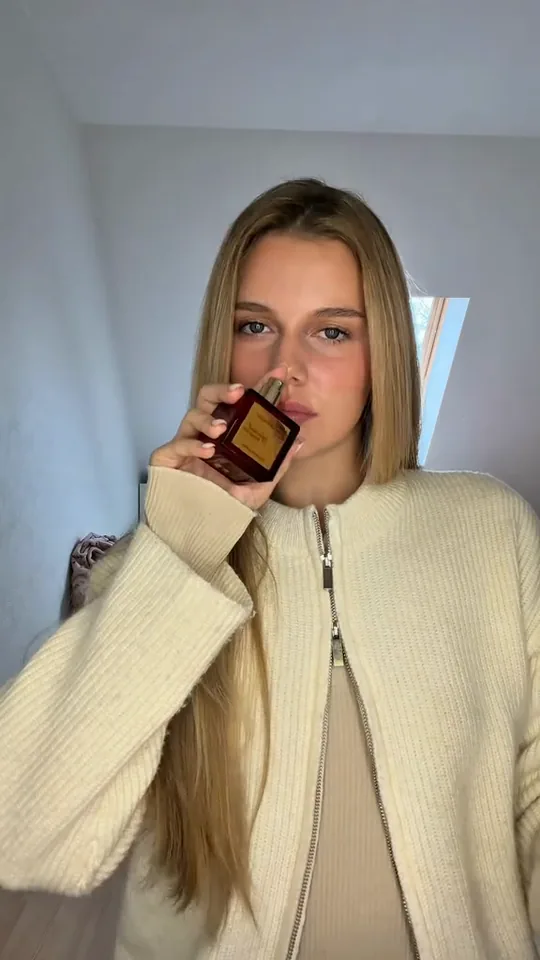
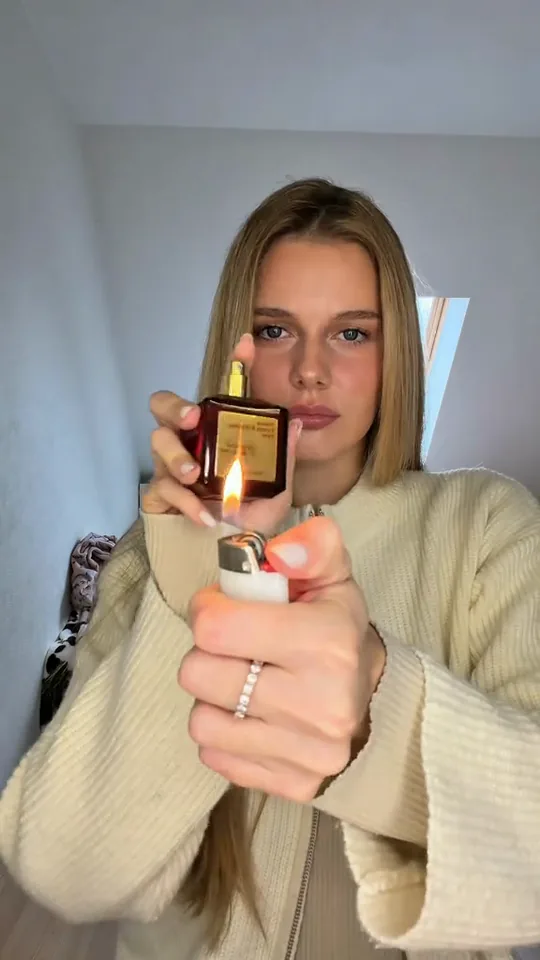
  1. A woman in a cream sweater holds a dark red perfume bottle beside her face in a bright bedroom.
    Clip time 1.0 s

    The bottle starts the reveal

    The cream-sweater close-up introduces the dark red perfume bottle beside the face. This opening establishes the product gesture before the wardrobe changes.

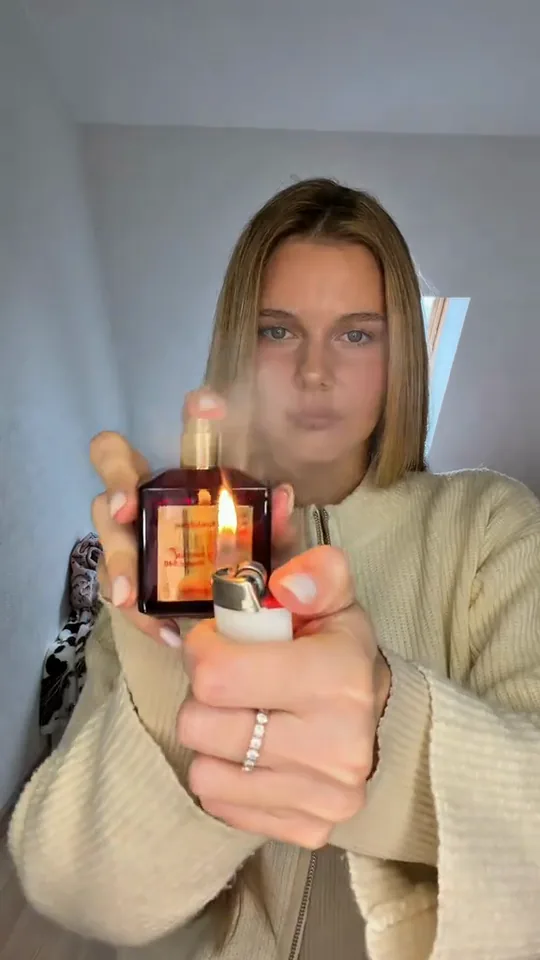
  2. A woman holds a perfume bottle and a white-and-red lighter close to the camera.
    Clip time 2.3 s

    The lighter enters the foreground

    A white-and-red lighter joins the perfume bottle near the lens. The two props make the final pre-transition setup concrete.

  3. An orange wash overlays a woman holding a perfume bottle and lighter.
    Clip time 2.7 s

    The orange wash bridges outfits

    An orange wash covers the frame while the bottle and lighter remain in front. This is the visible change between the two looks.

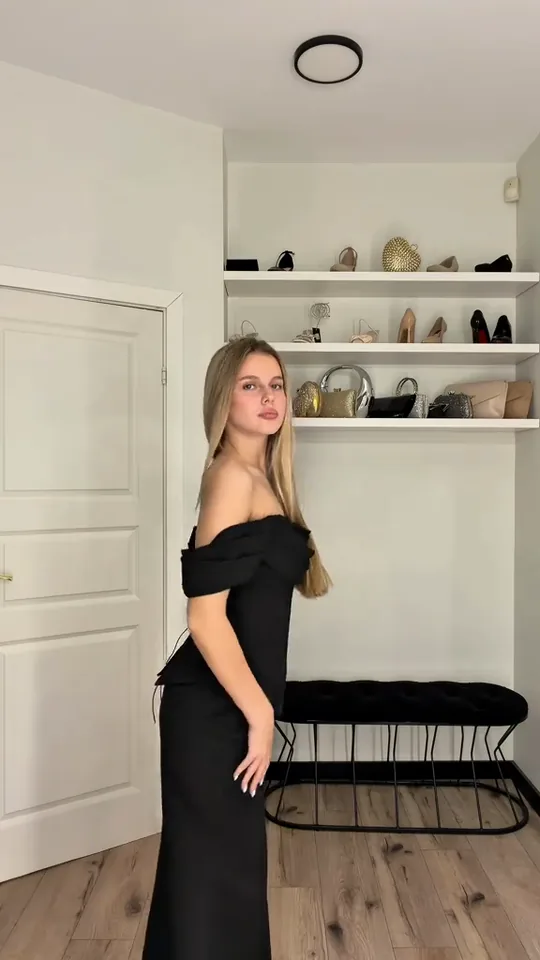
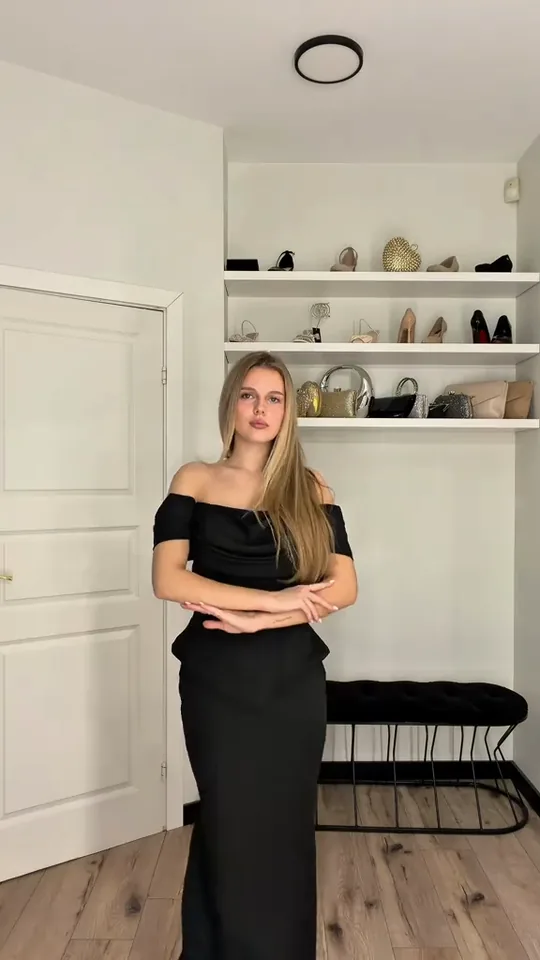
  4. A woman in a black off-shoulder dress holds a perfume bottle in a bright bedroom.
    Clip time 3.7 s

    The black dress appears

    The camera opens to reveal the black off-shoulder dress in the same bedroom. The uploaded outfit reference belongs to this post-transition look.

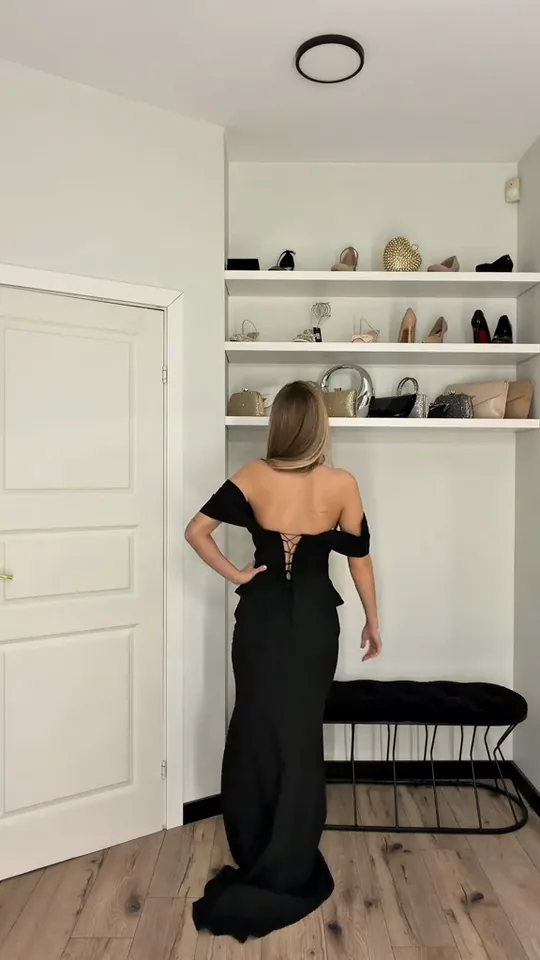
  5. A woman in a long black dress turns to show the back of the dress.
    Clip time 5.3 s

    The turn shows the dress back

    The performer turns through a side view to show the back and long train. That second angle adds clothing information the front reveal cannot provide.

  6. A woman in a black dress lifts both hands to adjust her hair.
    Clip time 6.7 s

    The hands reset the pose

    The performer returns toward the camera, lifts both hands to adjust her hair and settles back into the centered dress pose.

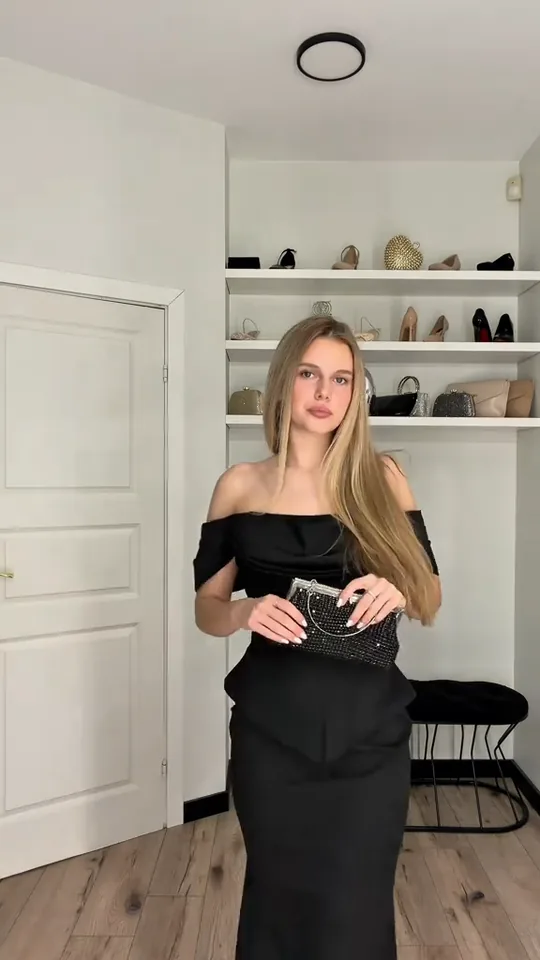
  7. A woman in a black dress holds a silver-studded black clutch at her waist.
    Clip time 9.7 s

    The clutch enters at the waist

    The front pose holds while a silver-studded black clutch comes into view. The accessory changes the styling beat without changing the room.

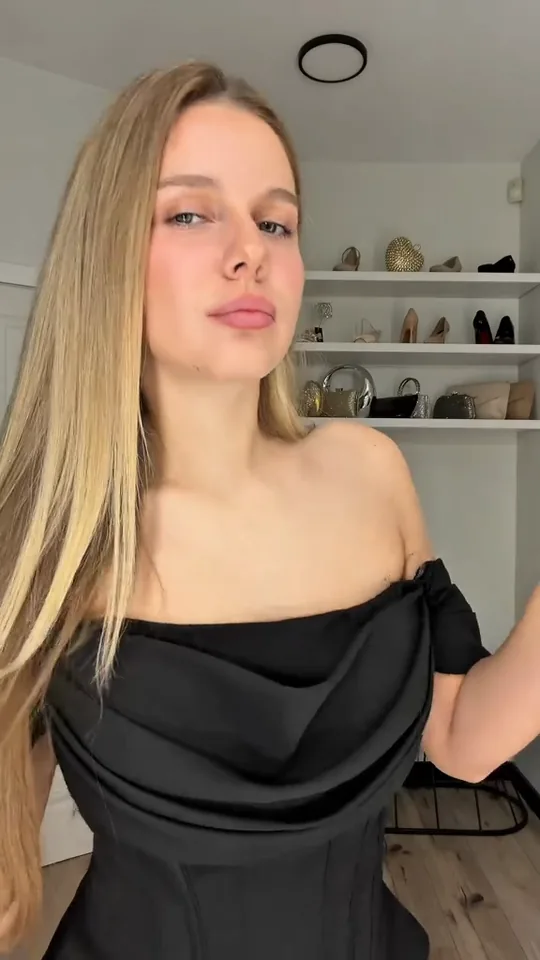
  8. A close view shows a woman in a black dress holding a perfume bottle beside her shoulder.
    Clip time 11.7 s

    The bottle returns beside the shoulder

    The camera moves close again as the perfume bottle rises beside the shoulder. The face-visible close-up gives the transition a clear ending.

Step by step

How do you make a perfume transition AI video?

Choose Human, upload the person photo and upload the outfit photo for the clothing you want after the color transition. This workflow separates identity from clothing. Read the privacy policy before adding someone else’s image.

  1. 01Step 1

    Add your photos

    Use the person position for identity, face, hair and body. Use the outfit position for the post-change clothing. These two photos separate identity from clothing. The outfit photo shows the garment seams, neckline and silhouette. The original bedroom and perfume props come from the attached clip.

  2. 02Step 2

    Press Generate

    Check the displayed price and press Generate. The Human version keeps the close opening, color change, dress reveal, pose changes and final perfume gesture together.

  3. 03Step 3

    Download or share

    Download the vertical MP4 when it is ready. Watch the ending before sharing, and keep the platform’s AI label when required.

Who to cast

Who should star in a perfume transition meme?

This perfume transition meme suits a self-parody or a fashion reveal where the person agrees to the upload and wants the clothing change to be the punchline. Pick someone who enjoys the contrast between a casual opening, a formal silhouette and an accessory finish.

  • Human · 2 photos

    The Human version with 2 photos: a perfume transition wardrobe reveal

    Human takes 2 photos in this version. Use one person photo and one after-change outfit photo when you want the orange change to become your own fashion reveal.

  • Human · 2 photos

    The perfume transition evening look

    A consenting friend can carry the black-dress reveal, front pose and final perfume gesture.

  • Human · 2 photos

    The perfume transition self-parody

    Choose someone who enjoys a polished self-parody. The fixed bedroom sequence gives the outfit swap a clear arc.

A group photo is a poor fit for this page because Human has one identity position and one outfit-reference position.

Why here

Do you need a perfume transition template to make this video?

No separate template is required. The attached video already carries the room, prop gestures, color transition and dress reveal, while Human gives you two focused photo inputs. The perfume transition template is already connected to the version. The perfume transition template question is answered by the connected version here.

Ways to make it
2 Rows
Way to make itWhat you needWhat you get
This generatorOne person photo and one outfit photoA connected 9:16 perfume transition with the wardrobe reveal attached
A separate editing workflowYour own clips, transition timing and wardrobe assetsA manually assembled version whose continuity you must check yourself
← Swipe horizontally to view full parameters →

Use Human when you want the two-photo identity and wardrobe split carried through one connected vertical sequence.

  • Inputs

    The perfume transition is already assembled

    The person photo anchors who appears; the outfit photo anchors what that person wears after the wash. The bedroom remains available for a stable fashion context.

  • Route

    Perfume transition uses two photo roles

    The bedroom, prop actions and wardrobe change arrive as one attached video instead of separate clips.

  • Format

    Perfume transition stays vertical for sharing

    The Human version targets 9:16 with 720p and 1080p quality options.

Copy and paste

Is there a perfume transition prompt you can copy?

Yes. The perfume transition prompt card describes the room, two-photo roles, orange wash, dress angles and final bottle pose so you can understand the workflow before generating.

Human

2 photos · 12 s · 720p · 9:16 · 800 credits

Video prompt

A bright bedroom fashion take with white bedroom shelves, a black bench, pale walls and a wood floor. The visual anchor is the dark red square perfume bottle, the orange transition wash and the black off-shoulder dress. The camera starts close, widens for the change, then moves back in for the final product moment. The performer is the person in [Image 1] in every frame. Their face, hair, skin tone and identity come from the person photo, while [Image 2] supplies the clothing worn after the transition. 00:00–00:02.4: hold a dark red square perfume bottle beside the face, then bring a white-and-red lighter below it near the lens. 00:02.4–00:03: keep the bottle and lighter in view as an orange wash crosses the frame. 00:03–00:04.33: reveal the black off-shoulder outfit while the camera opens from a waist-up bottle presentation to a three-quarter view. 00:04.33–00:05.67: turn through the side and show the back and long train of the dress in the same room. 00:05.67–00:07.33: return toward the camera, lift both hands to adjust the hair, then settle front-facing. 00:07.33–00:10.33: hold the front look with small posture changes and bring a silver-studded black clutch to the waist. 00:10.33–00:12: move closer while raising the perfume bottle beside the shoulder, ending with the face visible. Keep the original cream sweater and beige top out unless [Image 1] shows them, keep the room and props coherent, and add no text, logos or watermarks.
Credits

How much does a perfume transition video cost?

Human is the only version here. It accepts two photos and offers 720p or 1080p output for the 12-second version. The exact charge appears before Generate, and failed-generation handling follows the refund policy.

Specs and credits
2 Rows
VersionPhotosLengthFormatQualityCredits
Human212 s9:16720p800
Human212 s9:161080p1,200
← Swipe horizontally to view full parameters →

Choose 720p for the lower-cost first pass, then use the same two-photo Human setup when you need a larger export.

The smallest one-time pack that covers the dearest version is $9.90 for 1,500 credits; credits do not expire. See pricing and credit packs.

Troubleshooting

Why does my perfume transition result look wrong?

The usual problems are a weak identity photo, an unclear outfit reference, inherited clothing or a soft prop close-up. Match the symptom to the repair row before rerunning.

Problems and fixes
5 Rows
ProblemFix
The face or hair drifts from the person photoThe face or hair drifts from the person photo. Use a sharp front-facing person photo with the face unobstructed.
The transition keeps the cream sweater or mixes garmentsThe transition keeps the cream sweater or mixes garments. Use a clear outfit photo showing one complete post-change look.
The uploaded photo background replaces the bedroomThe uploaded photo background replaces the bedroom. Use a simple photo background and keep the source room as the scene.
The bottle or clutch becomes soft in a close viewThe bottle or clutch becomes soft in a close view. Use a sharp person photo and rerun the same version.
The source photo is rejected by upload checksThe source photo is rejected by upload checks. Upload another compliant photo and use the refund policy if the flow offers a refund.
← Swipe horizontally to view full parameters →

Change the input that matches the visible problem instead of repeating an unchanged two-photo request.

FAQ

What else should I know about perfume transition AI?

Is it safe to upload my photo?

Upload only images you are allowed to use and read the privacy policy for retention and processing details.

Which photo controls a perfume transition AI outfit after the transition?

The outfit photo controls the post-change clothing. The person photo remains the identity source for the face, hair and body.

Does the perfume transition AI room come from my photo?

No. The bedroom, shelves, bench, perfume bottle and transition timing come from the original video.

Can the outfit photo show a full-body look?

Yes. A full-body outfit photo gives the post-change clothing more detail through the front, side and back views.

Can I use a different perfume transition outfit photo?

Yes. Keep the person photo for identity and use a different clear outfit photo when you want another post-change look.

Can I use one group photo?

Human is designed for one person photo plus one outfit photo. A group photo can make the identity and wardrobe references ambiguous.

Can I post it on TikTok?

You can post it on TikTok after checking the final close-up, following current AI-label rules and confirming consent for both photos.

How is this perfume transition different from other AI video tools?

The fixed two-photo perfume video uses a connected bedroom sequence. See Viggle and Higgsfield for their own current product details.

Does a perfume transition AI video keep the original audio?

The version is configured to copy the original audio track. The local source audio was not independently auditioned in this review.
✨Make Video With Your Photos

Make Your Perfume Transition AI Video Now

Upload one person photo and one outfit photo, then turn the perfume close-up into your own wardrobe reveal.

Written and maintained by MemeVideoMaker Editorial DeskPublished Last updated