The Last Dance Trend AI Video Generator: Two-Photo Duet
The Last Dance Trend AI video generator lets you upload 2 photos, lock a 9:16 vertical frame, and render a 15-second backyard spin-and-kick duet video with the original trend sound in 2–5 minutes. A 720p render uses 1,000 credits, and a 1080p render uses 1,500 credits under the site-wide per-second pricing rule.
The overcast lawn with dry leaves, tall pines, fence backdrop, close-up lens lean, backward jog, center hand clasp, and seven crossover turns are pre-timed. Add two clear photos instead of writing prompts or editing clips.
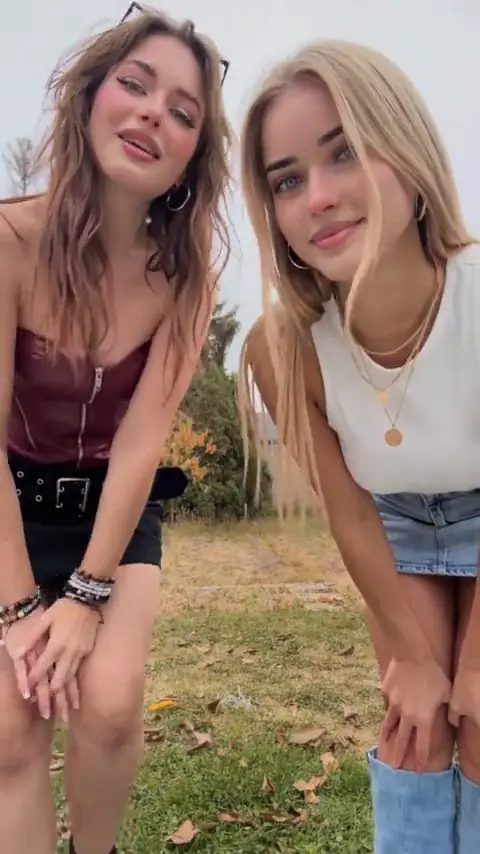
THE LAST DANCE AI
Recreate the 15-second The Last Dance backyard spin-and-kick duet from 2 photos in 9:16 vertical with the original trend sound.

Slot 1: Left Opener
Clear full or knee-up photo of a person, child, pet, or character starting on the left
Slot 2: Right Opener
Clear full or knee-up photo of a person, child, pet, or character starting on the right
15 s video · 1000 credits · ~4 min render in meme video maker
Recreate the 15-second The Last Dance backyard spin-and-kick duet from 2 photos in 9:16 vertical with the original trend sound.
What Does an Editorial Demo from The Last Dance Trend AI Video Generator Look Like?
Every preview below is an Editorial demo produced by our internal team from the backyard duet direction. It shows two subjects sharing an overcast lawn frame through the forward handhold, wide outer-arm stretch, high center kicks, and rapid side swaps with the original trend sound preserved across the clip.
Scenario 01 · Friend-group backyard duet
Two Friends Trade Sides Under Tall Autumn Pines
Wearing a spotted sleeveless mini dress on the left and a dark star-patterned top on the right, two friends clasp hands before the fence, spin past each other, and kick toward center. Share this duet clip as a weekend recap—it is an Editorial demo, not a result made from your photo.
- Left and right upload slots preserve distinct outfits and hair across crossover turns.
- Dry leaves and tall pines stay locked inside a stationary portrait frame.
- Your finished 9:16 vertical clip returns with the original upbeat trend audio.
The Editorial demo previews the reference blocking, camera height, and overcast lawn lighting. It does not promise an identical likeness, wardrobe drape, or kick height for every uploaded photo or pet portrait.
Preview the last dance trend template above before assigning your photos to the left and right opener slots. Explore more AI video trends when you want another fixed choreography scene to recreate with friends.
What Is The Last Dance Trend?
Resurfaced from Maretu's 2014 track "fpd ff7 botsu 8" into a late-2026 TikTok animation and live-action duet meme, this viral the last dance trend video format pairs two dancers on a fixed autumn lawn. Your two photos supply both performers while the choreography and upbeat instrumental sound stay locked.
- Move 01
Close Lens Lean and Tilt
Both openers bend right before the camera—left hands clasped, right hands on knees—smiling and tilting heads side to side.
- Move 02
Backward Jog and Hand Clasp
The pair jogs backward onto the leafy grass before tall pines and a tan fence, then clasps right hands across center.
- Move 03
Seven Spin-and-Kick Exchanges
Holding hands through the beat drop, both dancers pivot chest-to-chest across seven cycles, flinging outer arms wide and kicking inward.
- Move 04
Final Swap and Bounce Ending
After trading left and right sides one last time, both release hands and hop lightly facing the lens at the close.
The last dance trend template bundles the leafy yard, pine backdrop, two-slot choreography, and reference audio in one 15-second 9:16 clip. No lyrics or affiliations are claimed with original creators, musicians, or social platforms.
Who People Cast in The Last Dance Trend Meme?
Two upload slots turn the last dance trend meme into a ready-made duet punchline: Slot 1 takes the left opener and Slot 2 takes the right opener before trading places repeatedly across the lawn with adults, kids, or pets.
- Couples & weekend
Put Yourself and a Partner on the Lawn
Drop two weekend portraits into the left and right slots of the last dance trend meme to turn a relaxed couple selfie into an energetic backyard dance clip.
- Friend-group prank
Pair Two Friends Who Never Dance
Load two serious coworkers or quiet friends so they lean straight into the opening lens smile before sprinting back to spin past each other over the leaves.
- Pets & family
Let Dogs, Cats, or Kids Lead the Duet
Both slots accept pets and children with parent permission. Dogs and cats hop through adapted paw pivots while keeping true animal anatomy instead of human shapes.
- Fandom & avatars
Characters and Avatars Share the Routine
Bring the animation roots into live-action framing by casting authorized original characters, mascots, or illustrated portraits into both opener slots of this backyard dance routine.
Every preview stays an Editorial demo and does not suggest an official celebrity, music, or character collaboration. Upload only images you have permission to use.
Why Use The Last Dance Trend AI Video Generator?
Creating a duet clip here takes two photo uploads and one quality selection rather than writing camera prompts or uploading a separate motion video. Everything from the close-up opener to the seventh crossover spin and upbeat trend audio stays locked.
No prompts or reference video uploads required
Skip uploading a dance clip or drafting prompts. The backyard tripod view, backward jog, and crossover spins for the last dance trend are built in.
Seven-spin cadence and original audio intact
Both openers keep the head-tilt lean, hand clasp, outer-arm stretch, and side swaps synced cleanly to the template's original instrumental track.
One-time packs or Starter plan upfront
A 15-second clip uses 1,000 credits at 720p or 1,500 credits at 1080p through one-time credit packs or the Starter plan upfront.
Backed by clear privacy and refund terms
Uploads and failed jobs follow our current policies with no hidden rules. Read the privacy policy and refund policy.
For packs, subscriptions, and account terms, see pricing and credit packs. The page follows existing site-wide failure refund, privacy, and photo-retention policies.
How to Make a Viral The Last Dance Trend Video from Two Photos
Upload two clear photos for the left and right openers, pick 720p or 1080p inside the fixed 9:16 vertical shape, and render your 15-second clip in 2–5 minutes. Exact credit pricing displays clearly before you confirm submission for either resolution.
Upload two full or knee-up photos
Place the left opener in Slot 1 and right opener in Slot 2 using Up to 40MB source photos with one clear person, child, pet, or character per slot.
Choose 9:16 vertical shape and quality
Output locks to 9:16 vertical for TikTok, Reels, and Shorts rather than desktop 16:9 framing. Pick 720p for 1,000 credits or 1080p for 1,500 credits.
Generate and share
Start the task for The Last Dance trend and wait 2–5 minutes for rendering. Download your finished 15-second 9:16 MP4 with original trend sound ready to share.
This is a finished-video tool that outputs a ready-to-share MP4 clip with the original trend audio attached rather than an editable timeline, isolated stems, or a multi-layer project file.
The Last Dance Trend AI Video Generator Specs, Credits, and Limits
Every 15-second clip from The Last Dance Trend AI video generator outputs in 9:16 vertical framing with the original trend sound included, priced at 1,000 credits for 720p or 1,500 credits for 1080p. Normal rendering takes 2–5 minutes under site-wide policies.
| Specification | Delivered result |
|---|---|
| Input | 2 image slots (left opener, right opener) |
| Runtime | 15 seconds |
| Shape | 9:16 vertical |
| Quality | 720p or 1080p |
| Sound | Original trend audio included |
| Render wait | 2–5 minutes |
| Credits | 1,000 at 720p; 1,500 at 1080p |
| Sample label | Editorial demo |
These fixed specifications keep the close-up opener, backward run, and crossover spin choreography aligned across both slots without manual tuning. Check pricing and credit packs for one-time credit packs and Starter plan allowances before running tasks.
What Can Make the Result Fail?
- Files must be Up to 40MB source photos with one clear subject; group shots fail.
- Dark sunglasses, heavy shadows, or backlight hiding faces during the close-up opener cause drift.
- Curled pet poses or flat illustrations vary more during spins than front-facing human portraits.
What This Generator Does Not Do
- It does not automatically split one two-person snapshot into Slot 1 and Slot 2.
- It does not export 16:9 widescreen video or replace the yard with custom prompts.
- It does not output editable timeline layers, isolated audio stems, or burned-in lyric subtitles.
- It does not turn an Editorial demo into official source footage or a creator endorsement.
For open-ended meme creation outside a fixed trend scene, use the meme video maker. For account rules, read the privacy policy and refund policy.
What Is an Internet Meme Video?
“Internet memes manifest in a variety of formats, including images, videos (e.g. GIFs), and other viral content.”
The same entry is Wikidata Q2927074. Credit prices on this page are MemeVideoMaker's, listed on the pricing page and in pricing.md.
The Last Dance Trend AI Video Generator FAQ
Do I need two separate photos for the duet slots?
Can pets or children join this backyard dance video?
Can I upload characters or avatars I have rights to use?
Does the finished duet include the original trend sound?
Why is 9:16 vertical the only aspect ratio offered?
What does the last dance trend template include?
How long does rendering take?
How many credits does 15 seconds use?
What happens if a render fails or how long are photos kept?
More AI Video Trends
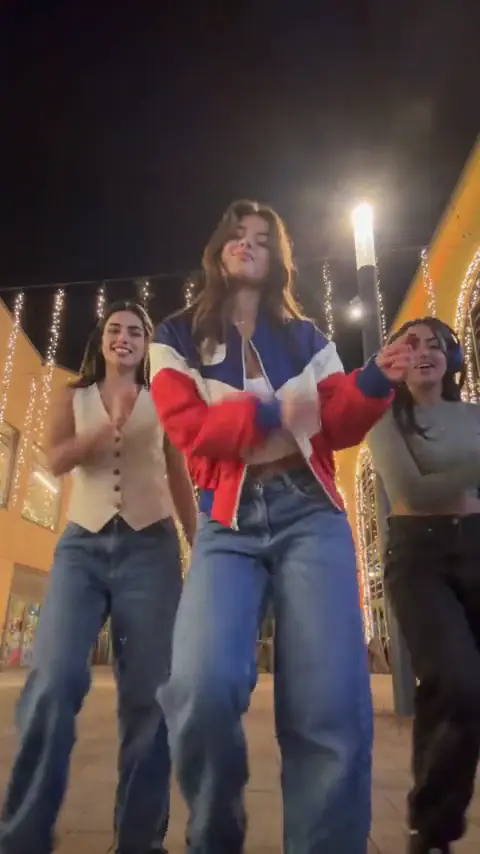 NEW
JINGLE BELL ROCK DANCE AI
Upload 1 photo and make a 4-second Jingle Bell Rock holiday lead with the supplied reference sound.
Dance
4s · 267 crRemake→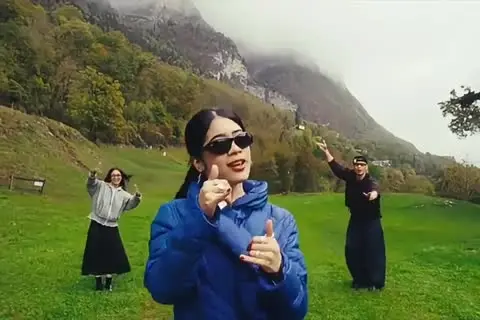 NEW
WASSUP IN A MINUTE AI
The three-person Wassup in a Minute dance from 3 photos with the original sound.
Dance
15s · 1000 crRemake→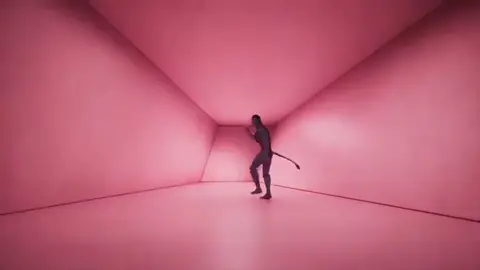 NEW
HOTLINE BLING DANCE AI
Turn 2 photos into a 9-second Hotline Bling color-box dance duet with the original trend audio in 9:16 or 16:9.
Dance
9s · 600 crRemake→
Browse every trend you can make today in AI video trends.
Make Your The Last Dance Trend AI Video Now
Upload two clear photos into the left and right slots, lock in 9:16 vertical framing, and generate your 15-second backyard spin duet with the original trend sound in 2–5 minutes.
Written and maintained by MemeVideoMaker Editorial DeskPublished Last updated