Rubber Band Prank Trend AI: Two-Photo Kitchen Skit
Use the Rubber Band Prank Trend AI generator to upload 2 photos and make a 15-second 9:16 kitchen backfire video with original trend audio in 2–5 minutes. A 720p render costs 1000 credits, and a 1080p render costs 1500 credits under site-wide pricing.
The kitchen counter, seated table setup, slingshot stretch, face snap-back, and bottle cover-up are already timed. Add two clear photos of people, children, or pets instead of writing prompts.
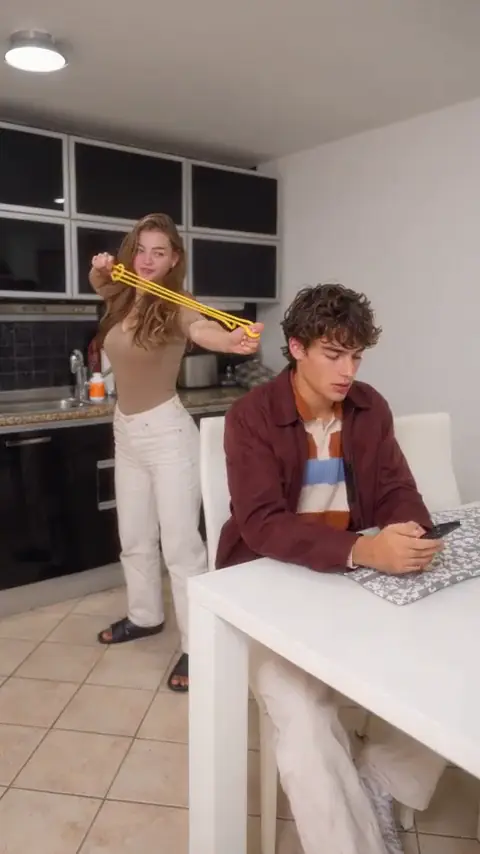
RUBBER BAND PRANK AI TREND
Turn 2 photos into a 15-second kitchen rubber band prank backfire video in 9:16 with the original trend audio.

Slot 1: Behind (Prankster)
Clear waist-up or full-body photo of a person, child, or pet standing behind to stretch the band and act innocent
Slot 2: Front (Seated Target)
Clear front-facing upper-body photo of a person, child, or pet seated at the table looking back after the snap
15 s video · 1000 credits · ~4 min render in meme video maker
Turn 2 photos into a 15-second kitchen rubber band prank backfire video in 9:16 with the original trend audio.
What Does an Editorial Demo from the Rubber Band Prank Trend AI Look Like?
Every preview below is an Editorial demo made by our team from the reference direction. It shows Slot 1 behind and Slot 2 seated with original trend audio.
Scenario 01 · Pet duo
Puppy Prank Backfires Behind the Cat
A golden retriever puppy stretches a green band behind an orange cat at the kitchen table, snaps its own muzzle, covers its snout, and turns to act innocent while the cat stares back. Share this Editorial demo—not your output.
- Slot 1 stands behind the seated table role.
- The rubber band recoils back onto the prankster.
- Original trend audio accompanies the 15-second vertical output.
Scenario 02 · Character roast
Two Wizards Stage a Kitchen Backfire
A blond wizard aims a bright band behind a seated long-haired wizard at the table, snaps his own face, hides a laugh, and pretends to study a counter bottle in this viral rubber band prank trend video. It remains an Editorial demo.
- Slot 2 glances back right after the snap.
- The prankster inspects a counter bottle to act innocent.
- Finished clips export in 9:16 for mobile feeds.
Each demo shows target staging rather than a likeness promise. Explore more AI video trends for another fixed scene.
What Is the Rubber Band Prank Trend?
The rubber band prank trend is a short-form slapstick skit circulating across TikTok, Instagram Reels, and YouTube Shorts where someone aims a stretched elastic band behind an unsuspecting partner or friend, only for it to snap back onto their own face. This template keeps the kitchen setup, action beats, and audio ready.
- Move 01
Aim from behind
Slot 1 stands in the kitchen and stretches a bright band behind Slot 2 sitting at the table.
- Move 02
Snap hits the prankster
The front grip slips, whipping the band backward into the prankster's own face with a loud snap.
- Move 03
Target turns in confusion
Hearing the slap, Slot 2 stops checking the phone and turns around to inspect the room.
- Move 04
Fake counter cover-up
Slot 1 hides the band, grabs an orange-labeled bottle off the counter, and pretends to read it casually.
This rubber band prank template keeps the scene and audio ready without claiming affiliation with any creator or platform.
Who People Cast in the Rubber Band Prank Meme?
Two slots split the rubber band prank meme between the backfire prankster behind and the oblivious target seated up front. Cast people, kids, pets, or characters.
- Couples and roommates
Put Yourself Behind a Partner
Drop yourself in Slot 1 and your partner in Slot 2 for a quick kitchen instant-karma gag to send straight to your shared chat.
- Friend-group roast
Roast Two Friends at the Table
Cast the friend who always pulls pranks as Slot 1 and watch the elastic recoil hit them while Slot 2 glances back completely unfazed.
- Pets and kids
Let Dogs, Cats, or Kids Star
Both slots welcome pets or children with guardian consent. Dogs and cats keep natural fur and paws while adapting the kitchen moves, though pet likeness varies.
- Character remix
Pair Rival Characters in the Kitchen
Load authorized anime heroes, game avatars, or mascots into both slots so stiff rivals reenact a petty 15-second rubber band prank mishap together.
Upload only photos you have permission to use, including guardian consent for minors. No cast implies an official studio or creator collaboration.
Why Choose This Rubber Band Prank Trend AI Generator?
Dedicated two-slot staging turns two clear photos into the complete 15-second rubber band prank trend video, keeping the recoil timing and kitchen audio locked together.
No prompts or reference uploads needed
Skip filming kitchen props or writing timing cues. Both roles, the band recoil, and the bottle cover-up are pre-staged.
Snap recoil and audio stay synced
The slingshot stretch, face slap, puzzled glance, and counter turn follow the reference beat with original audio attached.
Pay once per video or use Starter
A 15-second clip uses 1000 credits at 720p or 1500 at 1080p via credit packs or the Starter plan.
Privacy and failed-render policies apply
Uploads and failed renders follow site-wide rules. Read the privacy policy and refund policy.
For packs, subscriptions, and account terms, see pricing and credit packs.
How to Make a Viral Rubber Band Prank Trend Video from Two Photos
Add two clear photos, pick 720p or 1080p for the 9:16 vertical output, and generate. Credits appear upfront, and rendering takes 2–5 minutes.
Upload two clear photos
Use Up to 40MB source photos with one subject each: give Slot 1 a standing waist-up or full-body photo, and Slot 2 a clear upper-body shot.
Choose shape and quality
This preset renders 9:16 vertical for TikTok, Reels, and Shorts rather than 16:9 widescreen. Pick 720p for 1000 credits or 1080p for 1500.
Generate and share
Launch your rubber band prank task and wait 2–5 minutes. Follow the trend-page flow to download the 15-second MP4 with original trend audio ready to share.
This generator delivers a finished MP4 clip, not an editable project file or timeline.
Rubber Band Prank Trend AI Specs, Credits, and Limits
Every 15-second video from the Rubber Band Prank Trend AI generator exports in 9:16 with original audio at 1000 credits for 720p or 1500 credits for 1080p under site policies.
| Specification | Delivered result |
|---|---|
| Input | 2 image slots (behind, front) |
| Runtime | 15 seconds |
| Shape | 9:16 vertical |
| Quality | 720p or 1080p |
| Sound | Original trend audio |
| Render wait | 2–5 minutes |
| Credits | 1000 at 720p; 1500 at 1080p |
| Sample label | Editorial demo |
What Can Make the Result Fail?
- Multi-person photos in one slot or oversized files fail photo validation.
- Hands covering the face, heavy sunglasses, or harsh shadows cause likeness drift.
- Extreme side profiles or tightly cropped subjects weaken the snap-back and counter turn.
What This Generator Does Not Do
- It does not split one couple snapshot into separate slots.
- It does not switch the 9:16 output to 16:9 widescreen.
- It does not export editable project layers or custom prompt scenes.
- It does not turn an Editorial demo into official footage or an endorsement.
For a custom scene or story, use the meme video maker.
What Is an Internet Meme Video?
“Internet memes manifest in a variety of formats, including images, videos (e.g. GIFs), and other viral content.”
The same entry is Wikidata Q2927074. Credit prices on this page are MemeVideoMaker's, listed on the pricing page and in pricing.md.
Rubber Band Prank AI Video Generator FAQ
Do I need two separate photos for the behind and front slots?
Can pets or children join this rubber band prank?
What does the rubber band prank template include?
Is original trend audio included, and why is it 9:16 only?
Which photo poses work well for Slot 1 and Slot 2?
How many credits does 15 seconds use?
How long does rendering take?
What happens if a render fails, and how long are my photos kept?
More AI Video Trends
 NEW
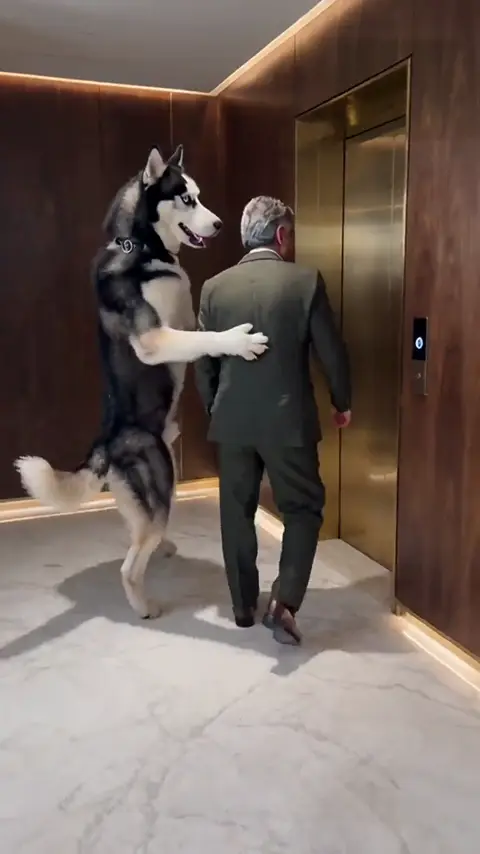
DOG ELEVATOR PRANK AI
The viral 15-second TikTok dog elevator prank meme from 2 photos with synced elevator chime and comedy sound effects.
Viral
15s · 1000 crRemake→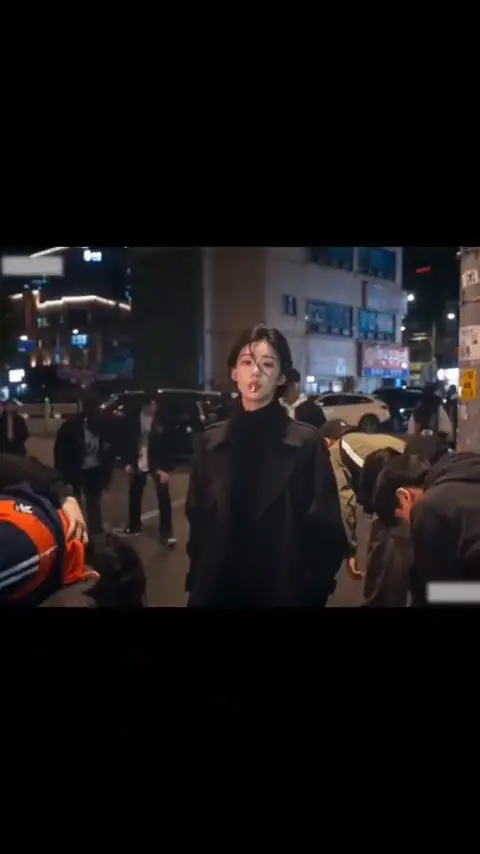 NEW
KING JIN AI TREND
Add 1 photo for an 8-second King Jin entrance: the crowd bows, you take out the lollipop, then walk into the next scene.
Viral
8s · 534 crRemake→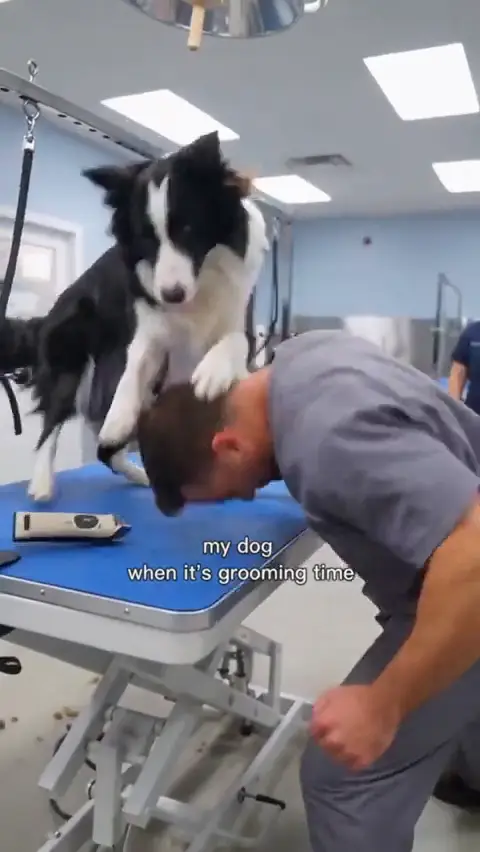 NEW
DOG GROOMING TIME AI
Add 1 dog photo for a 10-second grooming-room role reversal, or choose Dog Trio with 1 dog and 2 people.
Viral
10s · 667 crRemake→
Browse every trend you can make today in AI video trends.
Make Your Rubber Band Prank AI Video Now
Upload two clear photos to generate the 15-second 9:16 rubber band prank skit with original audio in 2–5 minutes.
Written and maintained by MemeVideoMaker Editorial DeskPublished Last updated