Kling Image 4.0 · Kling

Kling Image 4.0 AI Image Generator

Enter a prompt or up to 10 references to create one Kling Image 4.0 image with native 8K detail and readable typography.

0 / 4000

125 credits for this run

Describe what you want to make.

No watermark · Credits back if a run fails · Silent MP4

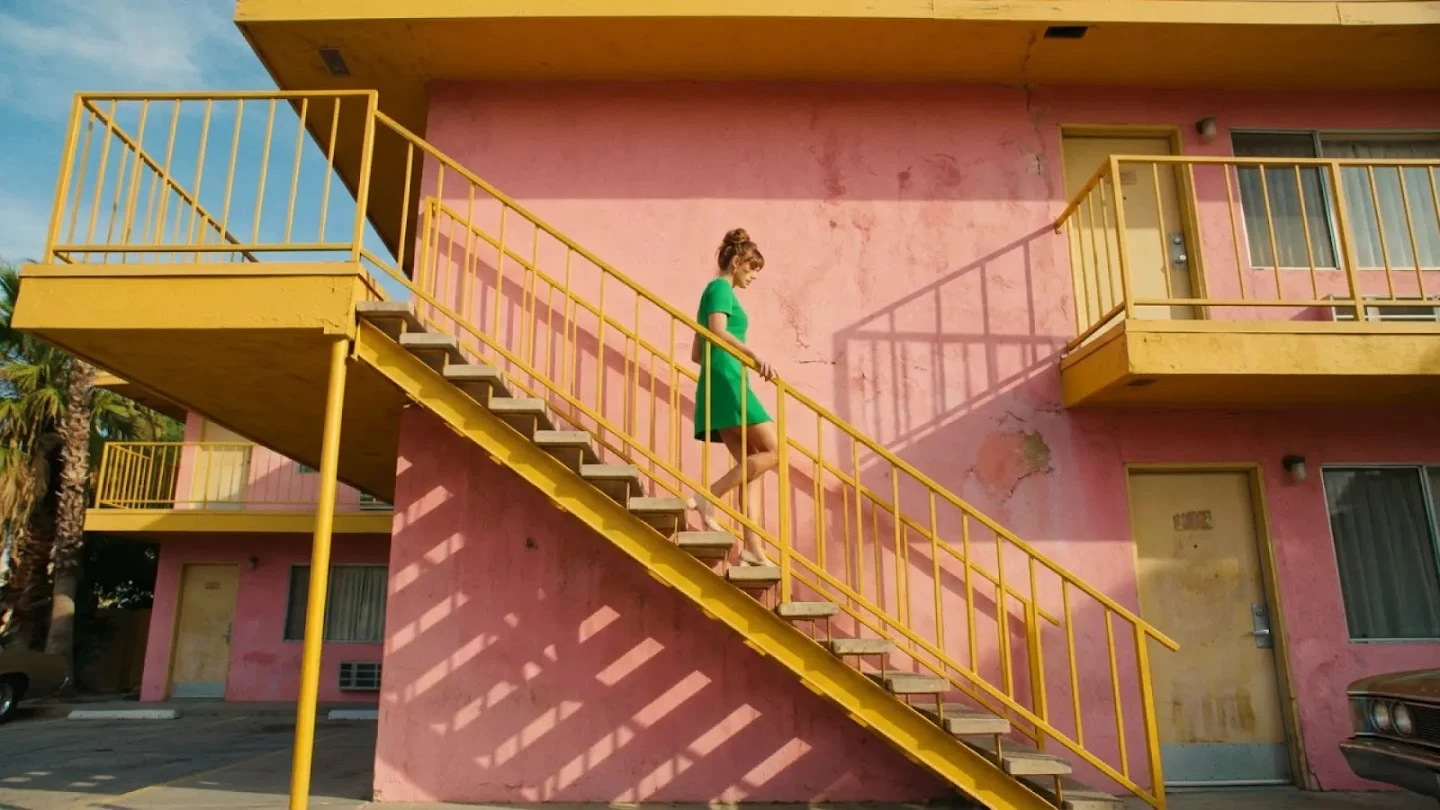
Text to image example: woman in a green dress descending a bright yellow staircase against a pink facade, Nano Banana 2.1, 16:9

Architectural fashion

Nano Banana 2.1 · 16:9 · 2K

A fashion editorial of a woman in a green dress walking down a bright yellow staircase against a pink motel facade. Geometric composition, warm sunlight.

Click any sample image to preview1 / 6
Kling Image 4.0 Examples

What can you create with Kling Image 4.0?

Describe a new scene, product page or storyboard, or upload reference images, then inspect the result at the resolution you selected. Kling Image 4.0 supports prompt-led creation and reference-led edits in the same workspace.

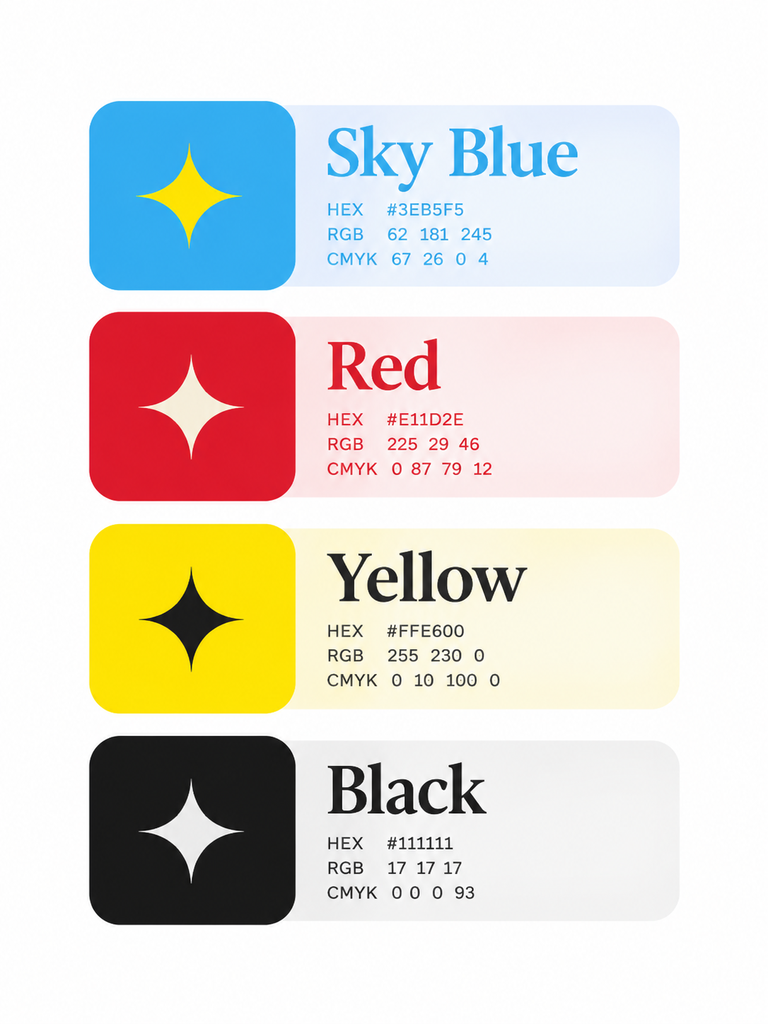
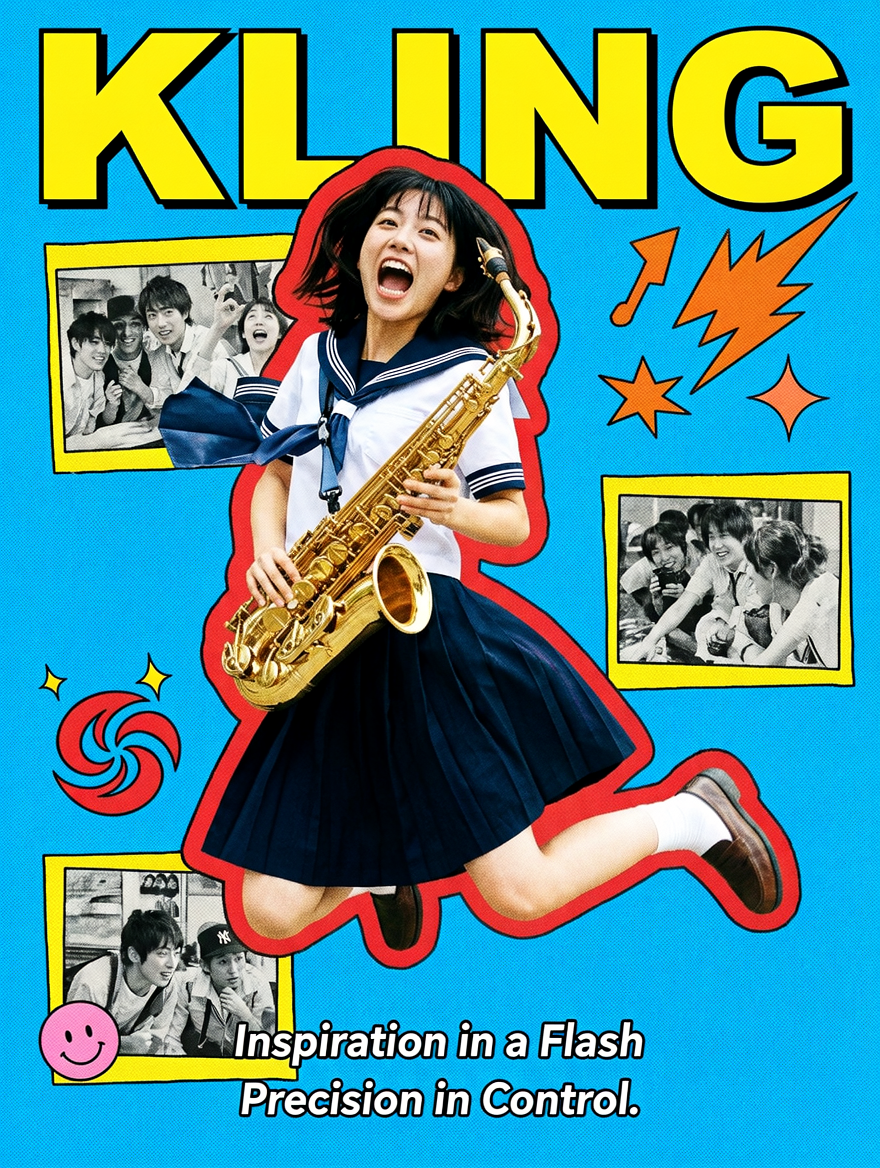
Official Kling Image 4.0 typography poster with dense Japanese collage layout and readable title textOfficial Kling Image 4.0 color reference for a Japanese youth movie poster
Editorial demo

Kling Image 4.0 · 3:4 · 2K · 125 credits

Official example · Typography poster

参考图中的配色生成一张强烈复古拼贴风的日系青春电影海报:主体是中间那位穿白色水手服、深蓝百褶裙的少女,她抱着一把金色萨克斯,整个人腾空跃起,嘴张大像在放声欢呼,动作非常夸张,充满青春爆发力。她的身体外围被一圈不规则红色描边包住,像剪贴纸边缘,把主角从背景里强行弹出来。背景是高饱和天蓝色粗颗粒底,整体带明显网点、印刷噪点和旧海报质感。四周穿插三张黄色底的小黑白人物照片,像漫画分镜或记忆碎片,分别分布在左上、右中、左下,和中央主角形成呼应。顶部大标题“KLING”用巨大黄色字母横向压住画面,右上和左下点缀橙色闪电、爆炸星芒、红色旋涡、粉色笑脸等图形元素,整体排布非常满、非常跳跃,带一种手工拼接、音乐青春、杂志封面式的热闹感。文字部分“Inspiration in a Flash.Precision in Control. ”又把海报的节奏往中下部压,形成典型的高密度平面设计海报构图。整体气质非常青春、喧闹、复古、俏皮,像2000年代日系电影宣传物料。

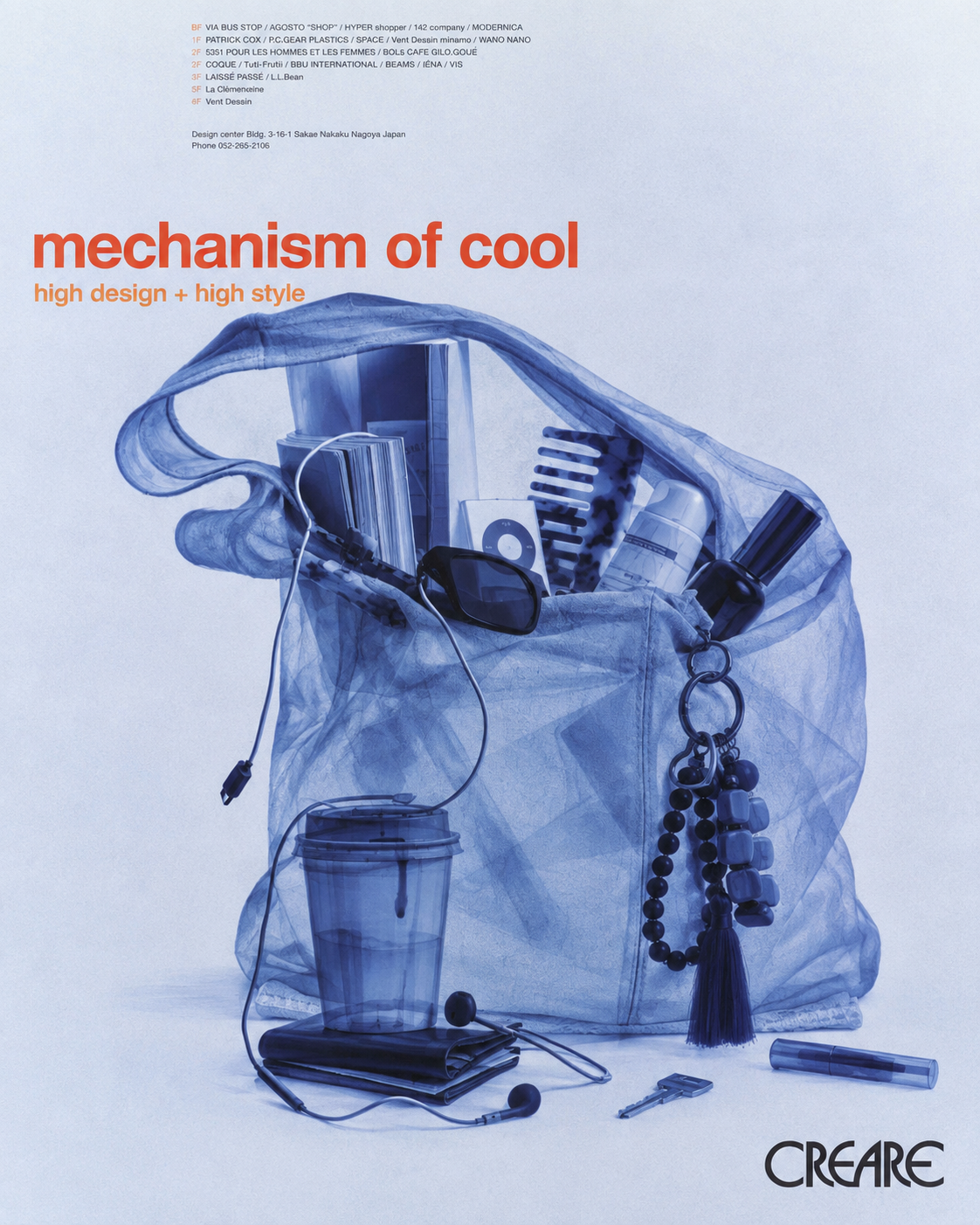
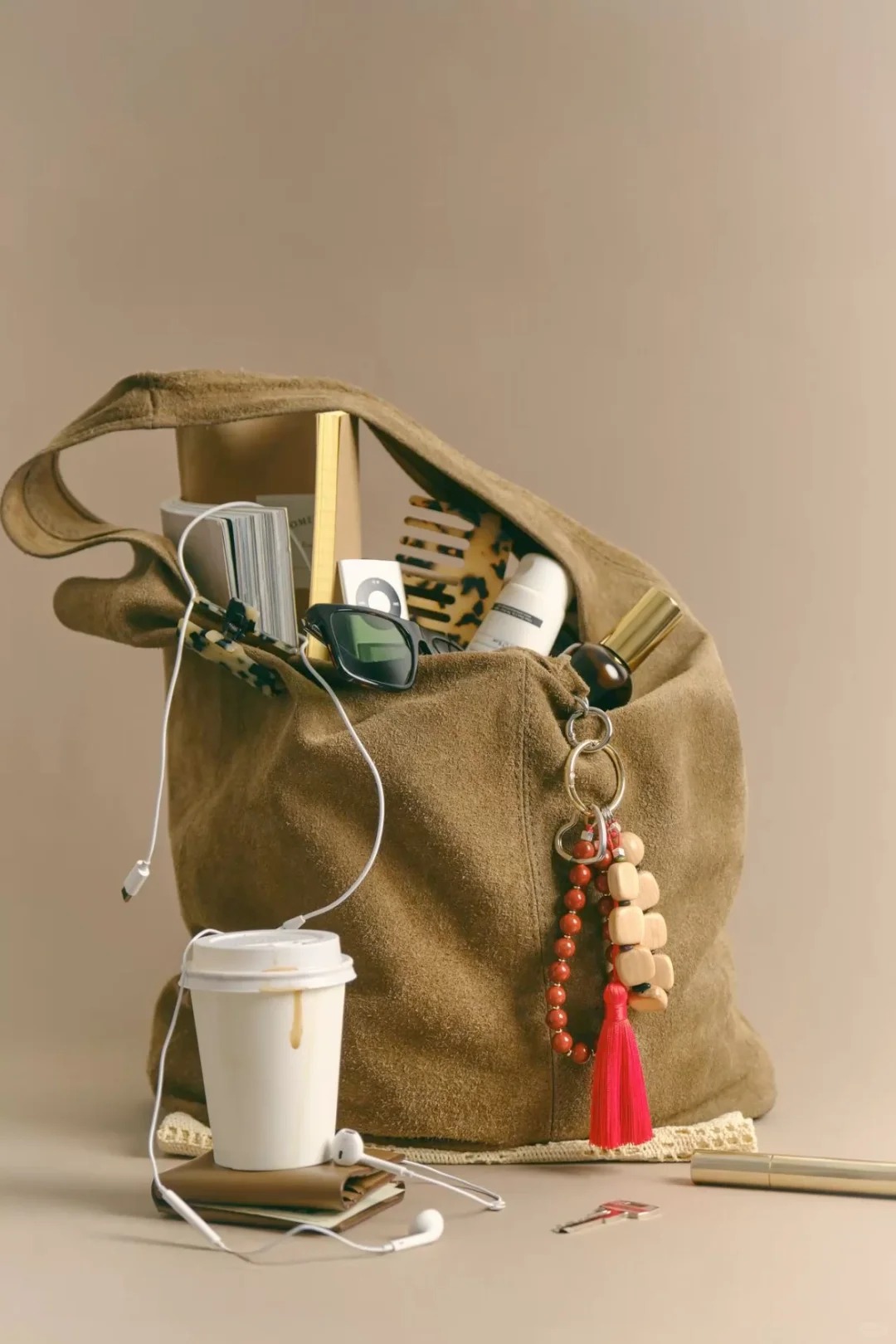
Official Kling Image 4.0 X-ray style-transfer result with matching text and layoutOfficial Kling Image 4.0 style-transfer source image
Editorial demo

Kling Image 4.0 · 3:4 · 2K · 125 credits

Official example · X-ray style transfer

参考图二的X光照射风格和配色,给图一进行风格转化,参考文字和排版一致

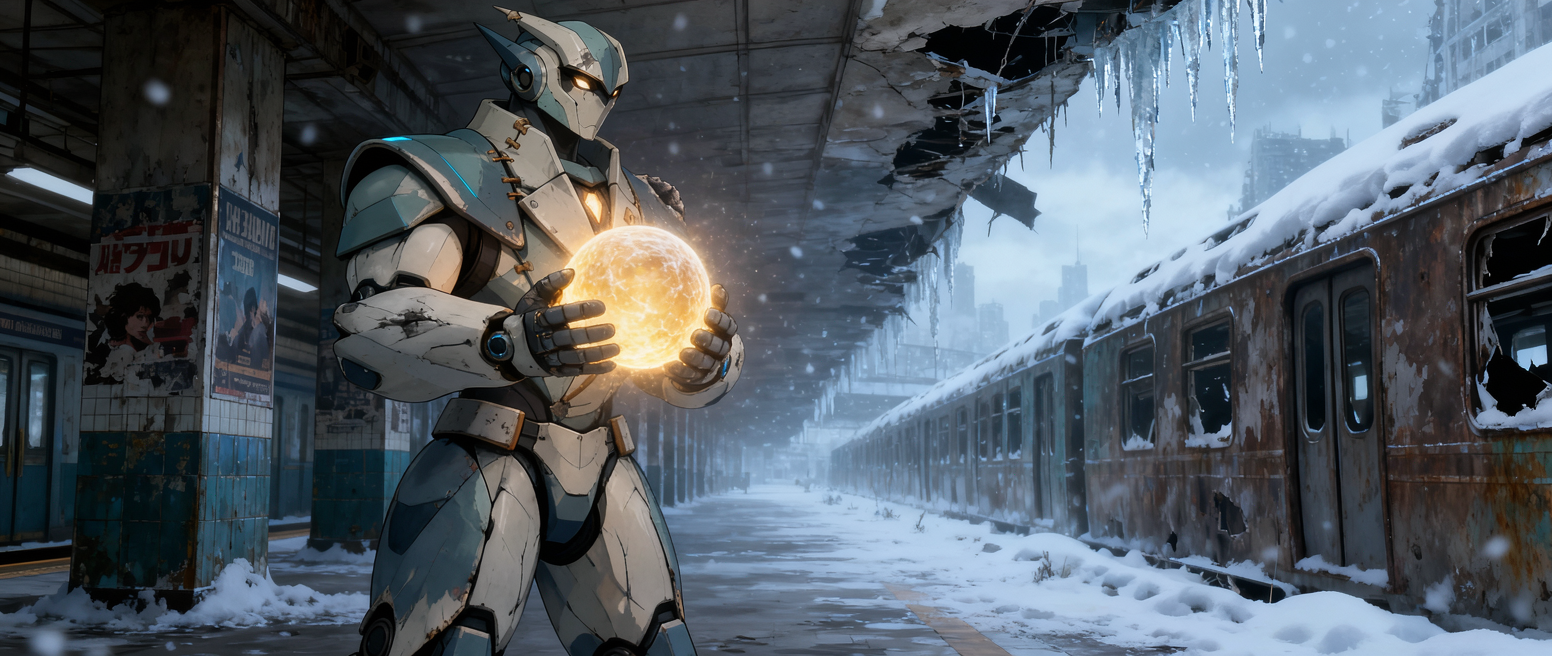
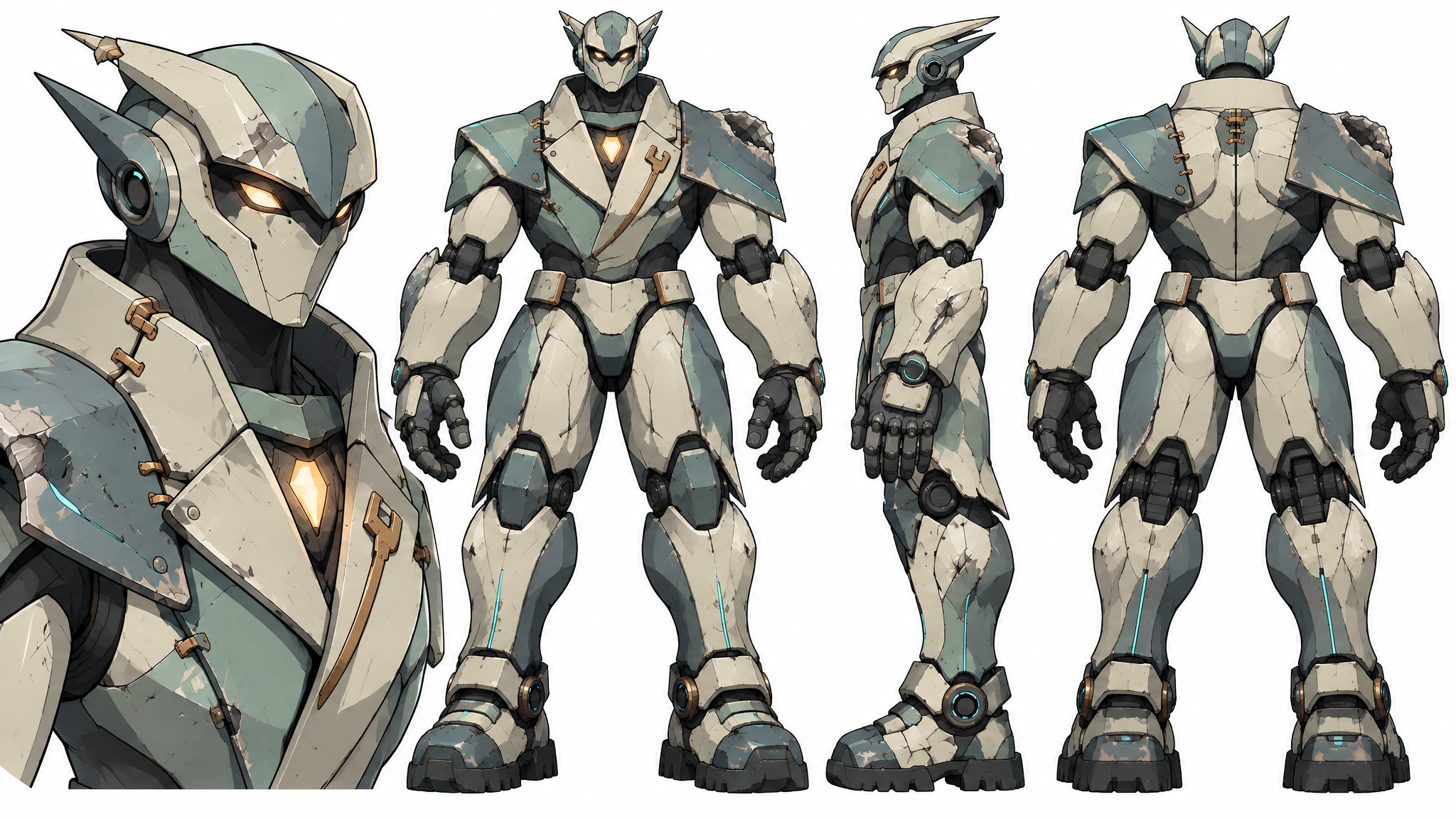
Official Kling Image 4.0 coherent storyboard frame with a robot carrying a glowing orb through snowOfficial Kling Image 4.0 animation storyboard reference image
Editorial demo

Kling Image 4.0 · 21:9 · 2K · 125 credits

Official example · Eight-frame storyboard

动画电影分镜第1张:机器人艰难的顶着风雪前行,他抱着光球,穿过被雪掩埋的街道。第2张:暴风雪骤然加剧。它焦急的迎着风雪半跪蹲下,努力将光球护在胸口。第3张远景:风雪中,它艰难的向一座荒废的温室走去。第4张特写,机器人手中光球的特写,进入温室后,风雪暂时被隔绝,机器人看向手中的光球,担心它是否安全。第5张中景:机器人在温室中,风雪被暂时隔绝在温室外,第一株嫩芽破土而出,光球照亮了嫩芽,完成护送。第6张:小机器人打开门走出门外,不可置信的看着生机蔓延开来,鲜花和植被逐渐驱散了寒冬,一半世界依然是冰雪,另一半则有了绿意。第7张:冰雪完全退去,原来的高架、楼群与街道仍在,却已被植物和鲜花覆盖。小机器人仰望着周围的生命奇迹。第8张:小机器人坐在绿意盎然的废墟上,手上握着一枝花,花上有一只蝴蝶。

Swipe to inspect all 3 prompts

Official Kling Image 4.0 release-page examples. Prompts and assets are sourced from the matching typography, style-transfer and coherent-series sections.

The Model

What is Kling Image 4.0, and is Kling AI 4.0 the same model?

Kling Image 4.0 is Kling AI’s still-image model for text-to-image and reference-led image creation. “Kling AI 4.0” can also describe the separate video release, so confirm the model label before you spend credits on a visual task.

For a prompt-only workflow, compare the Text to Image AI generator; for an existing photo, compare Image to Image AI before choosing the Kling Image 4.0 settings that fit your task.

The official Kling Image 4.0 model release documents improved realism, native 8K output, text rendering, up to 10 reference images, coherent image sets and long-form image generation. The Kling Image 4.0 prompt guide adds prompt patterns for typography, style references and coordinated sets.

The official model release lists up to 15,000 tokens of prompt input, up to 2,000 characters of text in one image, more than 70 preset fonts and up to 10 related images in one coherent set. This workspace currently exposes the single-image prompt and reference workflow with a 4,000-character product limit, so the page separates model capability from the controls available here.

An independent launch-day test by PhotoWorkout founder Andreas De Rosi covered an 8K portrait, a text-heavy poster, a photo edit and a four-frame series. The reported 8K file measured 9,984 × 6,656 pixels, while fine detail at 100% still looked slightly painterly. Read the PhotoWorkout test
  • Native 2K, 4K and 8K
  • Up to 10 reference images
  • Official coherent sets up to 10 images

What does the documented Kling Image 4.0 model support?

Model Facts
5 Documented
Kling Image 4.0 facts from official documentation
CapabilitySpecification
Prompt contextUp to 15,000 tokens in the official guide
Text in imageUp to 2,000 characters; English, Chinese, Japanese, Korean, Spanish and Portuguese listed
Font guidance70+ preset fonts or a font reference image
Coherent image setsUp to 10 related images from one prompt
Long-form imagesOfficial e-commerce and web page endpoints
← Swipe horizontally to read full table →

Specification summary: Kling Image 4.0 has broader official API capabilities than the single-image composer currently exposed on this page.

What It Does

Why use Kling Image 4.0 for high-resolution image work?

Kling Image 4.0 turns a short brief or a reference set into a visual direction. The official release shows native 8K detail, dense typography, coherent series and long product pages, while this composer keeps each run focused on one inspectable output.

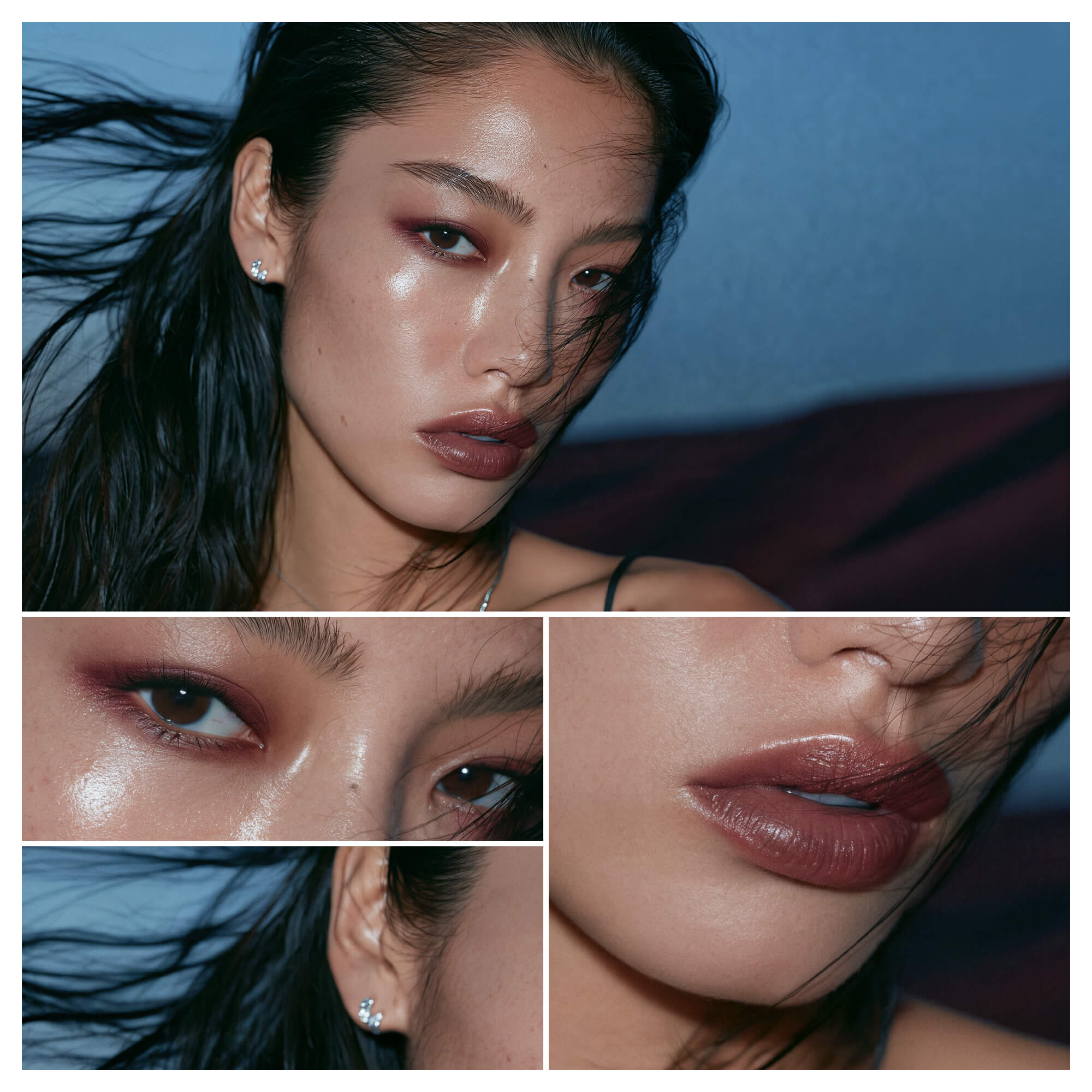
Keep native 8K detail for close inspection

The official native-8K example is designed for large-format viewing and cropping, where skin, fabric and material texture need enough information to hold up.

Fine texture2K / 4K / 8KCrop room
Official Kling Image 4.0 native 8K detail example showing fine texture and high-resolution output

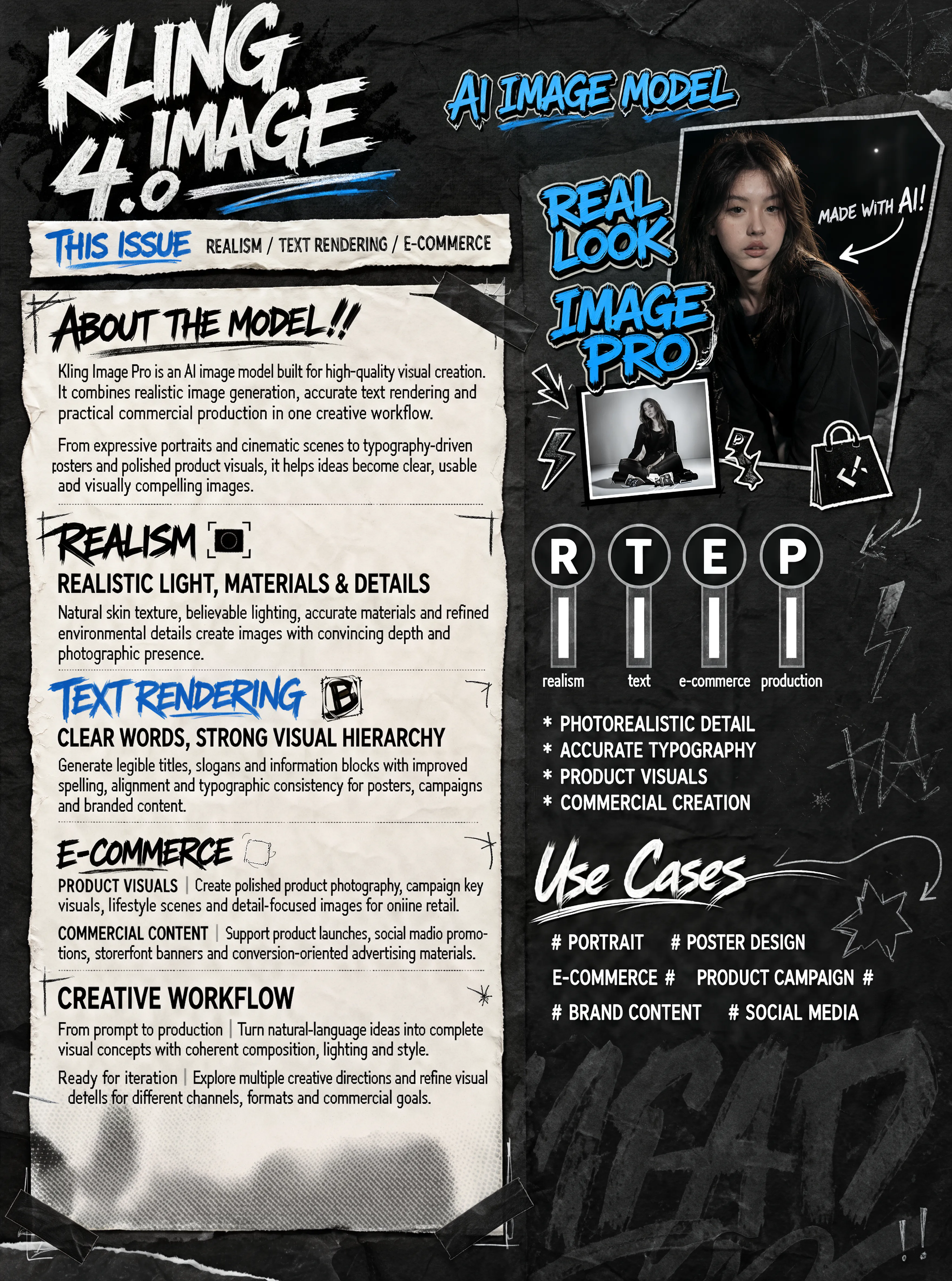
Make dense text stay readable

The official high-information example combines small copy, hierarchy and structured layout. Use the prompt to name the words, order and visual role each text block should have.

Small copy70+ fontsMulti-language
Official Kling Image 4.0 dense text example showing small copy and an ordered information layout

Plan a coherent visual sequence

A single structured prompt can describe beats, camera distance and continuity. This official action storyboard frame shows how a series can keep a subject and visual language connected across planned moments.

Planned beatsSubject continuityLong prompt
Official Kling Image 4.0 action storyboard frame from a coherent multi-image prompt
Model Specifications

What does the Kling Image 4.0 API support?

The generator exposes the standard image endpoint settings that are safe to price and deliver through this site.

Run Specifications
7 Options
Kling Image 4.0 generator capabilities
CapabilitySupported choice
InputText prompt or up to 10 JPG, JPEG or PNG reference images
Resolution2K, 4K or 8K
Aspect ratio1:1, 16:9, 9:16, 4:3, 3:4, 3:2, 2:3 or 21:9
ResultOne image per run with the no-watermark request enabled
Official model strengthsNative 8K, up to 2,000 characters, 70+ fonts, coherent sets and long images
Prompt limit hereProduct limit of 4,000 characters
Official prompt contextUp to 15,000 tokens in Kling documentation
← Swipe horizontally to read full table →

Kling Image 4.0 accepts a prompt, optional references and a selected resolution and aspect ratio, then returns one image task result.

Three Steps

How do you use the Kling Image 4 generator here?

Choose the input mode, set the output size, review the credit quote and inspect the returned image before you publish it. The official release examples show the kinds of briefs that benefit from typography, style references and continuity planning.

  1. STEP 01Step 01 · Prompt
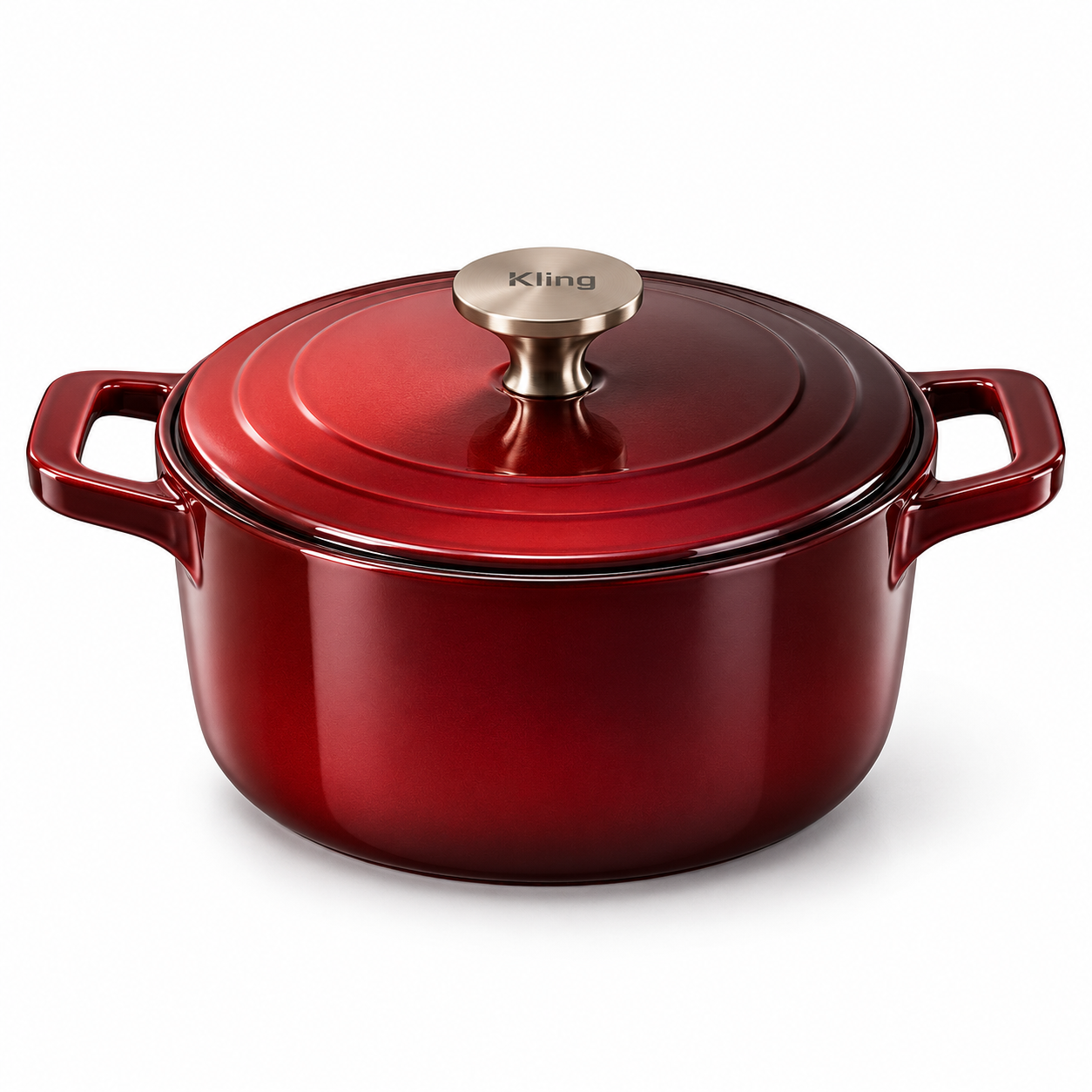
    Official Kling Image 4.0 cast-iron cookware reference image used for a product-page brief

    1. Write the brief

    Name the subject, action, scene, lighting and framing. Add reference images when identity or product details matter.

  2. STEP 02Step 02 · Settings
    Official Kling Image 4.0 font reference image used to guide typography style

    2. Select size and ratio

    Choose 2K, 4K or 8K and one of the available aspect ratios. Image edits use the same settings panel.

  3. STEP 03Step 03 · Result
    Official Kling Image 4.0 action storyboard reference image used to plan a coherent sequence

    3. Inspect and download

    Review the output at the size you need. Download it or start another focused edit with the reference image still available.

Practical Uses

Who uses Kling Image 4.0?

Use the model when the final asset needs natural camera-like detail, readable text, a long-form layout or a subject that should carry across several reference images.

Creators

Build cinematic key art

Create a polished character frame or storyboard beat from a structured visual brief, then carry the same subject through a planned sequence.

  • Set the final crop early
  • Describe the lens and light
  • Check typography before publishing
Product teams

Stage products and long pages

Upload product references or describe the item in one line, then test a campaign scene, a dense detail page or a brand web visual.

  • Keep the product geometry explicit
  • Name the details that must stay
  • Compare variants at the selected size
Design teams

Explore typography and style

Use style references to guide palette, font direction, text placement and composition while keeping the information hierarchy legible.

  • Label the important reference
  • Specify the composition order
  • Save the prompt with the result

When should you use a dedicated editor?

  • Pixel-perfect layer restoration
  • Final regulated copy without proofreading
  • Source files that need editable vectors

Review every generated image before commercial publication.

Before You Generate

How can you judge a Kling Image 4.0 result?

Use the prompt, references, output dimensions and downloaded file together. This keeps the next iteration focused on the detail that actually needs changing.

01

Check the brief

Confirm that the subject, setting, composition and words match the request.

02

Check the references

For edits, compare the face, product geometry, colors and crop with the source images.

03

Check the file

Inspect the final dimensions and visual details at the size where you will use the image.

Known limits

Reference fidelity and text placement can vary between runs. Proofread and inspect every result.

Evidence and Privacy

How do privacy and independent tests affect your Kling Image 4 choice?

Your uploaded references are used to submit the image task and follow the configured input retention window. Generated outputs follow the configured output window, so download anything you need to keep. The workspace, not a Kling subscription or API key, owns the prompt, credits and task history shown here.

The Kling Image 4.0 API manual documents asynchronous tasks, reference-file limits and separate endpoints for standard images, coherent sets and long images. CVY.AI also reports tests across portraits, posters, Chinese menus, ad sets and long product pages. These sources help set expectations, but neither source guarantees a perfect result for every prompt. Read the CVY.AI test notes

  • Review before publishing
  • Download before the retention window ends
  • Keep model, prompt and settings together
Credits

How many credits does Kling Image 4.0 use?

The picker shows the exact cost for the selected resolution and reference images before you generate.

Credits per image
4 Input or output
Kling Image 4.0 image credits
ItemCredits
2K output125
4K output187
8K output311
Reference image7 each
← Swipe horizontally to read full table →

Kling Image 4.0 is priced per output image. Each reference image adds 7 credits, up to the published ten-image input limit.

See all image models
FAQ

What do creators ask about Kling Image 4.0?

1.What resolutions does Kling Image 4.0 support?

The standard image mode supports 2K, 4K and 8K output. The picker shows the cost for each choice before generation.

2.Can Kling Image 4.0 edit a reference image?

Yes. Switch to Image mode, upload the reference images and describe what should change and what should stay.

3.How many reference images can I upload?

The model accepts up to 10 reference images in one run, subject to the image format, size and aspect-ratio checks.

4.Does the output include a watermark?

The generator requests the no-watermark output option. Review the downloaded file before publishing.

5.Can it generate text inside an image?

It can follow text instructions, but exact lettering still needs proofreading because generated typography can vary.

6.Can Kling Image 4.0 put 2,000 characters in one image?

The official model release lists up to 2,000 characters in one image and supports Chinese, English, Japanese, Korean, Spanish and Portuguese. Proofread the result before publishing.

7.Does Kling Image 4.0 include commercial fonts?

The official release lists more than 70 commercially usable preset fonts and supports a font reference image. The generated layout still needs a visual and legal review for your project.

8.Can Kling Image 4 create an e-commerce detail page?

Yes. The official release demonstrates long e-commerce and web-page images from a one-line brief. This workspace returns one image per run, so review the long layout before publishing.

9.How are Kling Image 4.0 credits charged?

Credits are charged per generated output image at the selected resolution, and each reference image adds the published reference-image credit cost. The exact quote is shown on the Generate button.

10.What aspect ratios are available?

The generator supports 1:1, 16:9, 9:16, 4:3, 3:4, 3:2, 2:3 and 21:9.

11.Can I use the result commercially?

Check your plan and the applicable upstream terms for the use case, then review each output before commercial publication.

12.Will my uploaded photos be stored forever?

No. Uploaded references follow the configured input retention window, and generated outputs follow the configured output window. Download files you need to keep.

13.Is it safe to upload my photos to Kling Image 4.0 here?

Use images you have permission to process and avoid sensitive material. The workspace applies its configured retention window to uploaded references and generated outputs, so download the files you need and remove anything you should not retain.

14.Can I post a Kling Image 4 result on TikTok?

You can download the raster result for your project, but review likeness rights, trademarks, generated text and TikTok’s current rules before publishing.

15.Does this page run Kling Image 4.0 Series Mode?

The official model supports coherent sets of up to 10 images. This page currently exposes single-image text and reference runs, so use the official coherent-set workflow for a coordinated series.
Kling Image 4.0

Are you ready to create a Kling Image 4.0 image?

Write a prompt or upload reference images, choose the output size and inspect the result in the same image generator.