How to Make a Meme From a YouTube Video (2026 Step-by-Step Guide)
Turn any YouTube clip into a viral meme video: extract key moments, sync punchlines, or star in the scene using AI face transfer in under 3 minutes.
Why YouTube Clips Form the Backbone of Viral Memes
YouTube remains the world's richest archive of iconic cultural moments, awkward interview pauses, unexpected live concert energy, and hilarious soundbites. Turning a YouTube clip into a shareable meme video for TikTok, Instagram Reels, and YouTube Shorts is one of the highest-leverage skills for modern digital creators.
Traditional video editors force you through a tedious multi-step pipeline: downloading large video streams, opening desktop timeline editors like Premiere or CapCut, manually slicing millisecond timestamps, masking aspect ratios from 16:9 widescreen to 9:16 vertical, and balancing audio levels.
In this complete 2026 guide, you will learn the exact workflows to transform raw YouTube footage into punchy, high-engagement meme videos—from classic captioning to next-generation AI parody generation.
3 Modern Ways to Make a Meme From a YouTube Video
Depending on whether you want a static captioned clip, a customized dialogue reaction, or want to star inside the meme yourself, choose between three established workflows:
| Method | Best For | Typical Time | Technical Difficulty | Tool Used |
|---|---|---|---|---|
| 1. AI Parody / Face Transfer | Putting yourself or friends into the viral meme | 2–4 minutes | Zero (1-click photo upload) | Meme Video Maker |
| 2. Vertical Framing & Captions | Adding top/bottom Impact text to classic clips | 8–15 minutes | Low to Medium | Web Editor / CapCut |
| 3. Multi-Track Timeline Remix | Complex green-screen cutouts & audio mashups | 30–60 minutes | High | Desktop NLE (Premiere/Resolve) |
Workflow 1: Putting Yourself Directly Into the Meme (The AI Method)
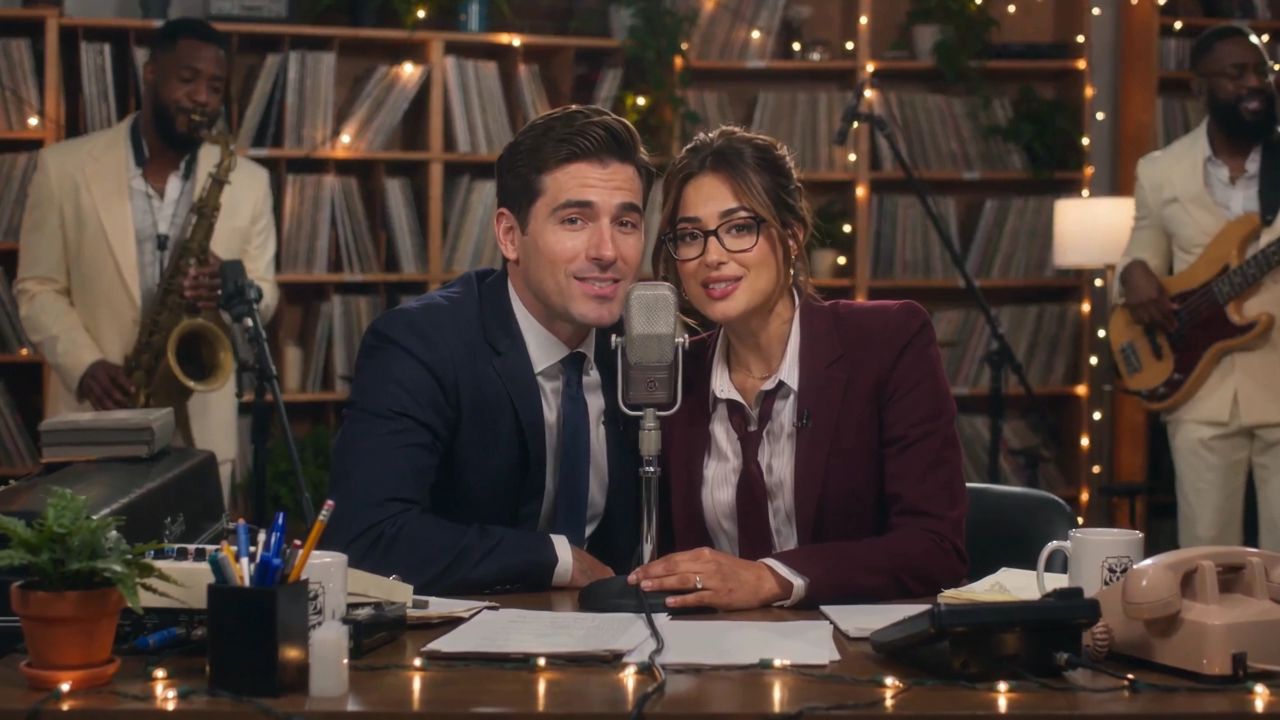
If you are recreating a famous viral video trend—such as the Charlie Wilson desk concert, viral dance trends, or cinematic athlete celebrations—you no longer need to manually mask green screens or keyframe motion graphics.
With dedicated engines like Meme Video Maker, you can star inside the meme scene with complete facial lighting consistency and pre-synchronized stereo audio:
- Pick the Viral Trend: Browse our live library of AI Video Trends to select the scene you want to recreate.
- Upload Your Photo: Provide a clear, front-facing selfie (or group photo for multi-person band parodies).
- Automated Scene Synthesis: The engine tracks the 3D head rotation, facial geometry, and vocal cadences of the original YouTube moment, transferring your likeness without warping or jitter.
- Export in Native 9:16: Download a finished 720p or 1080p MP4 with master audio pre-aligned within ±38ms—ready for instant posting to TikTok and Reels.
Workflow 2: Extracting and Captions a YouTube Clip (The Classic Method)
If you want to use the original footage and add meme captions above and below the video:
Step 1: Identify the 3 to 10 Second Micro-Moment
Viral meme videos thrive on brevity. The golden rule of social short-form video is that the punchline or emotional reaction must hit within the first 3 seconds. Scrub through the YouTube video and mark the precise timestamp where the reaction begins and ends.
Step 2: Convert to Vertical 9:16 Aspect Ratio
YouTube videos are natively 16:9 horizontal. When posting to mobile feeds, horizontal clips leave massive black bars that ruin click-through rates. You have two aesthetic choices:
- Blurred Canvas Padding: Place the 16:9 clip centered in a 9:16 frame with a heavily blurred, enlarged version of the video behind it.
- Dynamic Subject Crop: Pan and scan the frame to follow the main character's face.
Step 3: Overlay Punchline Typography
Use high-contrast fonts (such as Impact, Montserrat Bold, or Fraunces) with 1px black stroke outlines or clean dark rounded callout pills. Keep text concise:
"When the AI renders your 15-second video in under 2 minutes and it actually looks good."
Common Mistakes to Avoid When Making Meme Videos
- Preserving Silent Audio: Nothing kills a meme faster than audio-video desynchronization. If you are remixing music or vocal dialogue, ensure the punchline beat drops exactly when the facial expression changes.
- Uploading Low-Resolution Source Clips: Compressing a 360p rip across multiple platforms results in pixelated artifacts. Always extract footage at 1080p or higher.
- Ignoring Platform AI Disclosures: When sharing AI-generated parodies, always use the built-in "Altered or synthetic content" label on TikTok, YouTube Shorts, and Instagram to maintain algorithmic trust.
Questions
Do I need video editing experience to make a meme from a YouTube video?
No. If you use dedicated parody tools like Meme Video Maker, the entire audio alignment, motion tracking, and vertical formatting are performed automatically from a single photo upload.
What aspect ratio works best for TikTok, Instagram Reels, and YouTube Shorts?
The standard format for all modern mobile platforms is 9:16 vertical MP4 (1080×1920 or 720×1280 pixels).
What happens if an AI video generation fails?
On Meme Video Maker, all technical failures trigger an immediate 100% automated credit refund to your account, ensuring zero financial risk while experimenting with new meme formats.
Star in This Video in 2–4 Minutes
Upload your selfie or group photo. Zero prompt typing needed, pre-synced master audio, automated refund on failures.
Written by
MemeVideo Editorial Desk
AI Video & Trend Research
Continue Reading
Recommended Next Reads

Nov 5, 2026
How to Make Bicep Heart Trend Video: 2026 Step-by-Step AI & Manual Guide
Learn how to make bicep heart trend video on TikTok and Reels. Master the physical pose or create a 7-second viral AI video from 1 photo in under 3 minutes.

Nov 5, 2026
How to Make Your First Time in a Fancy Cafe Video: 2026 Step-by-Step AI & Manual Guide
Learn how to make your first time in a fancy cafe video for TikTok and Reels. Follow our 2-photo AI workflow or DIY manual filming guide with synced audio.

Nov 5, 2026
What Is Bulin 47 Meme? The Viral 'Dame Hombro' AI Dance Trend Explained
What is Bulin 47 meme? Discover the viral Madrid street Dembow origin with Kevin Wai, the 'Dame Hombro' dance, and how to create your own AI video in 3 minutes.