Wan 3.0 · Alibaba

Wan 3.0 AI Video Generator With Native Audio

Text, image and reference to video on Wan 3.0: 2 to 15 seconds at 720p or 1080p, with sound built in and no watermark.

  • Text, image & reference to video
  • 2–15 seconds
  • 480p / 720p / 1080p
  • Native sound
  • No watermark
0 / 5000
Native sound included

600 credits for this run

Describe what you want to make.

No watermark · Credits back if a run fails · MP4 with sound

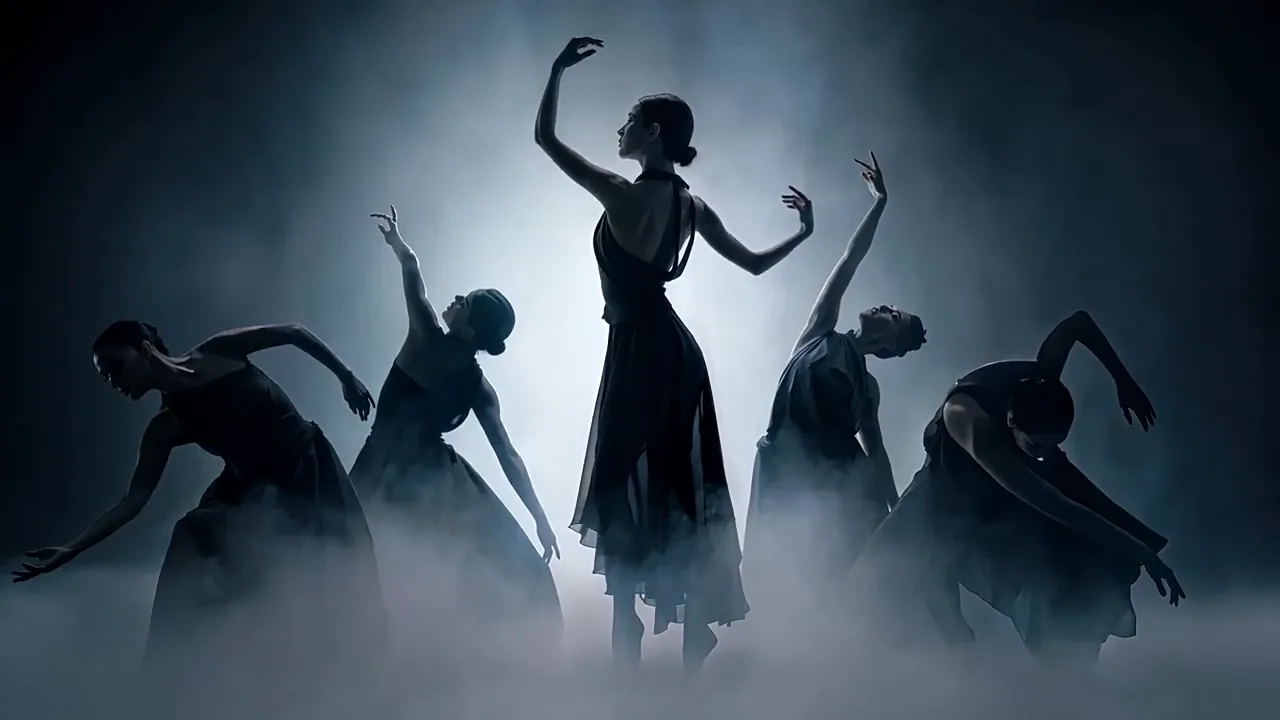
Dancers in backlit fog

Wan 3.0 · 16:9 · 12s · 720p

Five dancers in long black chiffon dresses stand in a shallow bank of ground fog, lit from directly behind by a single hard white source so that every body reads as a silhouette. They begin gathered tight, extend outward into a line while skirts swing a beat behind, and draw back in together while fog closes over their feet. The only sound is breath, bare feet on wood and fabric rustle, no music.

Click any sample clip to preview1 / 2
Made With Alibaba Wan 3.0

What Does the Wan 3.0 AI Video Generator Actually Make?

Four finished jobs and a reel of more, all editorial demos made with the Wan 3.0 AI video generator at 2 to 15 seconds and 30 frames per second. Turn the sound on to hear the dialogue, room tone and sound effects that Wan 3.0 renders in the same pass as the picture.

Reference to videoWan 3.0 · 16:9 · 15s

One Character Held Across Every Shot

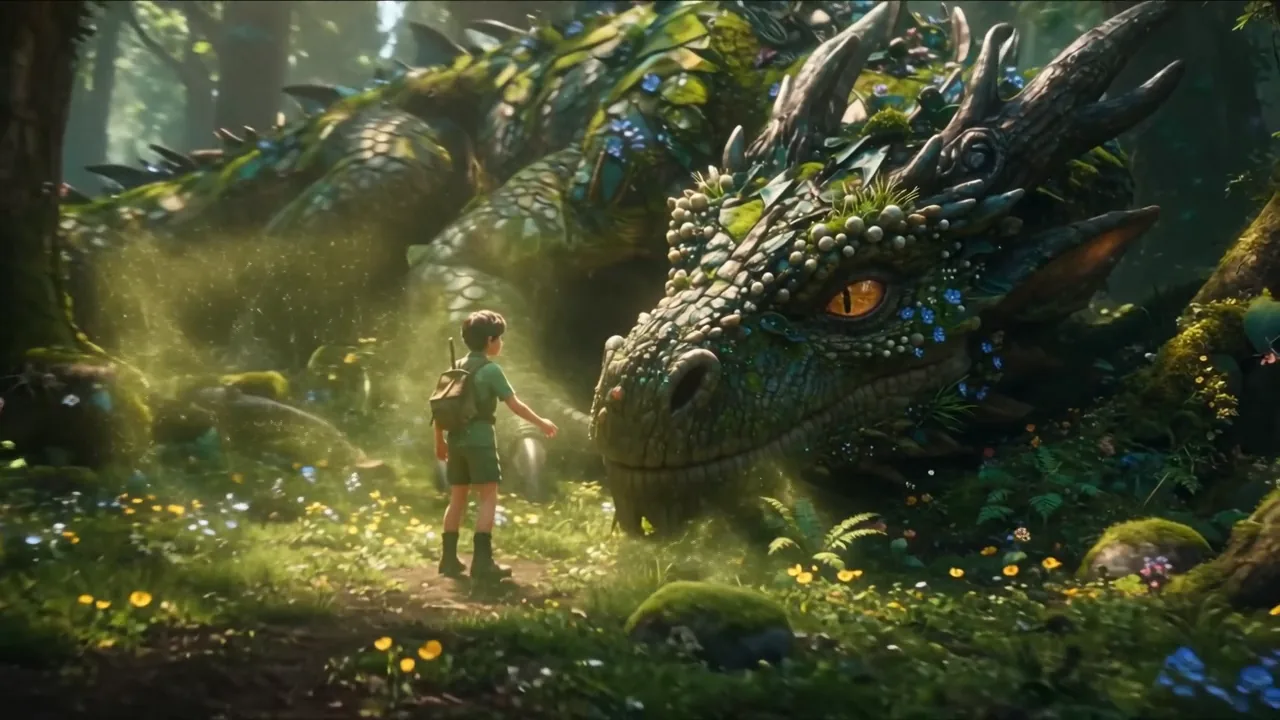
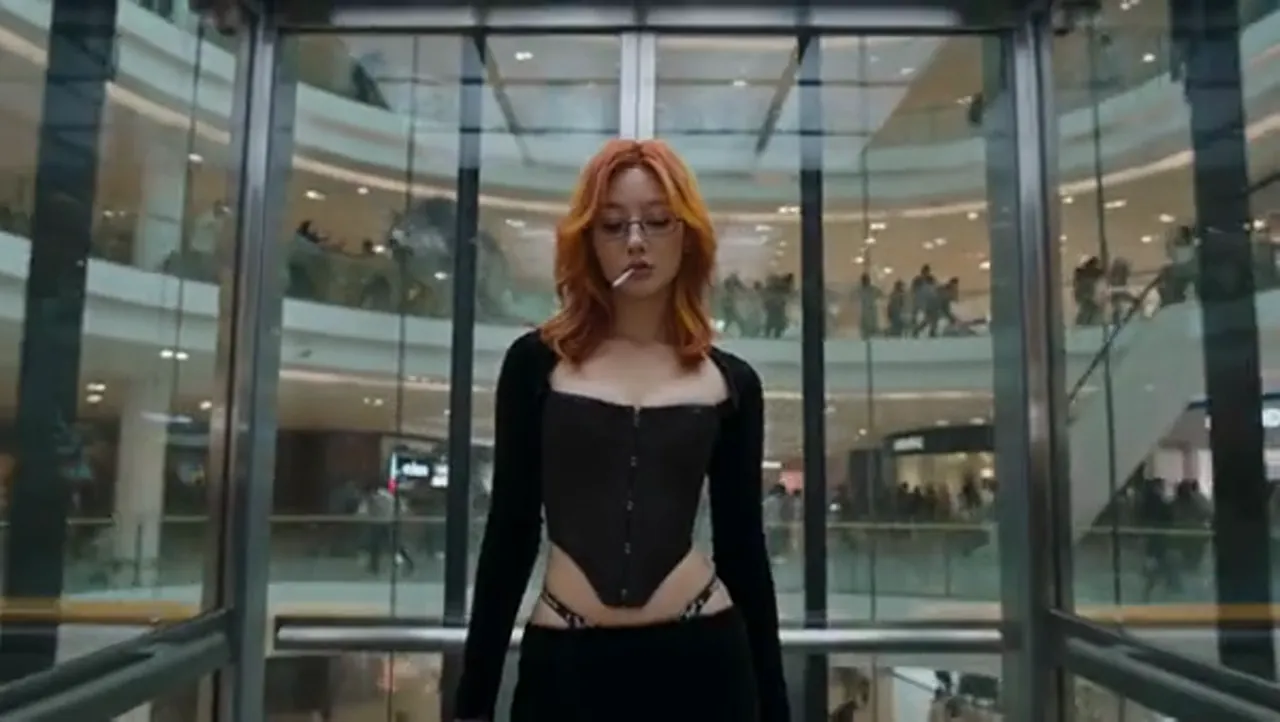
Upload a character sheet or portrait as Image 1 and direct a multi-beat sequence. Wan 3.0 keeps the same face, red hair and outfit across a lift interior, a wide atrium and a close-up.

Starter Recipe

Use Image 1 as the woman throughout, keeping her face and red hair identical. She steps out of a glass lift into an empty shopping atrium, then green vines break out across the floor as the camera pushes in.

More Wan 3.0 AI Video Clips to Borrow From

Every clip below came out of Alibaba Wan 3.0 with picture and sound in the same file. Pick a setup, then write your own shot in the generator above.

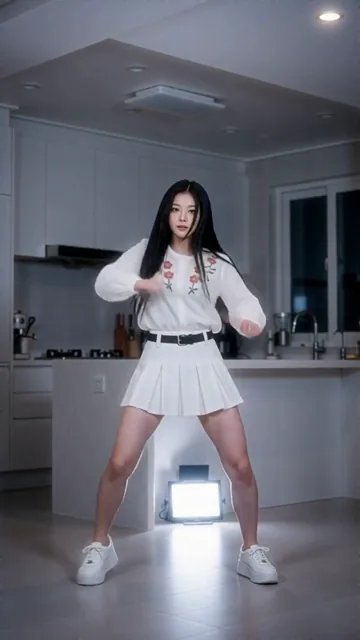
Vertical Kitchen Beat Dance
9:16 · 15s
Rain Window Voice Call
Voice Ref · 15s
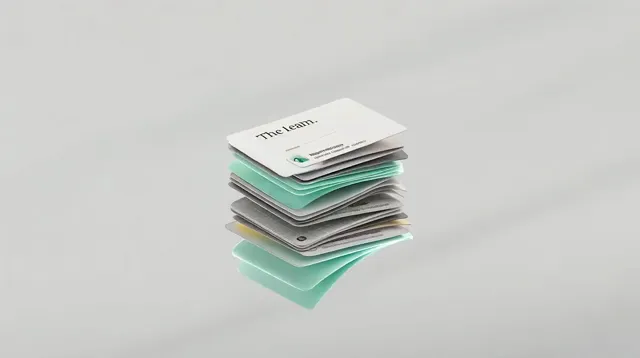
Paper-Craft UI Reveal
Product · 9s
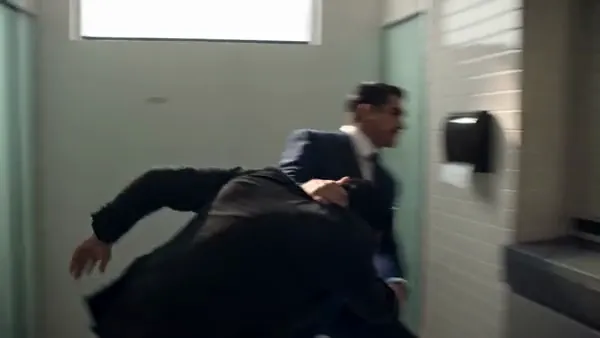
Two-Speaker Office Standoff
Dialogue · 14s
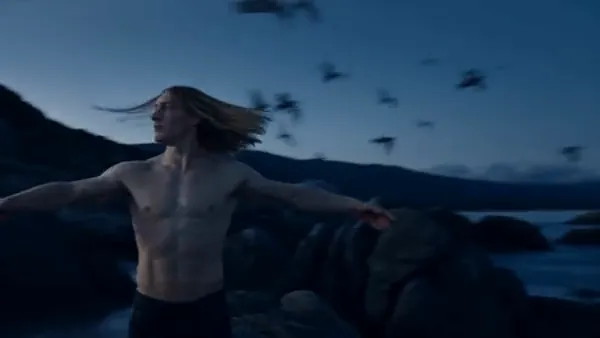
Dusk Cliff Photo to Video
Image to video · 13s
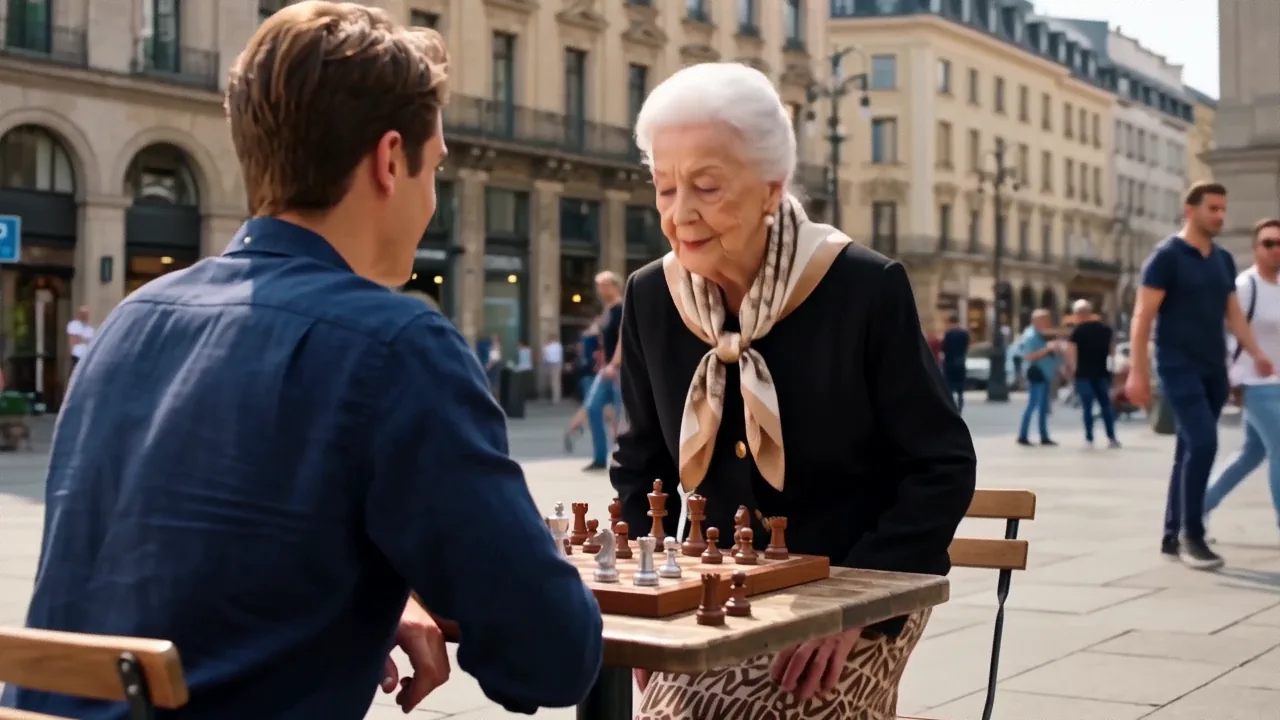
Street Chess Turnaround
Text to video · 5s
Capabilities

What Can the Wan 3.0 Video Model Do Well?

Alibaba built Wan 3.0 (also searched as Wan3 or Wan-3) to fold text, frame anchoring, multi-asset reference and native audio into one model. These are the five capabilities creators pick it for on the generator above.

Reference to Video With Up to 10 Images, 5 Clips and 5 Audio Files

Wan 3.0 carries the largest reference allowance in our workspace: up to 10 reference images, 5 video clips and 5 audio tracks (20 files in all). Point to them as Image 1, Image 2 or Audio 1 in your prompt to keep a cast, a product pack and a voice consistent across every shot, with no extra per-image surcharge.

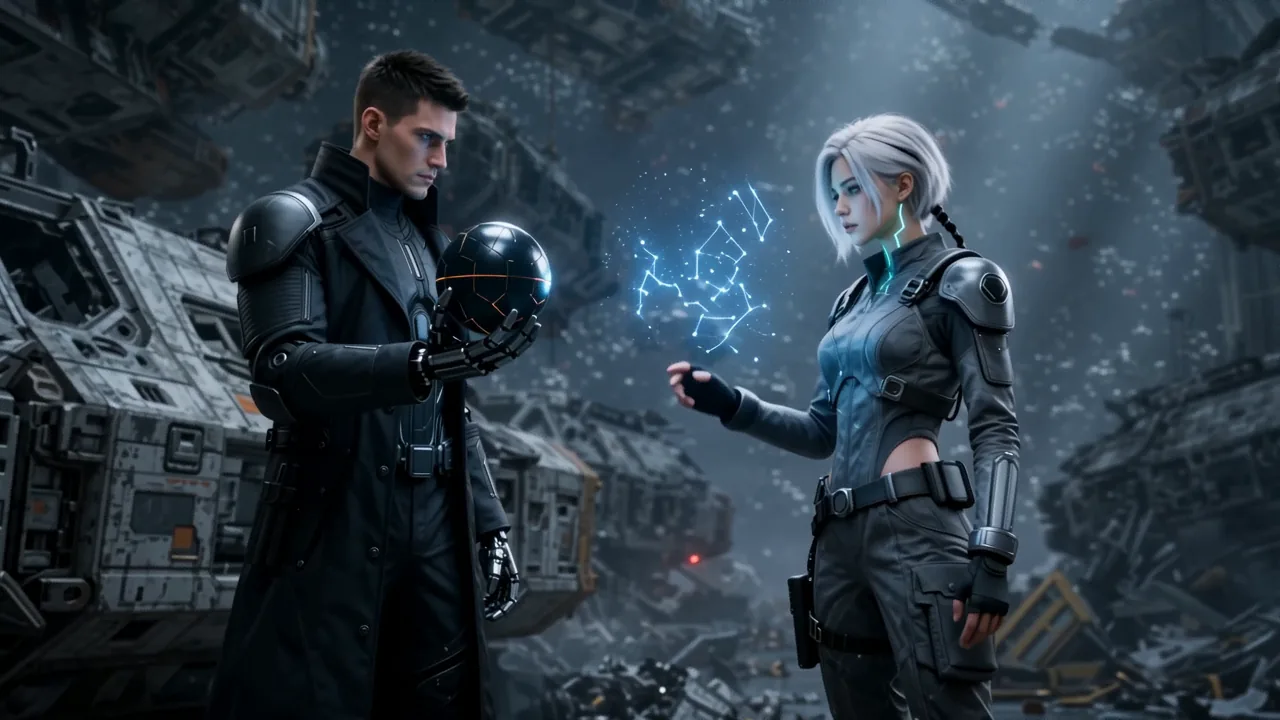
Up to 10 Images5 Clips · 5 AudiosMulti-Subject Lock
Up to 20 RefsGenerate MP4

Keep the exact identities and outfits of both reference characters as the cyan star map opens between them.

Dialogue, Foley and Music Rendered in the Same Pass

Every Wan 3.0 AI video comes back with its soundtrack already mixed into the MP4. Put spoken words in quotes or curly braces, name the room acoustics and the surface sounds, or explicitly ask for no music when you want clean footsteps, breath and cloth movement.

Lip-Synced SpeechRoom Tone & SFXMP4 With Audio
Native AudioGenerate MP4

Two men in dark suits face each other in a tiled washroom; the taller one leans in and speaks before glass spiders behind them.

Snappy 2-Second Hooks Up to 15-Second Story Takes at 30 fps

Where other models start at 4 seconds, Wan 3.0 drops down to 2 and 3 second runs—ideal for testing a prompt cheaply or cutting fast scroll-stopping hooks—and stretches up to 15 seconds at a smooth 30 frames per second when a scene needs multiple beats to unfold.

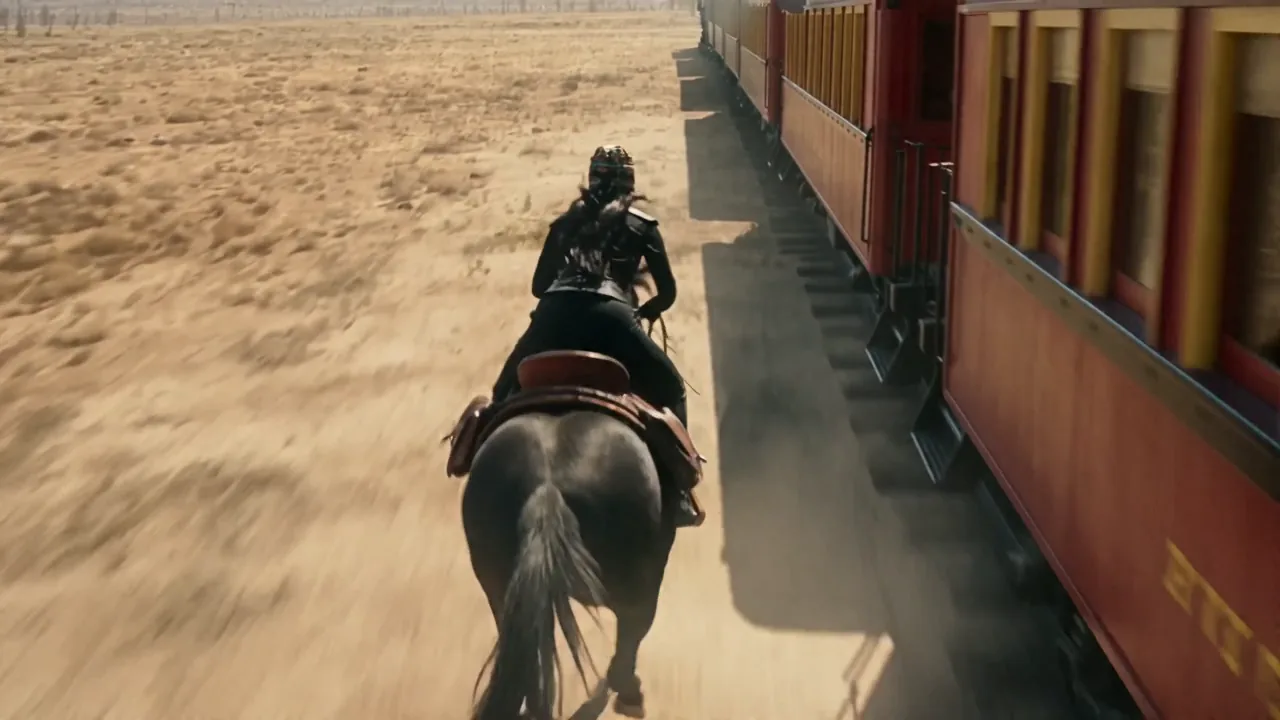
2–15 Seconds30 fps MotionDefault 5s
2–15s · 30 fpsGenerate MP4

A steam train races across a sunset desert while a masked rider gallops alongside and leaps onto the roof.

First Frame, Optional Last Frame and Adaptive Framing

Upload one photo to anchor Frame 001, or add a second photo as the last frame so the motion has to arrive at an exact destination. In Image mode, Wan 3.0 sets its canvas to adaptive so your portrait, square or landscape photo is animated in its own shape without forced cropping.

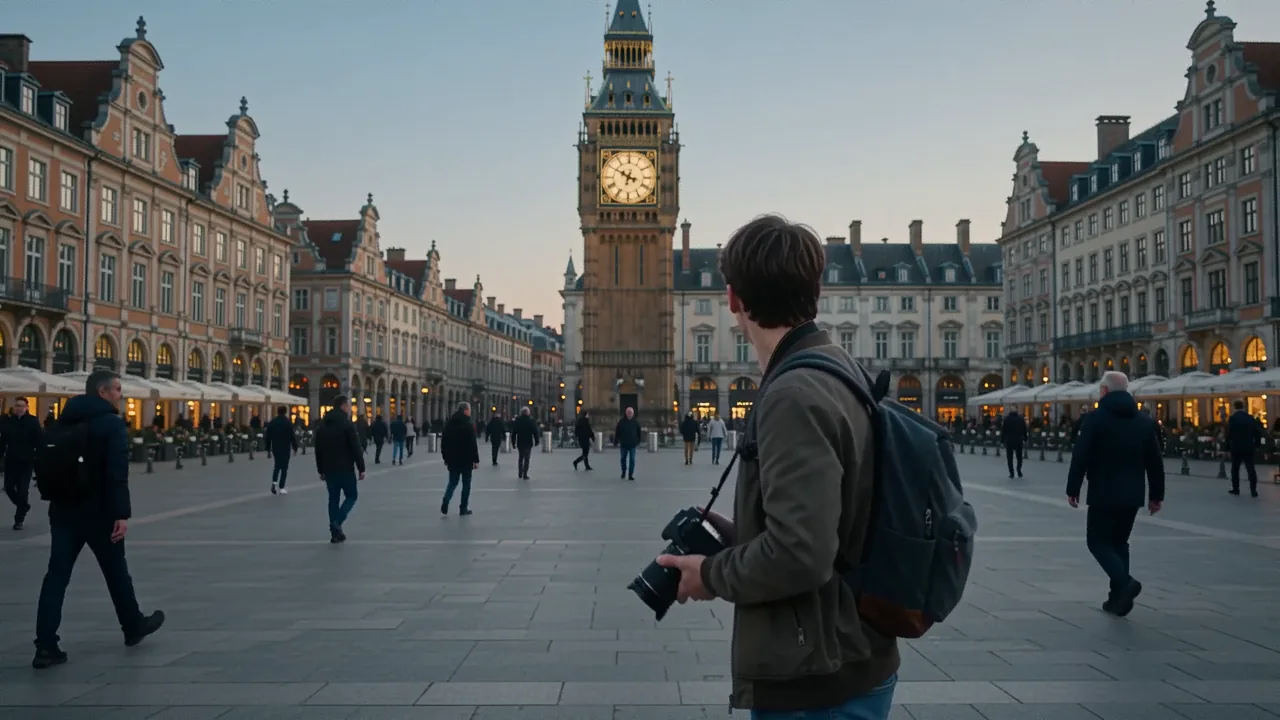
First Frame LockOptional Last FrameAdaptive Canvas
First & Last FrameGenerate MP4

He lowers the camera in the square, turns toward the distant clock tower, and notices his own double watching him.

5 Aspect Ratios at 720p or 1080p With Zero Watermark

Switch between 9:16 for TikTok, Reels and Shorts, 16:9 for YouTube and decks, 1:1 for square feeds, or 4:3 and 3:4 for editorial layouts. Draft at 720p for 120 credits per second or render crisp 1080p at 240 credits per second—every download is clean and unwatermarked.

16:9 · 9:16 · 1:14:3 · 3:4720p & 1080p
9:16 · 720p / 1080pGenerate MP4

Vertical 9:16 full-body shot in a modern kitchen, sharp dance movements synced to the heavy drum beat.

The Model

What Is Alibaba Wan 3.0 (Wan3 / Wan-3)?

Wan 3.0—often written as Wan3 or Wan-3—is the multimodal AI video model from Alibaba (wan3.0-video on Alibaba Cloud Model Studio). It accepts a written prompt of up to 5,000 characters, a first and optional last frame, or up to 20 reference files, and returns a 30 fps MP4 of 2 to 15 seconds with speech, sound effects and ambient audio generated in the same pass.

Unlike earlier open-weight releases in the Wan family (where Wan 2.2 remains the latest downloadable open-source model), Alibaba has not released downloadable weights for Wan 3.0. Running a genuine Wan 3.0 AI video requires cloud API access. The Wan 3.0 AI video generator at the top of this page puts wan3.0-video directly in your browser—no Alibaba Cloud account, no regional API key setup, and no separate audio tool.

Because Wan 3.0 and MiniMax H3 share the same studio and credit balance here, you can use Wan 3.0 for 2 to 3 second hooks, 30 fps motion and 10-image reference jobs, then switch to MiniMax H3 whenever a project calls for 21:9 widescreen. If any generation fails upstream, your credits return automatically.
  • 2–15s clips at 30 fps
  • Up to 10 images, 5 clips & 5 audio refs
  • Native dialogue, SFX and ambient sound

Alibaba Wan 3.0 at a Glance

Model Card
8 Facts
Alibaba Wan 3.0 (wan3.0-video) specifications on this AI video generator
ItemWan 3.0 (Wan3 / Wan-3)
Made byAlibaba (wan3.0-video)
ModesText to video, image to video (first & last frame), reference to video
Output30 fps MP4 with native audio, no watermark
Length2–15 seconds (default 5s)
Quality720p or 1080p
Aspect ratios16:9, 9:16, 1:1, 4:3, 3:4 (plus adaptive in Image mode)
Reference capacityUp to 10 images, 5 clips, 5 audio tracks (20 total)
Prompt limitUp to 5,000 characters
← Swipe horizontally to read full table →

Summary: Alibaba Wan 3.0 generates 2–15 second 30 fps MP4 clips with native sound from text, frames or up to 20 reference files.

Model Comparison

Wan 3.0 or MiniMax H3: Which Video Model Should You Use?

Both models run in the same generator above and draw from the same credit balance, so you never need two subscriptions. Pick the model that fits the shot in front of you.

Wan 3.0 vs MiniMax H3
8 Specs
Wan 3.0 compared side by side with MiniMax H3 on the same AI video generator
SpecWan 3.0MiniMax H3
Length2–15s (default 5s)4–15s (default 8s)
Frame rate30 fps24 fps
Shapes5 ratios + adaptive image canvas (no 21:9)6 ratios, including 21:9
Reference files10 images, 5 clips, 5 audio (20 max)9 images, 3 clips, 3 audio (12 max)
Extra image ref feeNone (all 10 images included)Included up to 5 images
Prompt limit5,000 characters7,000 characters
720p rate120 credits per second35 credits per second
1080p rate240 credits per second55 credits per second
← Swipe horizontally to read full table →

Summary: choose Wan 3.0 for 2–3 second hooks, 30 fps motion and up to 20 reference files; choose MiniMax H3 for 21:9 framing or lower 1080p per-second cost.

Use Cases

Where Does a Wan 3.0 AI Video Fit Best?

Wan 3 shines when a clip needs tight reference control across multiple assets, a quick 2 to 3 second hook, or two characters speaking in one take. Here is where teams use it most.

UGC & Performance AdsReference · 9:16 · 5s

2–3 Second Scroll-Stoppers and Two-Speaker UGC

Test opening hooks at 2 or 3 seconds before paying for a full 15-second render, or combine two creator portraits with two voice tracks for conversational gym, beauty and app ads.

  • Draft 2–3s hooks at 720p from 240 credits
  • Bind Audio 1 to Subject 1 and Audio 2 to Subject 2
  • Render 9:16 vertical clips with lip-synced dialogue built in
Characters & MascotsReference · 16:9 · 15s

Consistent Characters and Brand Mascots Across Beats

Lock a spokesperson, an anime lead or a 3D clay mascot from up to 10 reference angles so the face, costume and material hold steady across wide shots and close-ups.

  • Attach up to 10 character and prop images at no extra surcharge
  • Call Image 1, Image 2 by number inside the prompt
  • Hold clay, felt, 3D plush or photoreal skin textures across cuts
Ecommerce & LookbooksImage or reference · 16:9 · 8s

Product Turnarounds, Try-Ons and Pinned Frame Morphs

Pair a model photo with a garment flat-lay in Reference mode, or pin both the first frame and last frame in Image mode so a product reveal lands on your exact hero packshot.

  • Adaptive canvas in Image mode preserves your photo aspect ratio
  • First + last frame pins both ends of a transformation shot
  • 30 fps keeps fabric movement and camera orbits smooth
Previs & Short FilmText or image · 16:9 · 12s

Multi-Beat Action Previs and Atmospheric B-Roll

Turn a single concept still into 30 fps B-roll with wind, rain and footsteps, or block out a 15-second multi-shot sequence with timed camera moves and ambient sound design.

  • Write No music when you want pure foley and room tone
  • Mark Shot 1, Shot 2 or time ranges inside one 5,000-character prompt
  • Download clean 720p or 1080p MP4s ready for an edit timeline

Unsure whether to start from Text, Image or Reference? The mode comparison table below maps each input to what you have on hand.

How to Use

How Do You Use the Wan 3.0 AI Video Generator?

Three steps from idea to finished MP4. The studio at the top of this page loads Wan 3.0 (wan3.0-video) by default and displays the exact credit cost on the button before you generate.

  1. STEP 01Step 01 · Prompt & Inputs
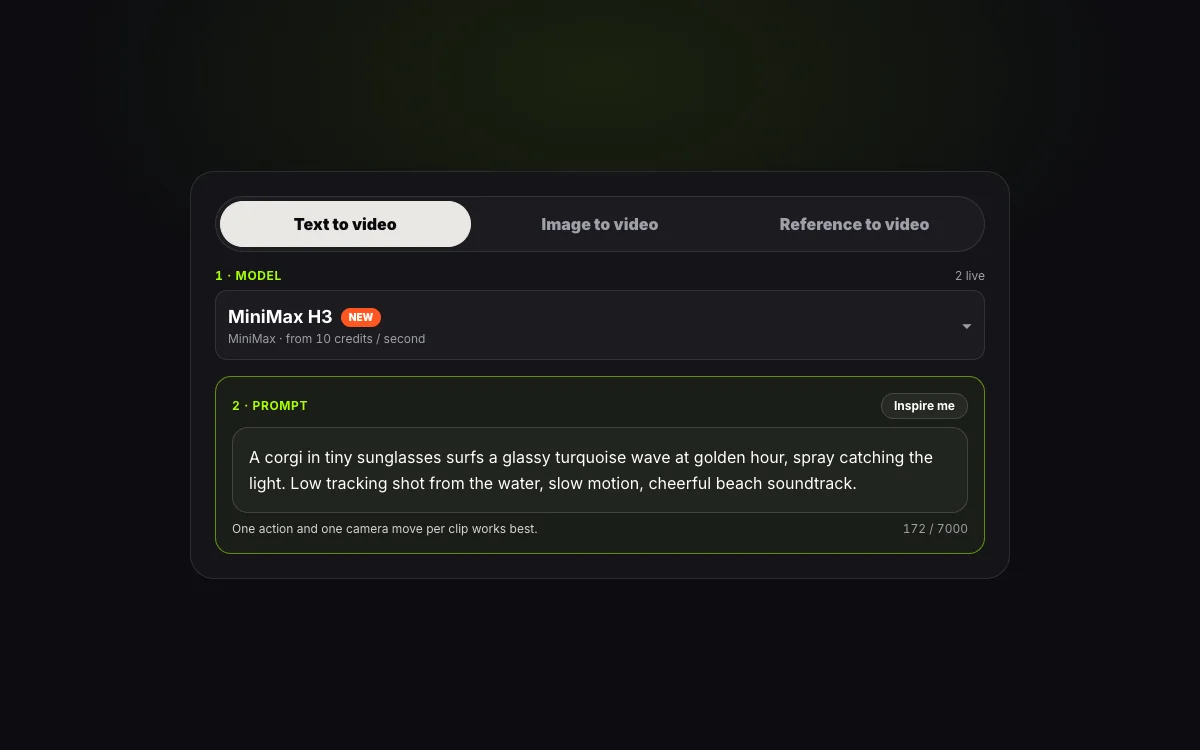
    Step 1: entering a shot and sound prompt in the Wan 3.0 AI video generator

    Step 1: Pick a Mode and Write Your Shot

    Select Text, Image (first and optional last frame) or Reference (up to 10 images, 5 clips and 5 audio tracks). Describe the subject, camera move and sound, or click Inspire me to load a tested Wan 3.0 starter prompt.

  2. STEP 02Step 02 · Settings
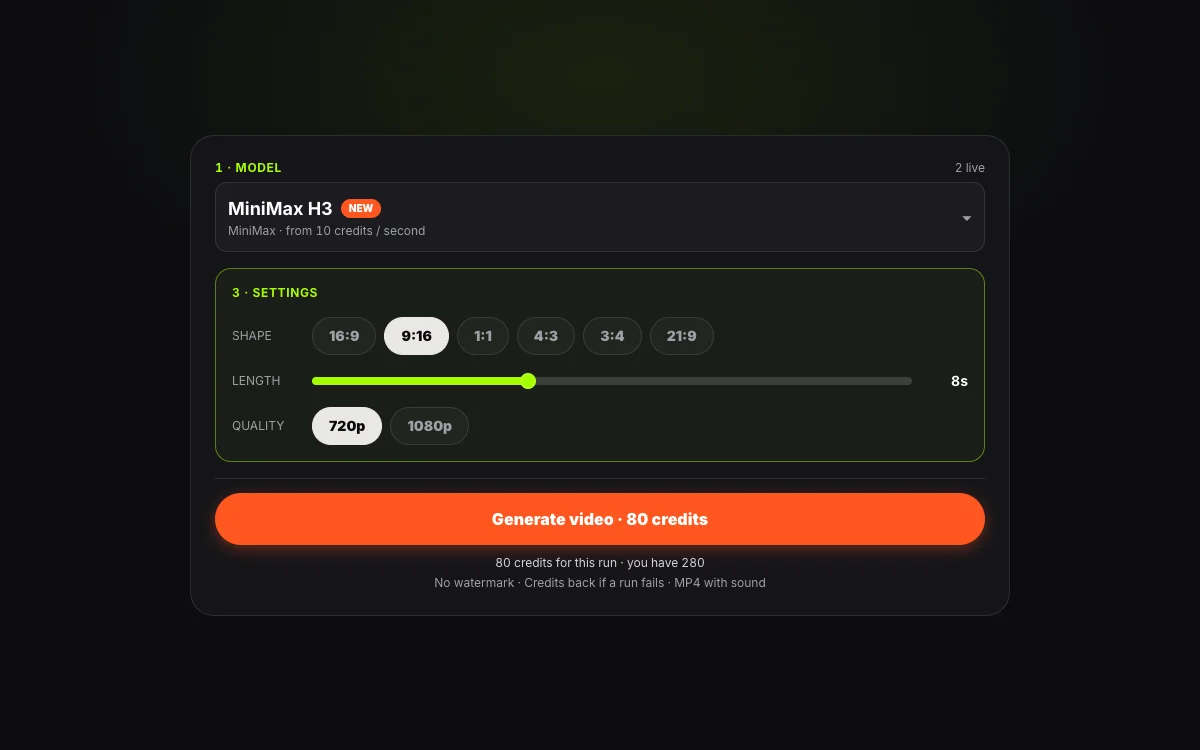
    Step 2: selecting aspect ratio, duration and 720p or 1080p resolution for Wan 3.0

    Step 2: Choose Shape, Length and Quality

    Pick a ratio (16:9, 9:16, 1:1, 4:3, 3:4, or adaptive in Image mode), set any length from 2 to 15 seconds, and choose 720p or 1080p. The credit counter updates live as you adjust settings.

  3. STEP 03Step 03 · Export MP4
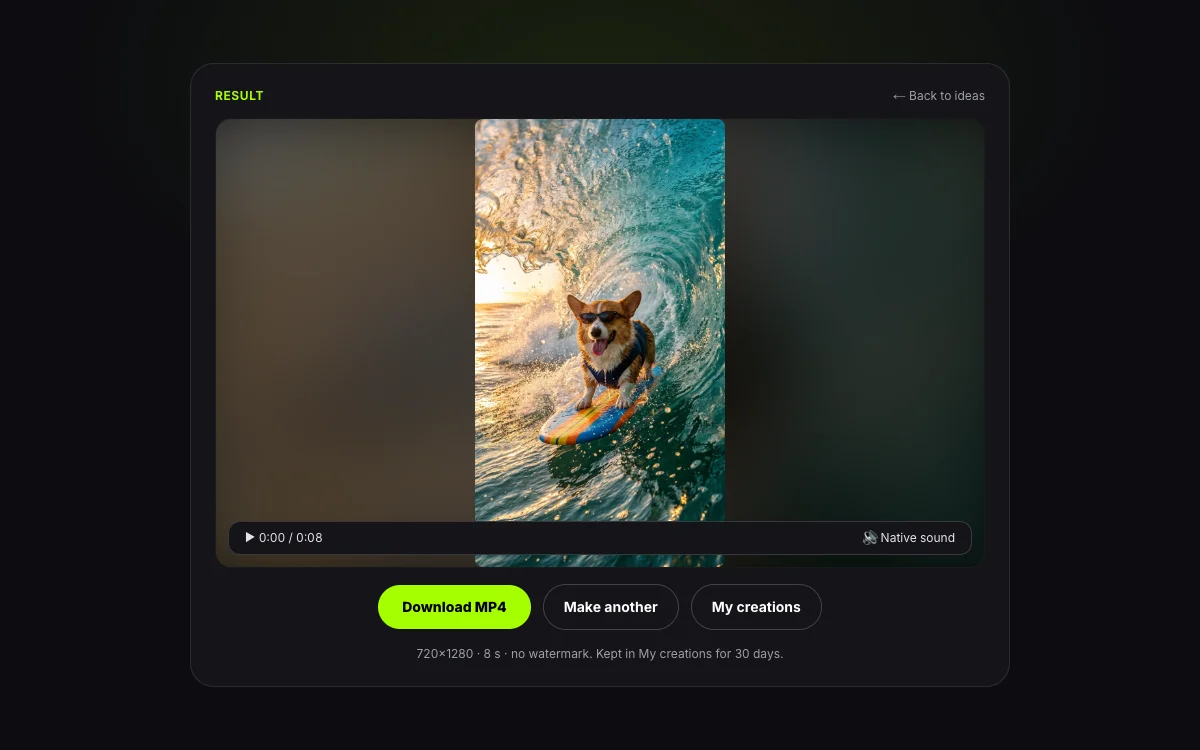
    Step 3: previewing and downloading an unwatermarked Wan 3.0 MP4 clip with audio

    Step 3: Generate and Download Your MP4

    Press Generate. Wan 3.0 renders the 30 fps video and native audio in one pass. Download the unwatermarked MP4 immediately; your clip stays in My creations for 30 days, and any failed run refunds its credits automatically.

Prompting Guide

How Should You Prompt Wan 3.0?

Because Wan 3.0 generates picture and sound in the same pass, your prompt is both a camera brief and a sound brief. Naming one clear camera move, how the frame changes over time, and what the microphone hears gets far cleaner results than stacking vague adjectives.

Prompt Formula5 Parts
  1. 01Subject & material
  2. 02Motion arc
  3. 03Camera & lens
  4. 04Dialogue & sound
  5. 05Lighting & grade
Wan 3.0 Prompt Formula
5 Layers
A five-part prompt structure for Alibaba Wan 3.0 with concrete example cues
LayerWhat to writeExample cue
Subject & materialWho or what is on screen, plus textures to holdUse Image 1 as Subject 1; matte black over-ear headphones with orange accent
Motion arcHow the scene changes from first second to lastStarts gathered in ground fog, opens outward into a line, then holds still
Camera & lensShot size and one deliberate camera move35mm handheld push-in, shallow depth of field, low angle
Dialogue & soundSpoken words in quotes, surface foley, or "No music"The cook says "Last bowl. You want it or not?" Sizzling oil, rain on awning, no music
Lighting & gradeKey light direction, colour contrast and film lookSingle hard white backlight through fog, cold blue rim against warm practicals
← Swipe horizontally to read full table →

Summary: a strong Wan 3.0 prompt specifies the subject, motion arc, one camera move, the exact sound or dialogue, and the lighting.

Put spoken lines in quotes or curly braces on their own sentence so Wan 3.0 lip-syncs them instead of treating them as background narration. When you want realistic foley without a soundtrack, end your sound brief with "No music."

Weak Prompt vs Strong Wan 3.0 Prompt

Prompt Rewrites
3 Examples
Side-by-side rewrites showing how to turn vague ideas into shootable Wan 3.0 prompts
Weak promptStrong Wan 3.0 prompt
A cool night market video with a chef talkingRain-slicked night market at closing time, 35mm handheld push-in past a noodle stall as steam crosses a hanging bulb. The cook says "Last bowl. You want it or not?" Sizzling wok oil, rain on the awning, no music.
Make my product photo move nicelySlow 10-degree macro camera arc around the ring from Image 1 on black velvet. Keep the six-prong setting and band shape identical. Subtle light sparkle across the stone, soft room tone, no music.
Two friends talking in a gymDefine Image 1 as Subject 1 (voice from Audio 1) and Image 2 as Subject 2 (voice from Audio 2). Beside gym treadmills, Subject 1 turns and says "Which area are we training today?" Subject 2 wipes sweat and replies "Let us train back." Bright cool-white gym light.
← Swipe horizontally to read full table →

Summary: replace words like "cool" or "nicely" with lens choice, start-to-end motion, numbered references and explicit sound cues.

Writing Multi-Shot Beats and Pinned Endings

For 8 to 15 second clips, break the action into numbered shots or time ranges—such as Shot 1 [0–4s] wide establishing shot, Shot 2 [4–9s] close-up on the hands, Shot 3 [9–15s] hero reveal—while stating that the character and lighting stay consistent throughout. Keep total requested beats proportional to your chosen clip duration: packing a 60-second script into an 8-second run forces rushed cuts.

Pre-Flight Checklist Before You Generate

Pre-Flight Check
4 Checks
Four quick checks that prevent wasted credits on Wan 3.0
CheckWhy it saves credits
Flatten transparent PNGsWan 3.0 rejects or mishandles alpha channels; upload solid JPG, PNG or WebP files
Number every referenceWrite Image 1, Image 2, Video 1 or Audio 1 so the model binds the right asset to the right subject
One camera move per shotAsking for an orbit, a zoom and a whip-pan at once causes geometry drift
Match beat count to durationUse 1 beat for 2–5s clips, and 2–4 beats for 8–15s clips
← Swipe horizontally to read full table →

Summary: solid non-transparent images, numbered references, single camera moves and duration-matched beats keep first-try hit rates high.

Specs & Limits

What Are the Wan 3.0 Limits on This Generator?

Every figure below is pulled live from our wan3.0-video configuration and Alibaba DashScope specifications so the table always matches what the studio enforces.

Wan 3.0 Specs & Limits
11 Limits
Live technical specifications and upload limits for Wan 3.0 on this generator
ParameterWan 3.0 Specification
Upstream model IDAlibaba wan3.0-video (DashScope)
Clip duration2 to 15 seconds, whole seconds (default 5s)
Frame rate30 fps
Output resolution720p or 1080p MP4 with native audio (no 4K tier exists upstream)
Aspect ratios5 selectable shapes (16:9, 9:16, 1:1, 4:3, 3:4) plus adaptive in Image mode
Prompt lengthUp to 5,000 characters
Image to video slots1 first frame + 1 optional last frame (adaptive aspect ratio)
Reference to video capacityUp to 10 images, 5 video clips and 5 audio files (20 files max)
Image upload limitUp to 20 MB per image (JPG, PNG without alpha, WebP, BMP)
WatermarkNone on any resolution
Storage retention30 days in My creations; uploaded inputs deleted after 24 hours
← Swipe horizontally to read full table →

Summary: Wan 3.0 on this page renders 2–15s 30 fps MP4s at 720p or 1080p with up to 20 reference files and a 5,000-character prompt ceiling.

Choosing a Mode

Which Wan 3.0 Mode Fits Your Idea?

All three tabs in the Wan 3.0 AI video generator call the same underlying wan3.0-video model. Pick the tab that matches the assets you already have.

Wan 3.0 Input Modes
3 Modes
Comparison of Text, Image and Reference modes on Alibaba Wan 3.0
What you haveMode to chooseWhat Wan 3.0 delivers
A written concept or scriptText to videoA 30 fps clip in 16:9, 9:16, 1:1, 4:3 or 3:4 with dialogue, SFX and music generated from words alone
One starting photo, or a start + end frame pairImage to videoYour still photo animated from Frame 001 in its adaptive shape, optionally pinned to land on your exact last frame
Character sheets, product angles, motion clips or voice tracksReference to videoNew multi-angle scenes that lock up to 10 images, 5 clips and 5 audio files by number
← Swipe horizontally to read full table →

Summary: use Text to video for pure prompts, Image to video to pin the first and last frames, and Reference to video when characters, products or voices must stay consistent across new shots.

Pricing & Credits

How Much Does Wan 3.0 Cost Per Clip?

Wan 3.0 is billed strictly per second of generated video, and the exact credit total is shown on the Generate button before you click. One-time credit packs never expire, and full plan details sit on our pricing page.

Wan 3.0 Credit Cost
3 Clips
Wan 3.0 credit cost for 2-second, 5-second and 15-second clips at 720p and 1080p
Clip length720p (120/s)1080p (240/s)
2 seconds (hook / test)240 credits480 credits
5 seconds (default)600 credits1,200 credits
15 seconds (max single pass)1800 credits3,600 credits
← Swipe horizontally to read full table →

Summary: Wan 3.0 costs 120 credits per second at 720p and 240 credits per second at 1080p, with no extra surcharge for reference images or audio.

Packs & Plans
4 Tiers
How many 5-second 720p Wan 3.0 clips each credit pack and monthly plan provides
TierPriceCredits5s clips at 720p
Small pack$9.901,500 credits2
Medium pack$24.904,000 credits6
Pro plan$24.90/mo9,000/mo15
Premium plan$99/mo40,000/mo66
← Swipe horizontally to read full table →

Summary: one-time packs start at $9.90 (1,500 credits), and a 5-second 720p Wan 3.0 video uses 600 credits.

How to Spend Fewer Credits Per Usable Wan 3.0 Take

  1. 1Block out your framing and dialogue at 2–3 seconds and 720p (240 to 360 credits) before running a 15-second 1080p master.
  2. 2Attach reference images to lock a face or product pack on try one instead of burning runs trying to describe exact geometry in text.

If an upstream run fails or times out, 100% of the credits for that job return to your balance automatically. Unused credits on a first pack are eligible for a refund within 7 days under our refund policy.

Know Before You Run

What Will Wan 3.0 Not Do?

Knowing the real boundaries of Alibaba Wan 3.0 up front saves credits and prevents failed uploads. Here is what the model will not do and how to work around each limit.

01

15s

Longest clip per run here

Single runs on this generator cap at 15 seconds. For a longer story, render consecutive beats and feed the final frame of Shot 1 in as the first frame of Shot 2.

02

1080p

Top native resolution (no 4K)

Alibaba wan3.0-video tops out at 1080p at 30 fps. Any site advertising native 4K Wan 3.0 is running an external upscaler afterwards.

03

No 21:9

Five ratios plus adaptive

Wan 3.0 supports 16:9, 9:16, 1:1, 4:3, 3:4 and adaptive image framing. When a shot requires native 21:9 cinema widescreen, switch the model picker to MiniMax H3.

04

18+

Permitted likenesses only

Because Reference mode holds a real face across new scenes, upload only photos you own or have explicit permission to use, of consenting adults, in line with our terms.

Flatten transparent PNGs before uploading

Wan 3.0 does not accept an alpha transparency channel on input frames or reference images. Export product cutouts on a solid white, black or coloured background so the upload never rejects.

Disclose realistic AI footage on social platforms

When publishing photorealistic scenes or spoken dialogue, apply the AI-generated content label required by TikTok and YouTube. Read our responsible use guide.

Wan 3.0 FAQ

Questions About the Wan 3.0 AI Video Generator?

1.What is the Wan 3.0 AI video generator?

Wan 3.0 (also written Wan3 or Wan-3) is Alibaba’s multimodal video generation model (wan3.0-video). It turns a text prompt, a first and optional last frame, or up to 20 reference files into a 2 to 15 second 30 fps MP4 with dialogue, sound effects and ambient audio generated in the same pass. This page is a browser studio for running it without an Alibaba Cloud account.

2.Does Wan 3.0 generate sound and lip-synced speech?

Yes. Wan 3.0 generates speech, foley and music alongside the picture in a single render. Put spoken lines in quotes or curly braces, describe the voice or attach a reference audio track in Reference mode, and the character’s mouth movement syncs to the line.

3.How long can a Wan 3.0 AI video be on this generator?

Each run produces a clip from 2 to 15 seconds (in whole seconds, with 5 seconds as the default) at 30 frames per second. To build a longer sequence, render beats as separate clips and pass the last frame of one clip in as the first frame of the next.

4.How much does a Wan 3.0 video cost in credits?

Wan 3.0 bills at 120 credits per second at 720p and 240 credits per second at 1080p. A 2-second 720p hook is 240 credits, a default 5-second 720p clip is 600 credits, and reference images or audio tracks add no extra per-file fee. One-time packs start at $9.90.

5.Should I use Wan 3.0 or MiniMax H3?

Use Wan 3.0 when you want short 2–3 second hooks, 30 fps motion, adaptive aspect ratio on uploaded photos, or up to 10 reference images, 5 clips and 5 audio tracks with no extra image surcharge. Use MiniMax H3 when you need 21:9 cinema widescreen or a lower per-second credit rate at 1080p. Both models share the same credit balance.

6.Can Wan 3.0 keep a character or product consistent across shots?

Yes. Open reference to video, upload up to 10 photos of your character, outfit or product pack (plus optional video and audio references), and refer to them as Image 1, Image 2 or Audio 1 in your prompt. Wan 3.0 locks those identities across new camera angles and scenes.

7.Is Wan 3.0 open source, or does it support native 4K?

Neither. Alibaba has not released open weights for Wan 3.0 (the latest open-weight model in the series is Wan 2.2), so wan3.0-video is only available through cloud endpoints like this generator. Its top native resolution is 1080p at 30 fps; claims of native 4K Wan 3.0 elsewhere rely on post-render upscaling.

8.What happens if a Wan 3.0 generation fails?

If a job fails or is rejected upstream, the credits for that run are returned to your balance automatically with no ticket required. Flatten any transparent PNGs before re-uploading, keep each shot to one clear camera move, or try the same prompt on MiniMax H3.
Start Now

Ready to Make Your First Wan 3.0 Video?

Write your shot or drop in your reference images at the top of the page, pick 2 to 15 seconds at 720p or 1080p, and download a 30 fps MP4 with native audio and no watermark.