AI image to image · Nano Banana 2.1 · GPT Image 2 · Seedream 5.5 · Seedream 5.0 Pro · Seedream 5.0 Flash · Seedream 5.0 Lite · Seedream 4.5 · Seedream 4.0

Image to Image AI Generator: Edit and Restyle Photos

Upload reference photos, describe your edit, and get an image up to 4K. Supports up to 14 photos, depending on the model.

1 · Model8 live
2 · Imagesadd 1 to 5
Reference 1

Drop an image to edit or reuse

JPG, PNG or WebP · ≤ 10 MB · ≥ 320 px

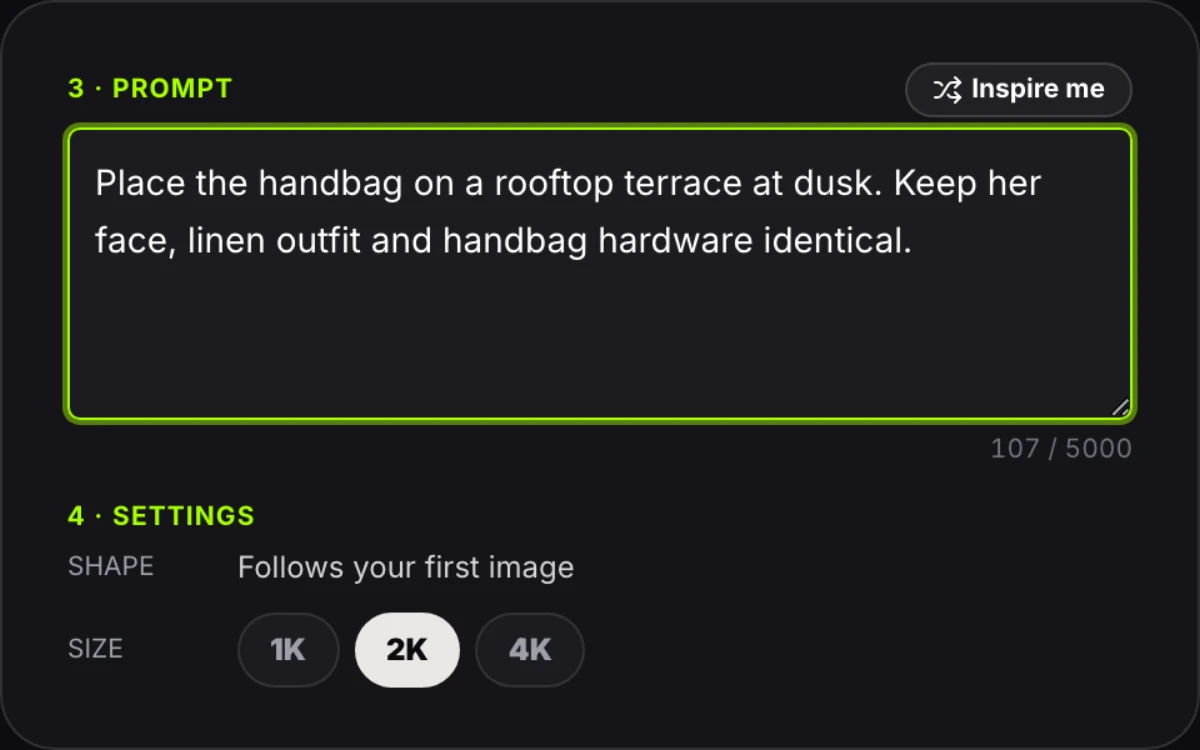
3 · Prompt

0 / 5000

4 · Settings
ShapeFollows your first image
Size

90 credits for this image

Describe what should happen.

No watermark · Failed edits refunded · Photos deleted after 24 h

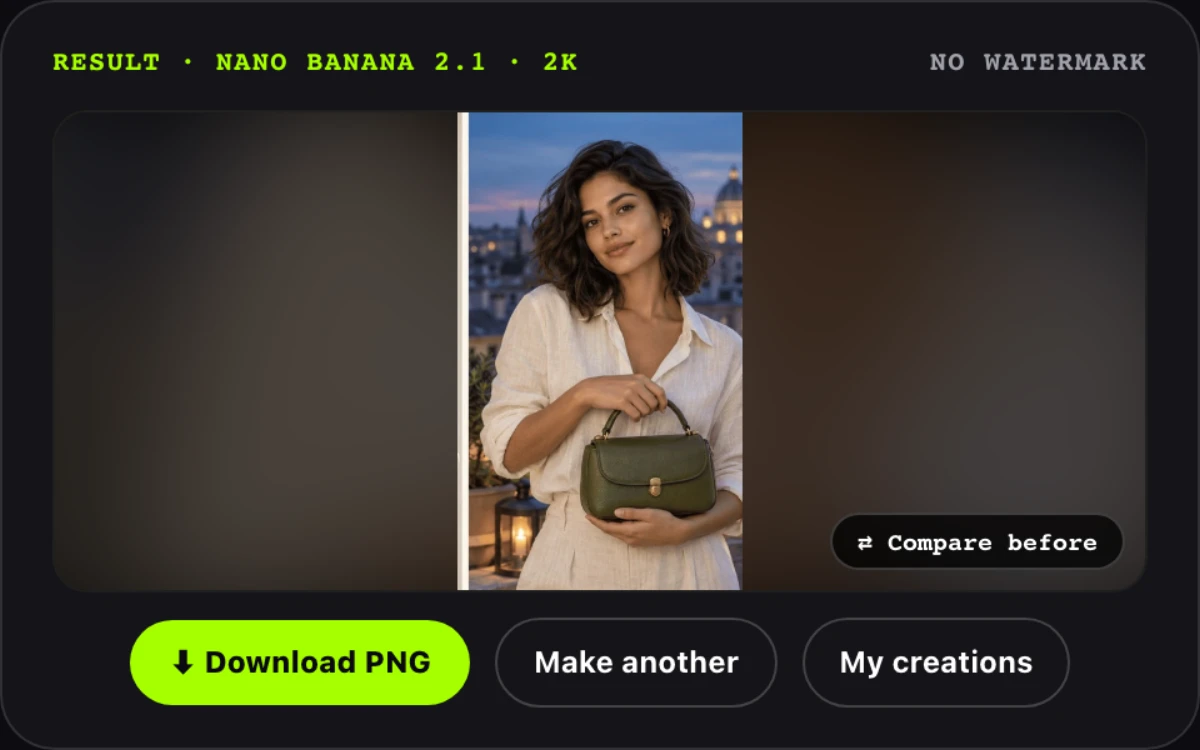
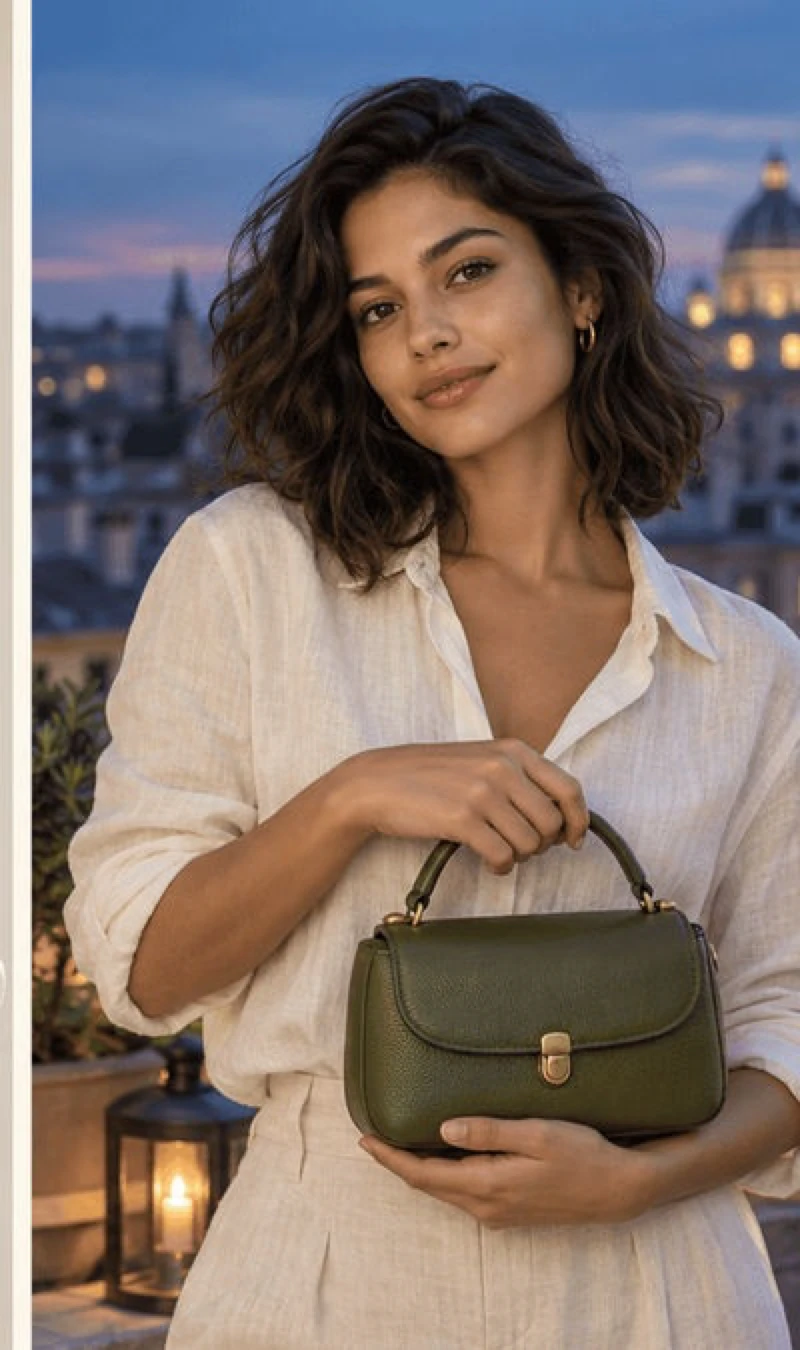
Image to image AI example: olive handbag editorial moved from daylight garden to warm evening Roman terrace, Nano Banana 2.1

Relight to dusk terrace

Nano Banana 2.1 · 9:16 · 2K

Commercial editorial photography of the provided olive green leather handbag held by the model, transferred to an evening Roman rooftop terrace with warm lantern light, golden hour twilight sky with soft historic dome bokeh, keeping model face, linen outfit, and handbag hardware identical.
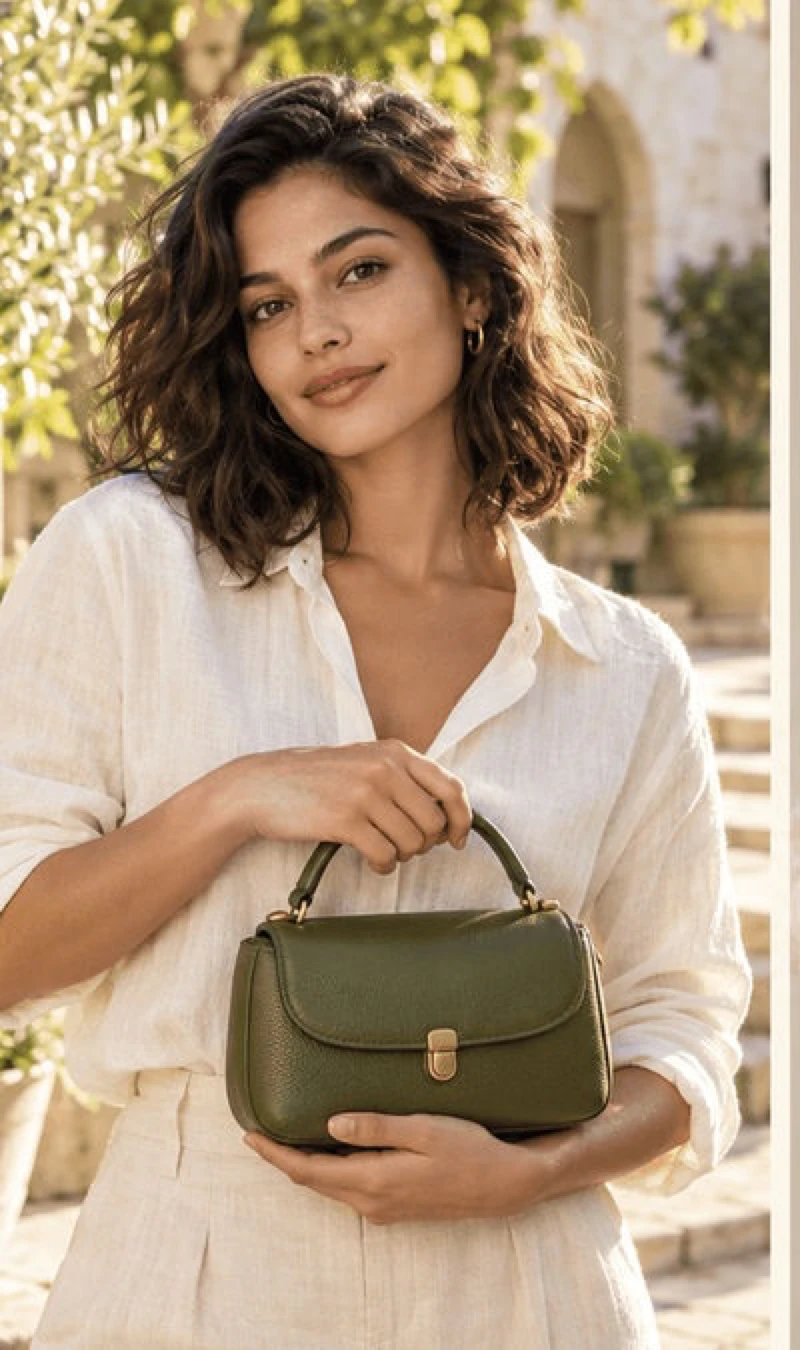
Source photo
Original photo: model in white linen holding olive leather handbag in daylightBefore
Click any sample image to preview1 / 6
Image to image AI examples

What Can Image to Image AI Do? 6 Real Before-and-After Edits

Image to image AI changes one thing in a photo, like the light, background or outfit, and leaves the rest in place. Each image to image edit below is a real run on this page, with its original, full prompt, model, size and credit cost.

Image to image AI example: olive handbag editorial moved from daylight garden to warm evening Roman terrace, Nano Banana 2.1Original photo: model in white linen holding olive leather handbag in daylight
Editorial demo

Nano Banana 2.1 · 9:16 · 2K · 120 credits

Relight to dusk terrace

Commercial editorial photography of the provided olive green leather handbag held by the model, transferred to an evening Roman rooftop terrace with warm lantern light, golden hour twilight sky with soft historic dome bokeh, keeping model face, linen outfit, and handbag hardware identical.
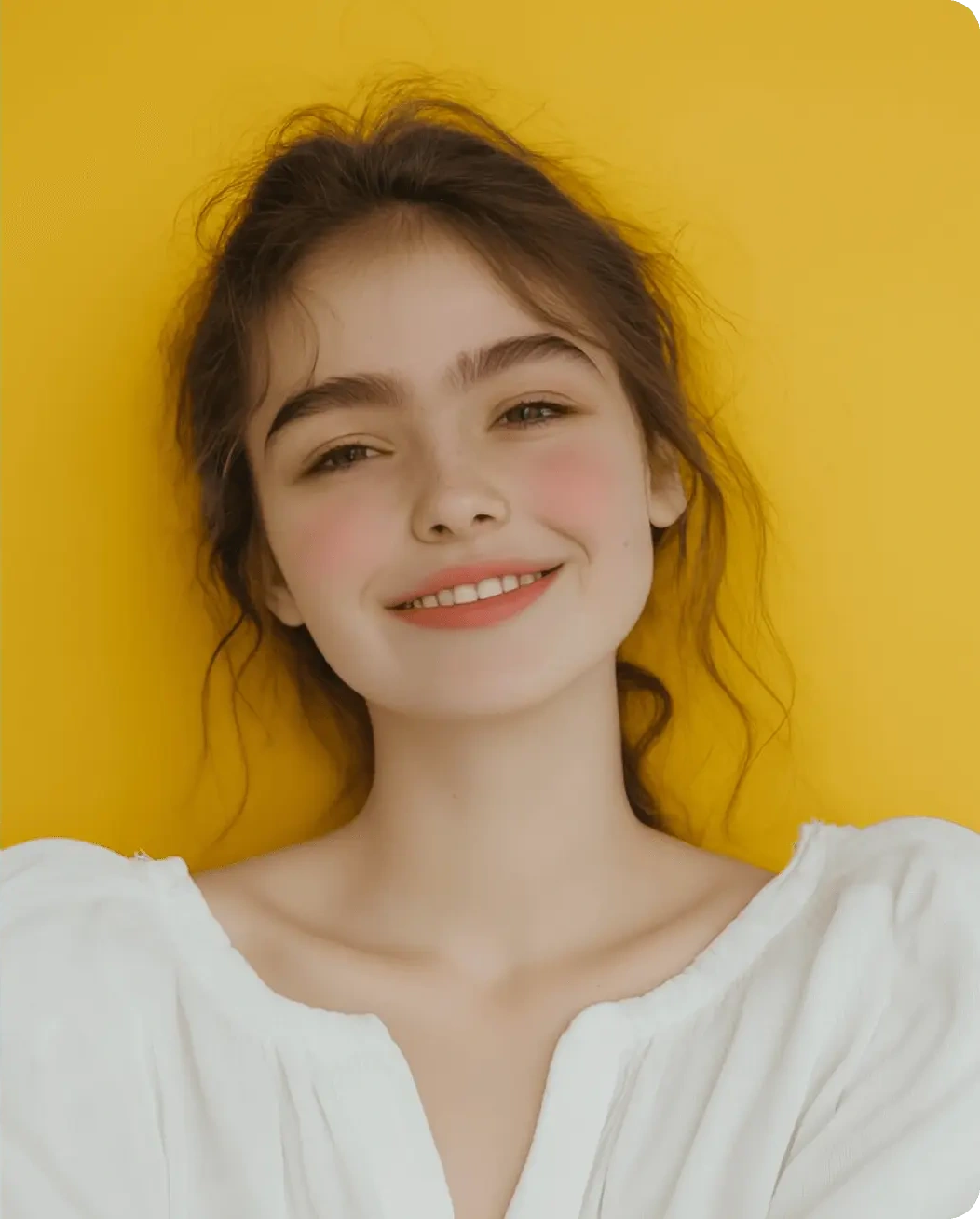
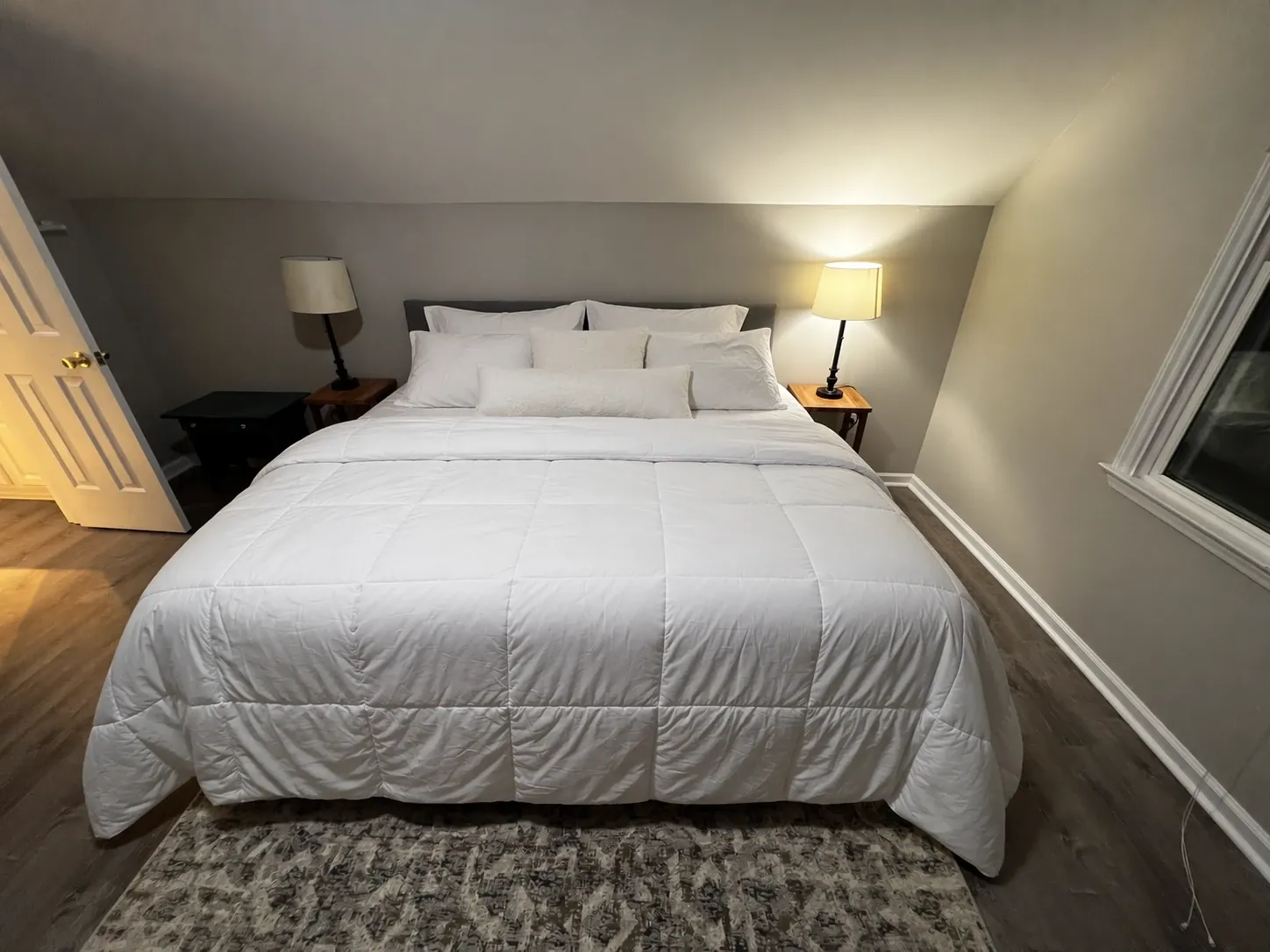
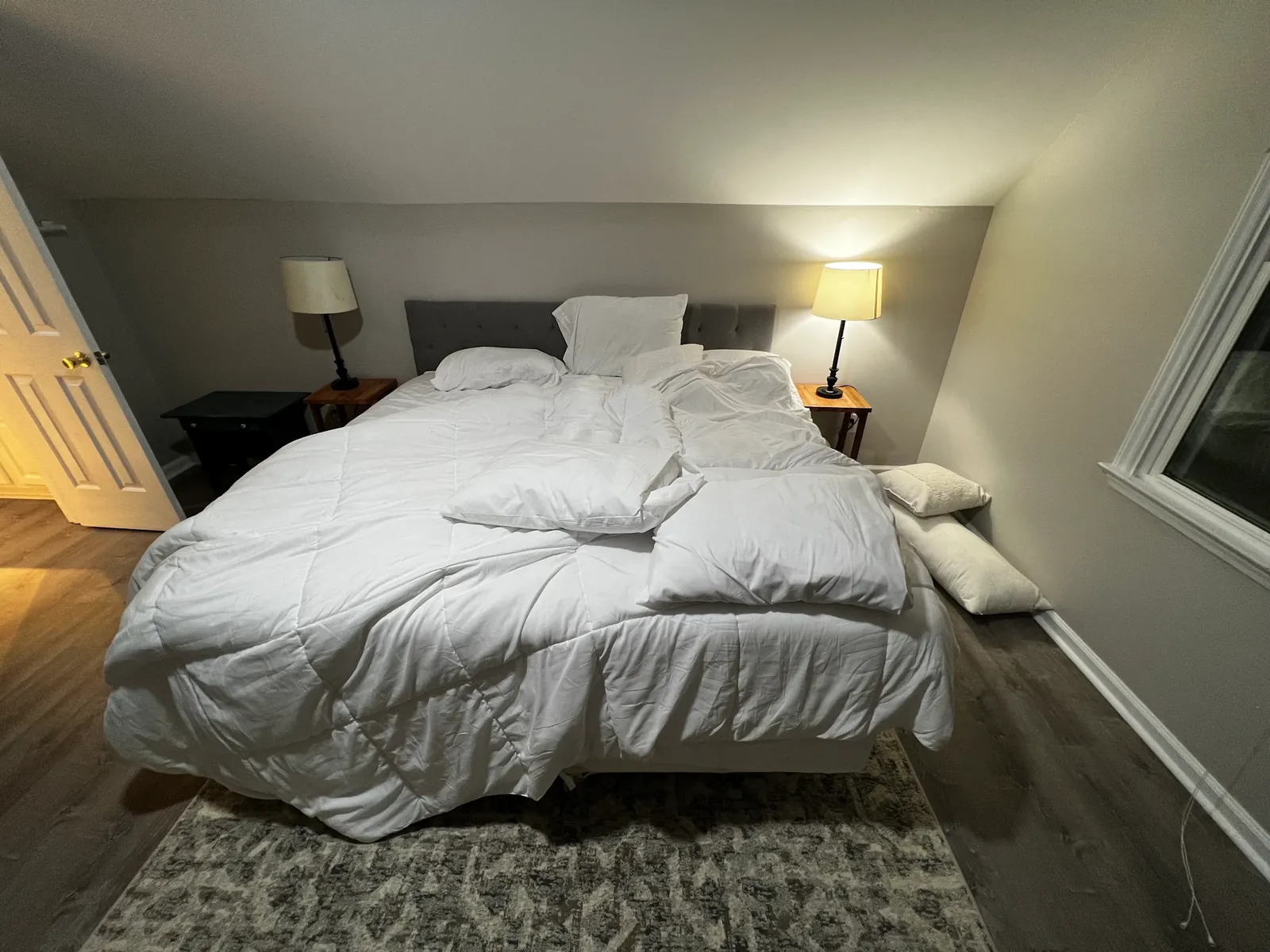
Image to image AI example: unmade bedroom bed neatly styled while keeping walls, lamps, and rug unchanged, GPT Image 2Original photo: bedroom with messy comforter and pillows on the floor
Editorial demo

GPT Image 2 · 4:3 · 1K · 120 credits

Tidy bed, keep room

Modify the messy bed to be neatly made with a smoothed-out white comforter. Arrange the pillows neatly and symmetrically against the headboard, and remove the pillows on the floor. Keep the room structure, bed frame, bedside tables, lamps, lighting, open door, window, and rug identical.

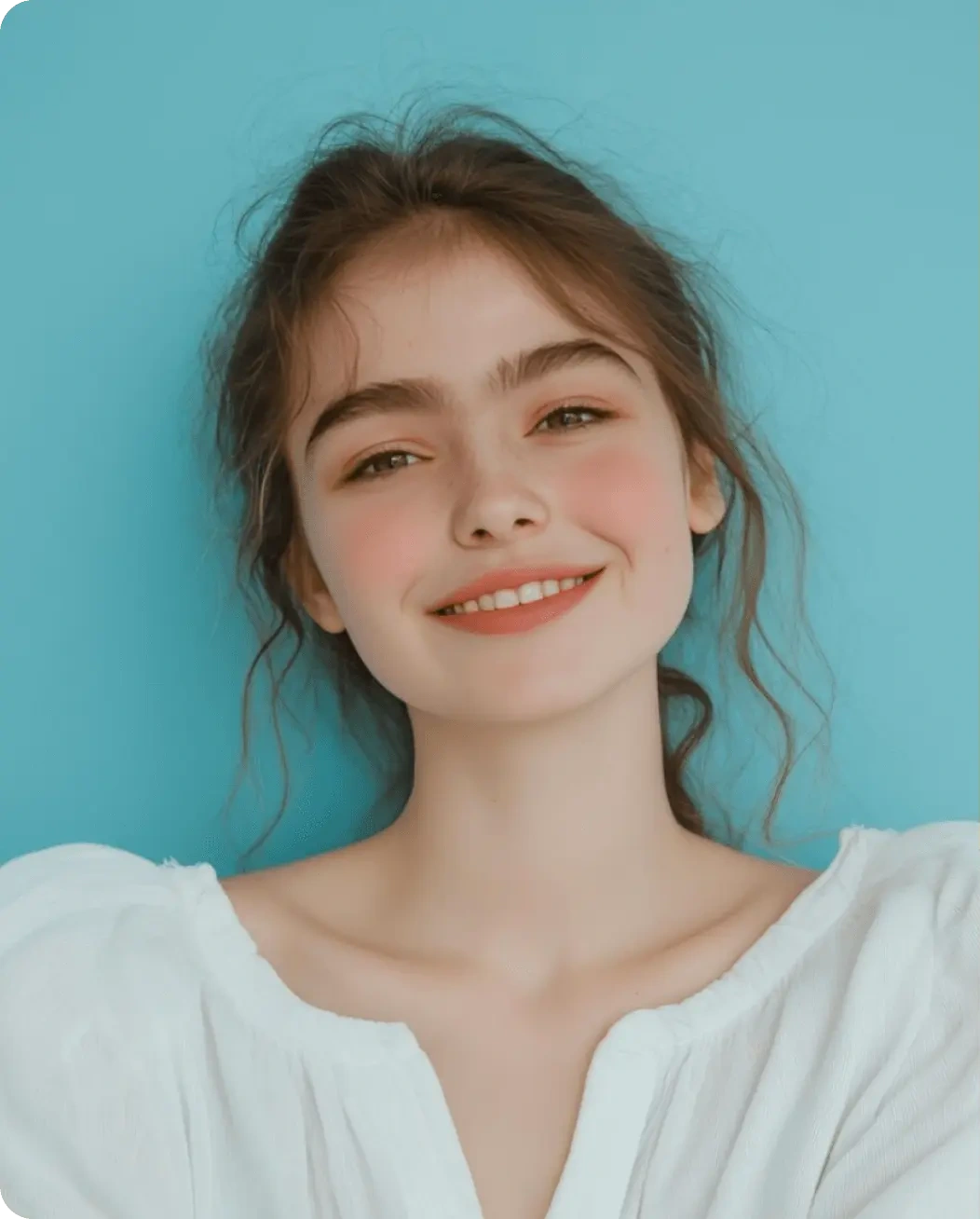
Image to image AI example: studio portrait backdrop changed from blue to warm yellow keeping flyaway hair intact, Nano Banana 2.1Original photo: smiling young woman in white blouse against cool blue backdrop
Editorial demo

Nano Banana 2.1 · 3:4 · 2K · 120 credits

Swap studio backdrop

Change the background to warm studio yellow. Keep the subject's pose, facial structure, expression, loose hair strands and lighting faithfully intact.

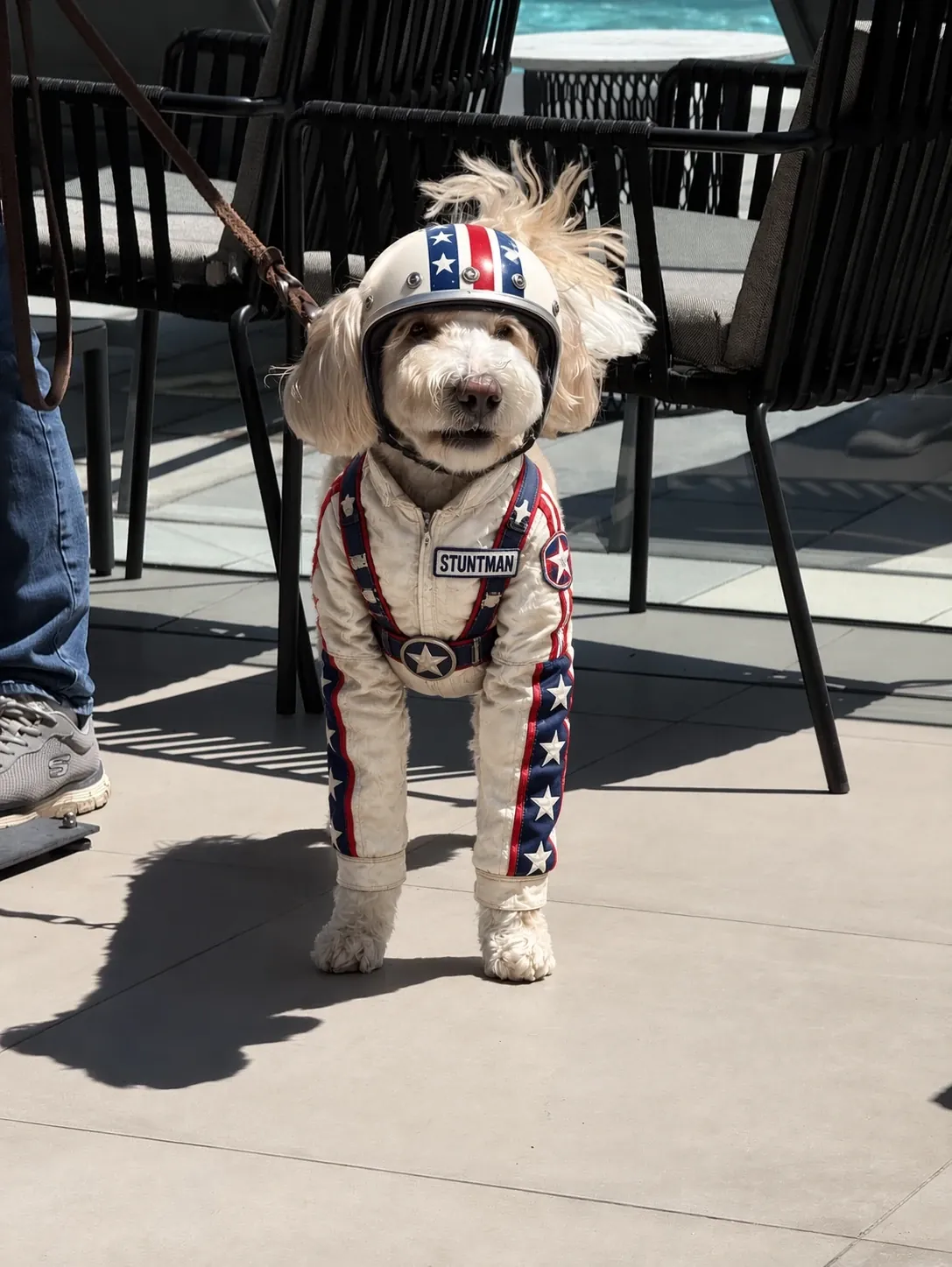
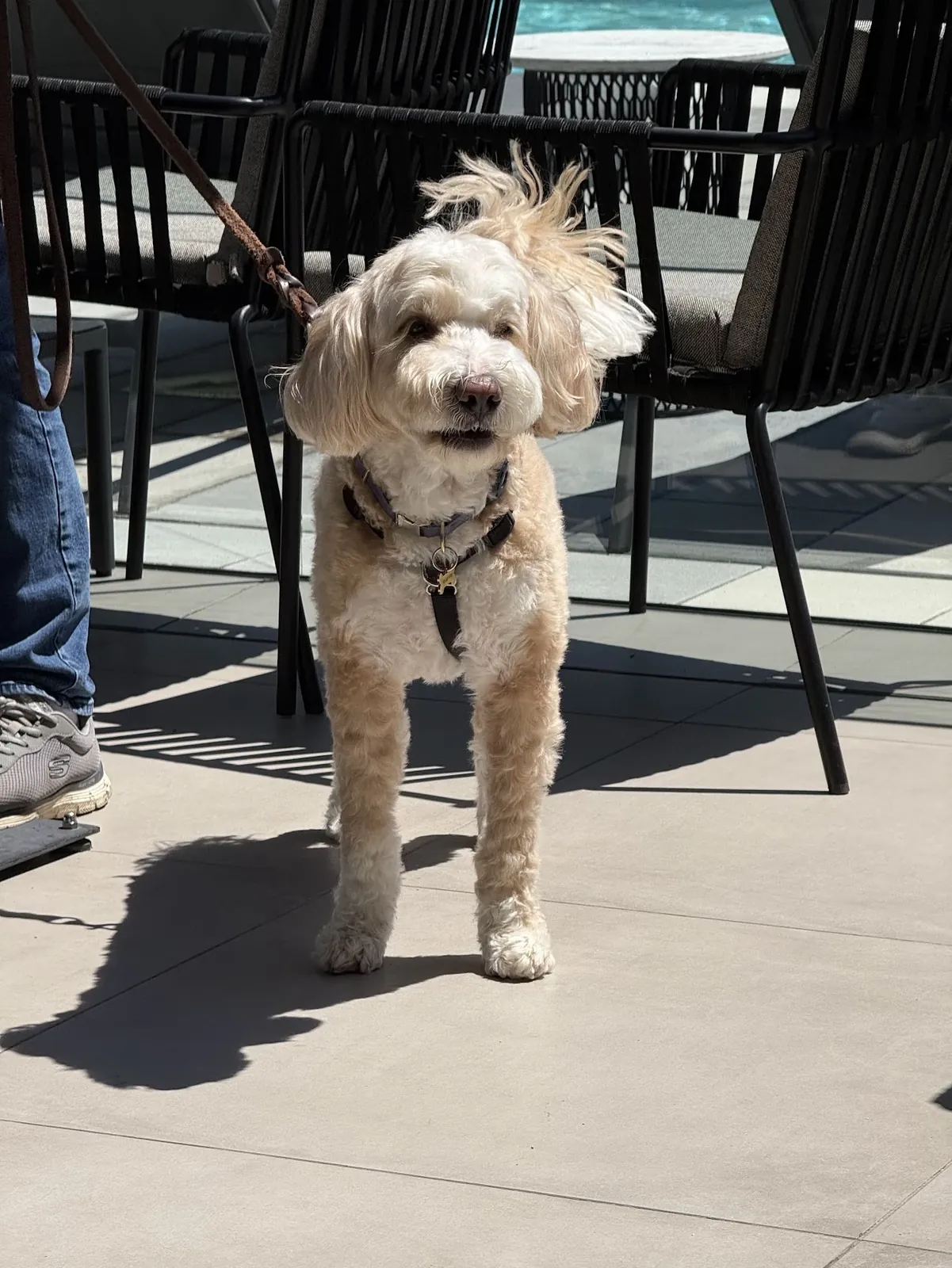
Image to image AI example: cream dog dressed in retro stuntman helmet and jumpsuit keeping patio shadows intact, GPT Image 2Original photo: cream dog on a leash standing on a sunlit patio
Editorial demo

GPT Image 2 · 3:4 · 1K · 120 credits

Costume inpaint on pet

Dress the dog in a white star-spangled stunt suit with red and blue stripes down the sleeves, a matching open-face helmet, and a rectangular STUNTMAN name patch on the chest. Change only the clothing. The dog's face, coat colour, stance, the leash, the patio chairs, the paving joints and the hard midday shadows must remain completely identical.

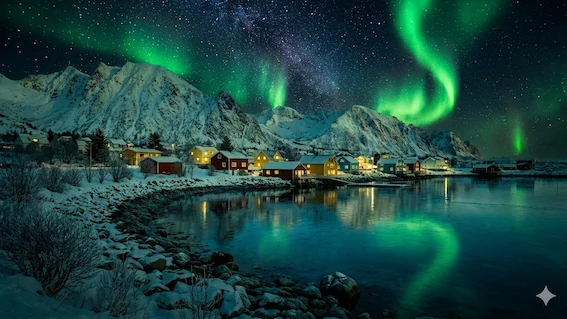
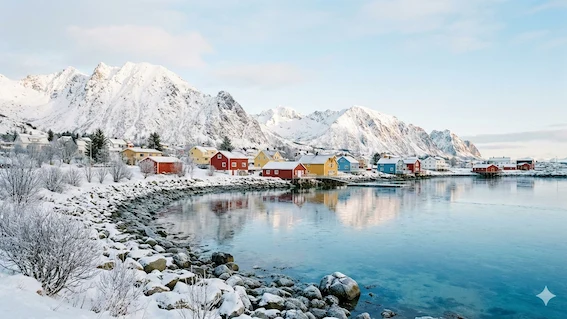
Image to image AI example: snowy fjord village transformed from daylight to aurora borealis night, Nano Banana 2.1Original photo: sunlit snowy Nordic harbor cabins below sharp peaks
Editorial demo

Nano Banana 2.1 · 16:9 · 2K · 120 credits

Daytime to aurora night

Transform this snowy daytime harbor into a clear starry midnight winter scene lit by vivid green northern lights reflecting across the bay, turning warm amber lights on inside the cabin windows while keeping every mountain peak, shoreline rock, and wooden boathouse in the exact same position.

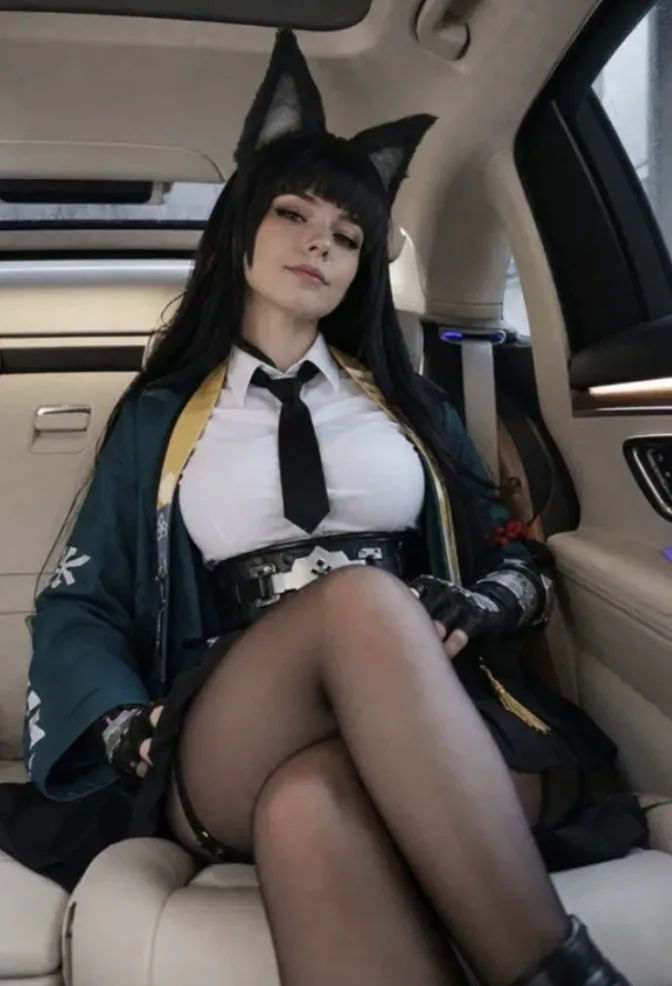
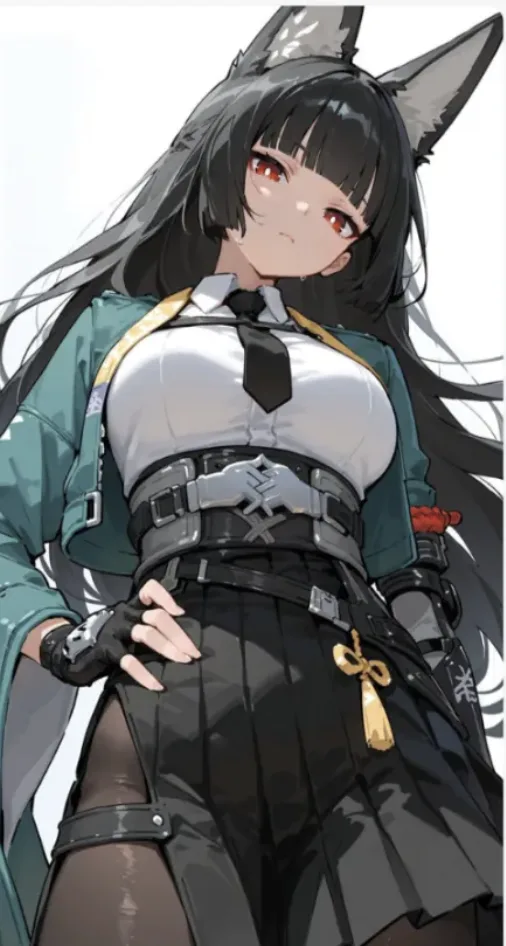
Image to image AI example: anime costume illustration re-rendered as a real daylight car photograph, GPT Image 2Original artwork: illustrated character wearing teal jacket, gold sash, white shirt, and dark tie
Editorial demo

GPT Image 2 · 2:3 · 1K · 120 credits

Drawing to photograph

Re-render this character illustration as a photograph of a real person wearing the same costume. Keep the outfit piece for piece: teal open jacket with the gold sash, white shirt and black tie, wide grey belt, black pleated skirt, fingerless gloves, black tights. Keep the hair length, hair colour and accessories. Change only the medium and the setting — seated in the back of a car, daylight through the window.

Swipe to inspect all 6 prompts

Editorial image to image demos.

Changed vs. Kept
6 Edits
What each image to image edit changed and kept
Image to image editChangedKept
Dusk terracePlace, light, skyFace, outfit, handbag hardware
Tidy bedroomBedding, floor pillowsWalls, lamps, rug
Studio backdropBackground colourPose, face, loose hair
Pet costumeClothing onlyDog's face, leash, shadows
Aurora nightTime of day, skyMountains, boathouse
Drawing to photoMedium, settingEvery costume piece
← Swipe horizontally to read full table →

All 6 image to image examples named what to keep; none cost over 120 credits.

How image to image works

What Is Image to Image AI, and How Is It Different From Text to Image?

Image to image AI takes your picture plus a written instruction and returns a new picture built from it. Text to image invents the subject from words; image to image starts from your pixels, so your person, product or room stays recognisable.

Classic img to img AI added noise and redrew your photo, with a strength setting controlling change (SDEdit). Newer image to image models follow plain instructions (InstructPix2Pix), so you steer the edit by naming what to keep.

Editing Modes Compared
3 Tools
Image to image AI vs text to image vs a photo editor
FeatureImage to image AIText to image AIPhoto editor
You give it1–5 photos + a sentenceA sentenceA photo + your time
Keeps your subjectYes, when namedNoYes
Best forRelight, restyle, new backgroundNew ideasPixel-exact retouching
← Swipe horizontally to read full table →

This image to image AI accepts 1 to 5 JPG, PNG or WebP files up to 10 MB and returns one 1K, 2K or 4K image shaped like your first photo.

How to use it

How Do You Use This Image to Image AI Generator in 3 Steps?

Add a photo, describe the change, press Generate. You can fill in this image to image AI generator and see the exact cost before signing in.

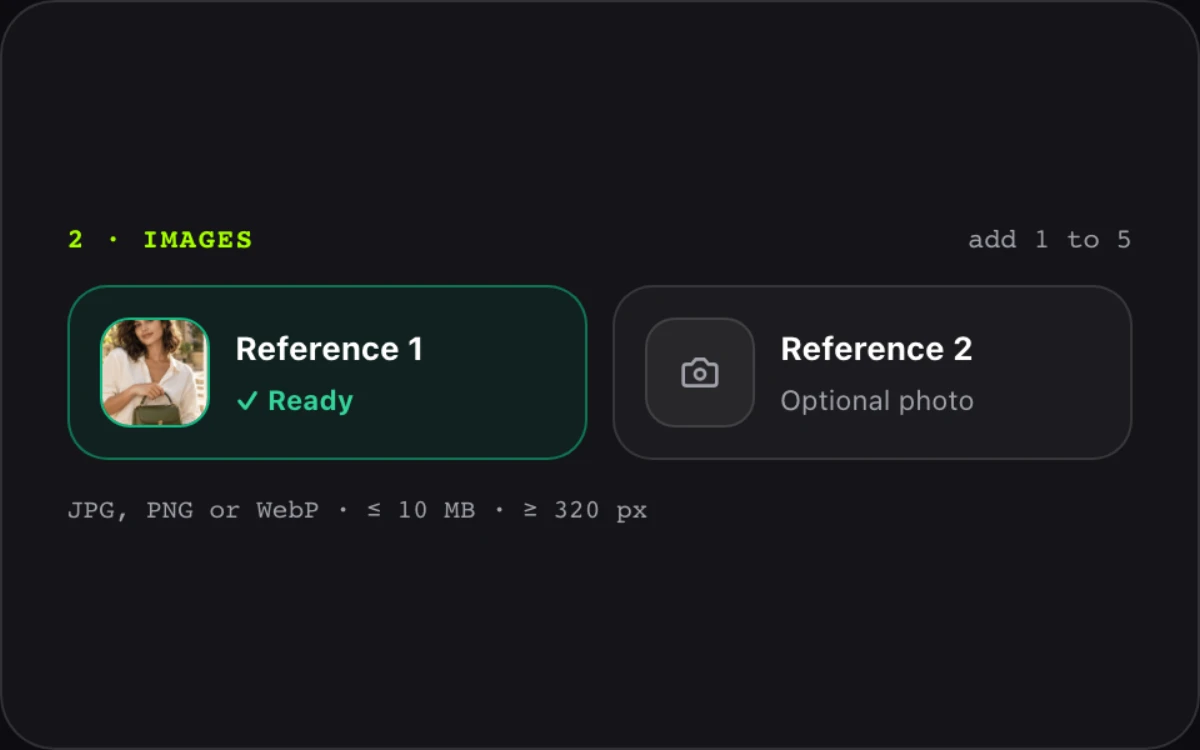
  1. STEP 01Upload
    Image to image AI generator upload area with two reference photos added

    1. Upload your source photo

    Add 1 to 5 JPG, PNG or WebP files, up to 10 MB and 320 px+ on the short side.

  2. STEP 02Prompt
    AI image to image prompt box with a change and keep instruction

    2. Say what to change and what to keep

    Pick a model and size. Stuck? Press Inspire me.

  3. STEP 03Export
    Image to image result beside the original photo with a download button

    3. Generate, compare and download

    Download with no watermark; results stay in My creations for 30 days.

Prompt guide

How Do You Write an AI Image to Image Prompt That Keeps Faces and Products?

Write one sentence for the change and one for what must stay. That keep sentence stops AI image to image editing from redrawing a face or logo, as Google's image editing guide also advises.

Prompt Formula4 Parts
  1. 01Change
  2. 02Where
  3. 03Style or light
  4. 04Keep

Weak vs. strong image to image prompts

Weak vs. Strong Prompts
3 Prompts
Weak vs. strong image to image prompts
GoalWeakStrong
New backgroundmake it nicerChange the background to a warm yellow wall. Keep her face, hair and blouse identical.
Product sceneput bag outsidePlace the handbag on a rooftop terrace at dusk. Keep the strap and hardware exactly as they are.
Room cleanupclean roomMake the bed and remove the floor pillows. Keep the walls, lamps and rug unchanged.
← Swipe horizontally to read full table →

Naming both what changes and what stays keeps faces and products stable across edits.

How do you use more than one image in image to image?

Refer to uploads by order: "Put the jacket from Image 2 on the man in Image 1." Put the framing you want first.

Which photos give the best image to image results?

Source Photo Checklist
4 Rules
Which source photos give the best image to image results
Works wellCauses problems
Sharp photo, 1024 px or largerBlurry or heavily compressed files
One clear subjectGroups where every face must stay exact
Simple backgroundTiny text that must stay perfect
Face toward the cameraClose-up hands
← Swipe horizontally to read full table →

A sharp 1024 px+ photo with one subject gives the most faithful image to image result.

Who it's for

Who Uses Img to Img AI, and When Should You Not?

Img to img AI helps most when you have the right photo but the wrong light, background, outfit or style.

SellersTry: Nano Banana 2.1 · 2K

Sellers: image to image product scenes

Place one product shot on a terrace or studio backdrop for listings and ads.

CreatorsTry: GPT Image 2 · 1K

Creators: img to img AI for posts

Dress your pet up or turn day into night, then animate it in image to video.

HostsTry: GPT Image 2 · 1K

Hosts: image to image room staging

Make the bed or warm the light; disclose edits where rules ask.

ArtistsTry: GPT Image 2 · 1K

Artists: drawing to photo with image to image

Re-render a sketch as a real photo, or the reverse.

When is image to image the wrong tool?

  • Pixel-exact retouching
  • ID photos or legal documents
  • Children, or adults who did not agree
  • Tiny logos that must be perfect
Models and specs

Which Image to Image AI Model Should You Pick?

Pick Nano Banana 2.1 for photo-real edits and 4K, GPT Image 2 for text in pictures and literal edits. Both image to image AI models take 5 references.

Image to Image Model Specs
6 Specs
Image to image AI model specs
SpecNano Banana 2.1GPT Image 2
Reference images1–51–5
Output sizes1K, 2K, 4K (3840 px)1K, 2K (2048 px)
Output shapeFollows your first photoFollows your first photo
Prompt limit5,000 characters4,000 characters
Credits per image90 / 120 / 250120 / 350
Pick it forRelighting, backgrounds, productsText in images, drawing to photo
← Swipe horizontally to read full table →

Nano Banana 2.1 is the default image to image AI model: 90 credits at 1K, 250 at 4K (pack, Pro or Premium).

Pricing

How Much Does Image to Image AI Cost per Picture?

One image to image edit costs 90 to 350 credits, about $0.26 to $2.31 with the Small pack. No subscription, pack credits never expire, failed edits are refunded.

Pictures per Credit Pack
5 Tiers
Image to image AI pictures per credit pack
Model · sizeCreditsSmall $9.90Medium $24.90Large $49.90
Nano Banana 2.1 · 1K901644100
Nano Banana 2.1 · 2K120123375
Nano Banana 2.1 · 4K25061636
GPT Image 2 · 1K120123375
GPT Image 2 · 2K35041125
← Swipe horizontally to read full table →

With the Large pack a 1K image to image edit costs about $0.50. Pro ($24.90/month) unlocks 4K; Starter stops at 2K.

Why here

Why Use This AI Image to Image Generator?

Choose this AI image to image generator for two leading models, a clear price per picture and no watermark, with no monthly plan. Need a daily free allowance? Firefly has one; we don't.

  • Exact credits before you click
  • No watermark on any result
  • Failed edits refunded automatically

Image to image AI tools compared (as stated on each site, 11 Nov 2026)

Image to Image Tools Compared
5 Tools
Image to image AI tools compared (as stated on each site, 11 Nov 2026)
Image to image toolFree optionReferencesUpload limitRetention stated
This pageNone; from ~$0.261–510 MB, ≥320 px24 h / 30 days
Adobe FireflyDaily generations1100 MB, ≥512 pxNot stated
Kling AIFree tierUp to 10Not statedNot stated
RaphaelWatermarkedUp to 6Not statedNot stated
Image2Image.aiQueued, may watermarkSeveral≥512 px advised24 h
← Swipe horizontally to read full table →

Of these 5 image to image AI tools, 2 state how long uploads are kept, and only this one prices each picture beside the generator.

Privacy and limits

Is It Safe to Upload Photos to an Image to Image AI?

Yes: this image to image AI deletes uploads after 24 hours and results after 30 days, and never trains on either. Uploads are screened; no photos of anyone under 18 (privacy policy, responsible use).

01

24 h

Uploads deleted

02

30 days

Results kept

03

0

Photos used for training

04

Auto

Refund on failure

What can image to image AI not do yet?

  • Image to image AI may redraw details you didn't mention; name what to keep.
  • Small text, hands and logos can go wrong.
  • Faces can shift between image to image runs.
  • Each run makes one image and is charged.
  • It makes stills; for motion use image to video.

Do you need to label AI-edited images?

Often. We add no visible watermark, but Google embeds invisible SynthID marks and OpenAI adds C2PA credentials, so platforms may detect an image to image edit. TikTok asks you to label realistic AI content; Instagram may show "AI info".

FAQ

What Do People Ask About Image to Image AI?

1.Is this image to image AI free?

No. A 1K image to image edit costs 90 credits, about $0.26. Failed edits are refunded, and an unused first pack is refundable for 7 days.

2.Is AI image to image safe? How long do you keep my photos?

Uploads are deleted after 24 hours, results after 30 days, and we never train on them.

3.Will image to image AI change my face or my product?

It can, unless you say not to. Add "Keep her face and earrings identical". For logos or text, use GPT Image 2.

4.What is the difference between image to image and text to image?

Text to image creates a picture from words alone. Image to image starts from your photo, so the subject and layout carry over.

5.How is this image to image AI different from Firefly, Kling or Raphael?

Firefly has free daily generations, Kling takes 10 references, Raphael has a watermarked free tier. Here you get two top models, pay per picture, and never get a watermark.

6.Can I combine several photos in one image to image edit?

Yes, up to 5. Name them in order: "Put the hat from Image 2 on the dog in Image 1".

7.Can I post img to img AI results on Instagram, TikTok or my store?

Yes. Files have no watermark and download at full size, though platforms may label AI edits.

8.Why doesn't my image to image result match what I asked?

Change one thing per image to image run and name what to keep.

9.Can I turn my image to image result into a video?

Yes. Open image to video and use it as the first frame of a clip with sound.
Ready to edit

Ready to Edit Your Photo With Image to Image AI?

Your photo, one sentence, a finished photo you can post today.