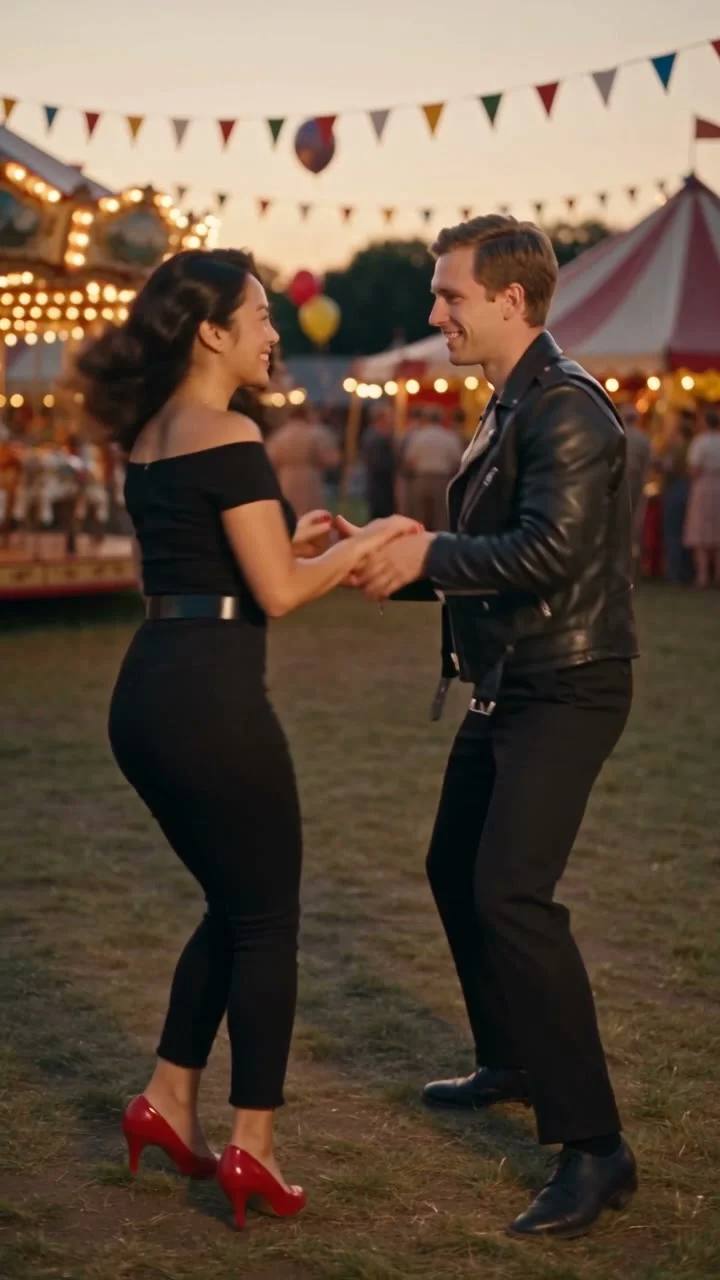
AI trend

You Rock My World Trend: Your Couple’s Formal Reveal

The you rock my world trend is a couple transition from white T-shirts indoors to formalwear outdoors, with a hand covering the lens before cut. Upload four photos and receive a 12-second 9:16 Duo video in 2–5 minutes.

Duo uses four photos and the provided audio, keeping the two-person interaction, hand cover, terrace reveal, and final pose.

Also called You Rock My World transition · You Rock My World outfit transition

YOU ROCK MY WORLD TREND
VIRAL RIG
4 Photos12s HD

YOU ROCK MY WORLD TREND

Upload four photos of two people in casual and formal looks to get a 12-second 9:16 You Rock My World couple reveal.

Swipe ⟷
Example

What does the you rock my world trend video look like?

This Editorial demo follows the couple reference. Your four photos replace the two people across both outfit phases, while the indoor room, hand-over-lens cut, outdoor terrace, and audio timing stay recognizable.

The indoor half stays close enough for both faces to read while the pair moves naturally. The outdoor half opens the frame so the jacket, dress, patio furniture, and final pose have room to land. That change in distance is part of the joke: the viewer sees the same couple first in a familiar room and then in a dressed-up setting without losing the people who started the clip.

Duo
9:16 Vertical·Clean MP4
Ready to Remake

Upload your photo to star in this exact scene in 3 minutes.

Remake ↑

The reveal is designed for a tall social post. Explore outfit-change AI trends for other scene-led transitions.

Step by step

How do you make the you rock my world outfit change with four photos?

The Duo flow uses 4 photos in the two-person order, with two casual-look photos and two formal-look photos so each person keeps an identity across the hand-cover cut.

  1. 01Step 1

    Add your photo

    The opening keeps both people close to the camera, and the woman’s hand crosses the lens before the outfit change. Add a clear face-and-shoulders photo for each casual and formal look, and read the privacy policy before uploading.

  2. 02Step 2

    Press Generate

    The setup preserves the white-paneled room, two-person timing, hand cover, and outdoor terrace before the button starts the render. The provided audio stays with the scene, and the price appears before you confirm.

  3. 03Step 3

    Download or share

    The result is a 12-second 9:16 vertical clip with 720p or 1080p quality options. Download the finished video for TikTok, Reels, or Shorts after the 2–5 minute render.

    Keep the finished frame tall when you share it. The hand cover reads clearly when the phone-sized crop keeps the woman’s hand and both faces inside the center area. The final terrace pose benefits from the same headroom, so avoid trimming the top of the umbrella or the lower edge of the formal silhouettes.

The trend

Where did the you rock my world trend start?

The sound is the 2001 Michael Jackson song, released as the lead single from Invincible according to the song background. The official Michael Jackson video is a 2001 short film directed by Paul Hunter.

Earliest dated post
15 June 2026
Latest dated post
8 November 2026
Platform
TikTok
Posts in the timeline
3

A June 2026 TikTok post by @bijoubaidoe uses “You rock my world” with transformation hashtags and showed 107,500 views by 16 November. The later @mistah_902 post describes “smooth transitions,” while the @madelaineclaires post names the outfit context directly. Their captions use the same transition language that the couple version makes visual.

The format is also called the transition and the outfit-change version, names taken from those captions. No verified sound-page usage total is asserted here.

  1. TikTok

    A June post uses the transformation wording and Michael Jackson tags. See the post

  2. TikTok

    A later post calls the format a smooth transition and pairs the sound with an outfit reveal. See the post

  3. TikTok

    A November post names the outfit context directly in a couple styling caption. See the post

Who to cast

Who do people cast in the you rock my world meme?

The Duo version works when two people can share the frame before and after the hand-cover cut. The you rock my world meme fits a pair who wants one shared reveal.

  • Duo · casual to formal

    The couple who owns the hand-cover cut

    Partners sell the white T-shirts, the hand over the lens, and the charcoal suit finish. Use 4 photos for 2 people in 9:16, one clear casual and one formal image for each person, with shoulders visible.

  • Duo · two people

    You Rock My World friends with a coordinated wardrobe

    Two friends can make the shared two-shot feel like an inside joke. Match 4 photos across white T-shirts and a charcoal suit so the casual room and formal terrace keep the same pair readable in 9:16.

  • Duo · four uploads

    A date-night version with a formal finish

    A wedding, dinner, or anniversary pair fits the outdoor terrace and burgundy dress finish. @madelaineclaires uses the outfit language in a public caption. Choose 4 formal and casual photos in 9:16 at 00:07.58, where the burgundy dress and jacket silhouette are not cropped away on the terrace.

The format is a poor fit for anyone whose face is hidden in every upload or who wants a solo clip, because this reference is built around two people returning together after the cut.

Why here

Why make the you rock my world video here?

The scene is useful because the four-photo mapping and the hand-cover timing solve the two decisions this transition actually depends on. The reference is readable because the room, the hand, and the terrace each have a separate job. The hand hides the wardrobe change, the cut reveals a new place, and the final two-shot confirms that both identities survived the move. That sequence gives a couple post a clear beginning, hinge, and finish without asking the viewer to infer what changed.

The useful choice is who belongs in the casual pair and who belongs in the formal pair. Once those four images are in order, the scene can spend its motion budget on the interaction instead of searching for a new identity. This is why the setup works for a partner post, a friend reveal, or a date-night joke that needs the same people to return after the cut. The final frame keeps both faces and the formal silhouettes visible, so the result reads immediately in a feed.

  • Preset

    Four photos keep both outfit phases mapped

    The Duo setup maps 4 photos to 2 people across 2 outfit phases, with a hand over the lens for 7.58 seconds before the formal return, so the same identities stay readable in a dark jacket.

  • Fidelity

    The hand-over-lens cut stays on beat

    The reference gives the hand its own 00:06.80–00:07.58 window before the dark patio umbrella return, making the outfit change a readable action.

  • Lock

    The formal reveal has a real place and wardrobe

    The dark patio umbrella, charcoal suit, burgundy formal dress, and couple two-shot stay tied to the outdoor return.

  • Trust

    The one-cut route follows the public transition

    Public posts by @bijoubaidoe, @mistah_902, and @madelaineclaires use the transition language, while this page gives the same hand-cover structure through a 4-photo Duo setup.

Copy and paste

The you rock my world prompt

You do not need this prompt because the one-tap flow runs the scene and photo mapping for you. The you rock my world prompt is public so you can inspect each beat. It is public so you can inspect the hand cover, outfit phases, and final pose.

Show full details

Duo

4 photos · 12 s · 720p · 9:16 · 800 credits

Video prompt

A handheld 9:16 couple scene begins in a bright white-paneled room with an indoor wood floor. The man and woman start close to the camera in white T-shirts, smiling and moving together, then one hand sweeps over the lens to hide the change. The man is the person in [Image 1] for the casual section and [Image 2] for the formal section. The woman is the person in [Image 3] for the casual section and [Image 4] for the formal section. Keep each person’s face, hair, skin tone, and body proportions from the matching photo.

00:00–00:01.5: the couple smiles close to the camera and raises their arms. 00:01.5–00:03.0: the man lifts an arm over the woman as she turns and answers with a hand gesture. 00:03.0–00:04.8: they step back and trade small rhythmic movements. 00:04.8–00:06.8: the woman comes nearest to the lens while the man stays behind her. 00:06.8–00:07.58: her hand crosses the lens. 00:07.58–00:09.0: cut to an outdoor terrace under a dark patio umbrella, revealing a charcoal suit and burgundy formal dress. 00:09.0–00:10.5: the man adjusts his jacket while the woman poses behind him. 00:10.5–00:11.47: she turns beside him and they finish together.

Keep the hand-over-lens cut clean, preserve the couple two-shot, keep the formal outfits matched to the correct people, use the supplied reference audio, and add no text, logos, watermarks, or extra people.
Credits

How many credits does the you rock my world video cost?

The Duo render is charged once, the button shows the current price before you confirm, and a failed render returns its credits through the refund policy.

Credits by version
2 Rows
VersionSettingsCredits
Duo12 s, 720p, 9:16800
Duo12 s, 1080p, 9:161,200
← Swipe horizontally to view full parameters →

The dearest version here is 1,200 credits, and the smallest one-time pack that covers it is $9.90 for 1,500 credits. Credits are bought once and do not expire. See pricing and credit packs.

Second by second

What happens in the you rock my world video, second by second?

The reference keeps a close indoor couple interaction, a hand-over-lens cover at 00:06.80–00:07.58, and an outdoor formalwear return. Your four photos replace the matching man and woman in each phase.

Show full details
Second by second
8 Rows
TimeWhat happensDuo
0 to 1.5 sClose indoor two-shot in a white-paneled roomYou and your partner smile close to the camera and lift your arms in playful interaction.
1.5 to 3 sTight indoor profile view of both partnersThe man raises an arm over the woman while she turns toward him and answers with a hand gesture.
3 to 4.8 sMedium indoor two-shot as the couple steps backYou face each other and trade small rhythmic hand movements without leaving the room.
4.8 to 6.8 sIndoor foreground move with the woman nearest the lensThe woman moves closer while the man stays behind her, keeping the couple readable in the frame.
6.8 to 7.58 sHand passes directly across the lensThe woman sweeps her hand over the camera to hide the outfit-change cut.
7.58 to 9 sOutdoor reveal beneath a dark patio umbrellaYou reappear together in a charcoal suit and burgundy formal dress on the terrace.
9 to 10.5 sOutdoor medium shot centered on the manThe man adjusts his jacket while the woman holds the formal pose behind him.
10.5 to 11.47 sOutdoor two-shot for the final poseThe woman turns beside him and both partners finish the You Rock My World reveal facing the camera.
← Swipe horizontally to view full parameters →

The finished cut runs 12 seconds in 9:16 with the supplied audio. Each generation can vary while keeping the same beat order and two-person handoff.

Troubleshooting

What goes wrong with the you rock my world video, and how do you fix it?

Most visible problems come from a face or outfit photo that does not give the model enough of the person to carry across the hand cover.

Problems and fixes
4 Rows
ProblemFix
The original white T-shirts or formal outfits appear on the wrong personThe reference has two people and two outfit phases. Use one clear T-shirt photo and one clear formalwear photo for each person, then run the Duo version again.
A face drifts during the hand-over-lens transitionThe hand briefly covers the camera while both people change position. Use sharp front-facing photos for all four uploads and run it again for a new take.
The outdoor reveal loses the charcoal suit or burgundy dressThe formal reference photos do not show the full outfit clearly. Replace the formalwear photos with full-body images where the clothing is visible, then run the Duo version again.
The model refuses a photoSome photos get refused. Try another photo. A failed run gives its credits back, see the refund policy.
← Swipe horizontally to view full parameters →
Posting

Which sound and hashtags go with the you rock my world video?

The clip keeps the provided audio so the hand cover and formal reveal land on the same beat as the reference.

Hashtags

@bijoubaidoe’s post uses #yourockmyworld, #transition, and #outfit. Keep the platform’s AI label when you publish. The vertical frame is easiest to read when both faces remain visible before the cover and the formal pose has room around the shoulders. A caption can describe the change without claiming that the AI clip is the original creator’s footage.

FAQ

You Rock My World questions

What is this AI trend?

It is a couple outfit transition set to a Michael Jackson single, moving from casual indoor clothes through a hand-over-lens cut to formalwear outdoors.

Where did this trend start?

The earliest dated post recorded here is @bijoubaidoe’s June 2026 TikTok. That page showed 107,500 views by 16 November, and no first couple origin is asserted.

How do I make the AI video with my photo?

Choose Duo, upload four photos in the two-person order, and press Generate. Use a T-shirt photo and a formalwear photo for each person so the hand cover leads into the correct reveal.

Is there a prompt?

Yes. The public Duo prompt lists the white-paneled room, the hand-over-lens cut, the dark patio umbrella, and the formal couple finish.

Do I need a CapCut template?

No. This four-photo flow creates the hand-over-lens cut and the two outfit phases in the browser, so you do not need to film two looks yourself.

Is the video real?

The clip is AI-made from the reference and uploaded photos. The original TikTok creators are not presented as endorsing this page.

How long does a render take and how many credits does it use?

The button shows the current one-time credit price, and the normal render estimate is 2–5 minutes. The generated cut is 12 seconds in 9:16.

Are my photos kept after I make the video?

Read the privacy policy for the current retention terms before uploading.
✨Make Video With Your Photos

Make Your You Rock My World Trend Video Now

Make the you rock my world outfit change with your own 4 photos.

Written and maintained by MemeVideoMaker Editorial DeskPublished Last updated