Wassup in a Minute AI Video Generator: Three-Person Group Dance
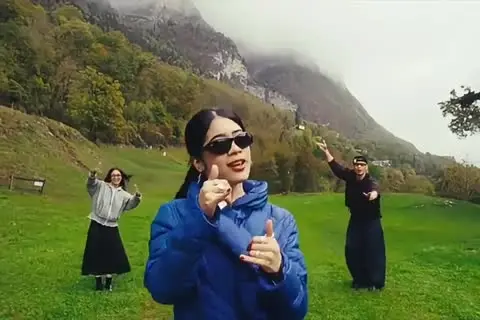
Upload 3 photos to replace the black foreground dancer on the left, the blue lead in the center, and the gray dancer on the right. Choose 720p for 1,000 credits or 1080p for 1,500 credits to make a fixed 15-second, 16:9 clip with the original sound.
The Wassup in a Minute AI video generator is preloaded with the three-person scene. Use people, pets, or other authorized subjects that pass the current photo checker.
WASSUP IN A MINUTE AI
The three-person Wassup in a Minute dance from 3 photos with the original sound.

Left / Black Foreground
Clear photo · person, pet, avatar, or other authorized subject
Center / Blue Lead
Clear photo · person, pet, avatar, or other authorized subject
Right / Gray Background
Clear photo · person, pet, avatar, or other authorized subject
15 s video · 1000 credits · ~4 min render in meme video maker
The three-person Wassup in a Minute dance from 3 photos with the original sound.
What Does an Editorial Demo from This Wassup in a Minute AI Video Generator Look Like?
Every preview below is an Editorial demo made by the internal team. It shows the fixed group scene, the left-center-right role changes, and the original sound before you upload your own subjects.
Scenario 01 · Friends
Best Friends in the Three Roles
Put three friends into the black, blue, and gray positions and post the result as a group-chat joke. The fixed choreography keeps the roles readable, while your photos decide who takes each place.
- Upload one accepted subject image for each role.
- Keep the left, center, and right order you want to tag.
- Share the finished Wassup in a Minute video with the two friends who appear beside you.
Scenario 02 · Relationships
Couples and Group Chat Jokes
Use a partner, an ex, a sibling, or a third friend when the joke depends on the relationship. The scene stays the same, so the social action comes from who you cast and what caption you add.
- Assign the person you want in front to the black-role slot.
- Put the lead of the joke in the blue center slot.
- Use the gray background role for the reaction or the third name in the caption.
Scenario 03 · Pets
Pets Take the Dance
Put a dog, cat, or another clear pet image into one or more roles for a deadpan Wassup in a Minute AI meme. The serious dance and the unexpected animal cast create the punchline.
- Use a clear image with the subject visible.
- Expect more variation than with a human photo.
- Retry with another accepted image if the first pet result is unclear.
Scenario 04 · Characters
Other Characters and Avatars
Use an authorized avatar, illustration, or other recognizable character when the upload passes the current checker. The page supplies the fixed scene and sound; your source images supply the identities.
- Upload only images you have permission to use.
- Keep each character assigned to its own left, center, or right role.
- Do not describe an Editorial demo as an official artist, celebrity, or character collaboration.
Explore more AI video trends when you want another fixed scene to recreate.
What Is the Wassup in a Minute Dance Trend?
The Wassup in a Minute dance trend uses the FamousSally & YB sound for posts about friends, partners, family, and the way people act. The recognizable version uses shoulder movement and hand gestures to introduce the people in the clip.
This Wassup in a Minute AI video generator keeps that social joke in a fixed three-person scene. You choose who replaces the black foreground role, the blue lead, and the gray background role; the original sound stays with the finished clip.
If you searched for this tool, the fixed roles answer the main casting question before you upload: who is left, who leads, and who reacts on the right.
This page explains the tool and the trend anchor. It does not reproduce full lyrics, claim affiliation with FamousSally & YB, TikTok, CapCut, or the original creators, or present the local reference video as official source footage.
Why Choose This Wassup in a Minute AI Video Generator?
This dedicated Wassup in a Minute AI video generator starts with the exact three-role scene instead of an open prompt box. Upload the subjects, choose the quality, and receive the group clip with the original sound.
Fixed Three-Role Casting
The page labels the black foreground, blue center, and gray background roles before you submit. You do not need to explain the dance or build a timeline.
People, Pets, or Other Authorized Subjects
The same scene accepts people, pets, and other authorized images when they pass the current checker.
Original Sound Included
The finished video keeps the original sound from the Wassup in a Minute treatment. You do not need to add a separate audio prompt.
One Output Contract
Every render follows the page contract: 15 seconds, 16:9, and a selected 720p or 1080p output.
Credits Shown Before Generation
The generator shows the selected cost before submission: 1,000 credits for 720p or 1,500 credits for 1080p. Pack and subscription details live on the pricing page.
Existing Trend-Page Safeguards
Photo validation, failed-render handling, refunds, privacy retention, render waiting, and watermark behavior follow the current trend-page policy. Read the privacy policy and refund policy for the governing terms.
How Do I Make a Viral Wassup in a Minute Video?
Assign the three roles, choose 720p or 1080p, and submit the render in this Wassup in a Minute AI video generator. The finished video returns with the original sound.
Assign the Left, Center, and Right Roles
Upload the black-role subject to Slot 1, the blue center subject to Slot 2, and the gray background subject to Slot 3. Use the labels to decide who appears in front, who leads the scene, and who reacts behind them.
Choose the Output Quality
Select 720p for 1,000 credits or 1080p for 1,500 credits. The selected amount appears before you submit.
Generate and Download
Submit the Wassup in a Minute AI video generator task and follow the normal trend-page processing flow. When the result is ready, download the fixed 15-second, 16:9 video with the original sound.
This is a finished-video generator. It does not export a CapCut project, an editable timeline, or a custom prompt workflow.
How Do the 3 Wassup in a Minute Photo Slots Map to the Dance?
The three slots are fixed to the reference roles. Upload order determines who appears on the left, in the center, and on the right.
| Slot | Position | Reference role | Upload instruction |
|---|---|---|---|
| Slot 1 | Left | Black foreground dancer | Upload the subject who should lead from the front-left position. |
| Slot 2 | Center | Blue lead dancer | Upload the subject who should be the main center performer. |
| Slot 3 | Right | Gray background dancer | Upload the subject who should stay in the rear-right position. |
Swap the source images if you want to change the casting. Do not upload a crowded group photo when you need exact role control; give each role its own accepted subject image.
The generator reads the three slots in this order every time, so the upload sequence is the casting control.
What Are the Wassup in a Minute AI Video Output Specs?
Every output from the Wassup in a Minute AI video generator is 15 seconds in 16:9 with the original sound. Choose 720p for 1,000 credits or 1080p for 1,500 credits.
| Specification | Delivered result |
|---|---|
| Runtime | 15 seconds |
| Aspect ratio | 16:9 |
| Standard quality | 720p · 1,000 credits |
| High quality | 1080p · 1,500 credits |
| Sound | Original sound included |
| Preview label | Editorial demo for the samples on this page |
The page does not promise another duration, another aspect ratio, a separate audio file, or an editable CapCut project.
Which Photos Work for the Wassup in a Minute AI Meme?
Use one intended subject per slot in the Wassup in a Minute AI video generator and follow the current site photo checker. People, pets, avatars, and other shapes can work when their images are clear, authorized, and accepted by the existing upload rules.
Photos that work better
- One intended subject per slot.
- Clear people, pets, avatars, or other shapes accepted by the current site photo checker.
- Source material you have permission to use.
Inputs to avoid
- Crowded images that combine multiple roles in one slot.
- Unclear subjects or heavy obstruction.
- Source material you do not have permission to use.
If an upload or render fails, follow the current trend-page retry and refund flow before submitting another task.
What This Generator Does Not Do
- It does not split a crowded group photo into three independent roles.
- It does not create a CapCut project or editable timeline.
- It does not replace the fixed choreography with a custom prompt.
- It does not turn an Editorial demo into a claim of official artist or character authorization.
For open-ended meme creation outside a fixed trend scene, use the meme video maker.
Is This Meme Video Maker Free? Pricing and Credits
MemeVideoMaker is a paid service with transparent pay-as-you-go pricing: a 15-second 720p render costs 1,000 credits ($9.90 one-time or $9.90/mo on Starter) and a 15-second 1080p render costs 1,500 credits; shorter trends cost less in proportion. There is no free tier or watermark penalty: you only pay for completed renders, and failed generations refund automatically.
Starter
3,000 credits/moBilled annually ($118.80/yr)
Pro
9,000 credits/moOnly $5.00/mo more than Starter · 3× the credits
Premium
40,000 credits/moBilled annually ($718.80/yr)
One-Time Credit Packs
Prefer not to subscribe? Buy credits once and use them across all meme trends. Packs never expire, stack seamlessly, and come with a 7-day money-back guarantee if unused. A plan is always the better deal: $24.90 on Pro monthly buys 2.25× the credits of the $24.90 Medium pack.
Small
Try your first meme remake
Medium
Several remakes, no subscription
Large
Power remakes · Stackable anytime
On yearly billing, Pro costs $5.00 a month more than Starter and gives 3 times the credits, 1080p and rollover. One-time credit packs start at $9.90 for 1,500 credits, enough for a 15-second video at 1080p. Packs never expire, an unused first pack is refunded in full within 7 days, and every export has zero watermarks.
| Quality | Credits / sec | Per video |
|---|---|---|
| MiniMax H3 · 480p (4s) | 25 | 100 credits (4s) |
| 720p HD (15s Trend) | 66.7 | 1,000 credits (15s) |
| 1080p Full HD (15s Trend) | 100 | 1,500 credits (15s) |
What Is an Internet Meme Video?
“Internet memes manifest in a variety of formats, including images, videos (e.g. GIFs), and other viral content.”
The same entry is Wikidata Q2927074. Credit prices on this page are MemeVideoMaker's, listed on the pricing page and in pricing.md.
Wassup in a Minute AI Video Generator FAQ
How many photos do I upload?
Can I use pets or other characters?
Does the video keep the original Wassup in a Minute sound?
What position does each photo take?
What aspect ratio does the output use?
How long is the Wassup in a Minute video?
How many credits does it cost?
What happens if generation fails?
How long are my photos kept?
More AI Video Trends
 NEW
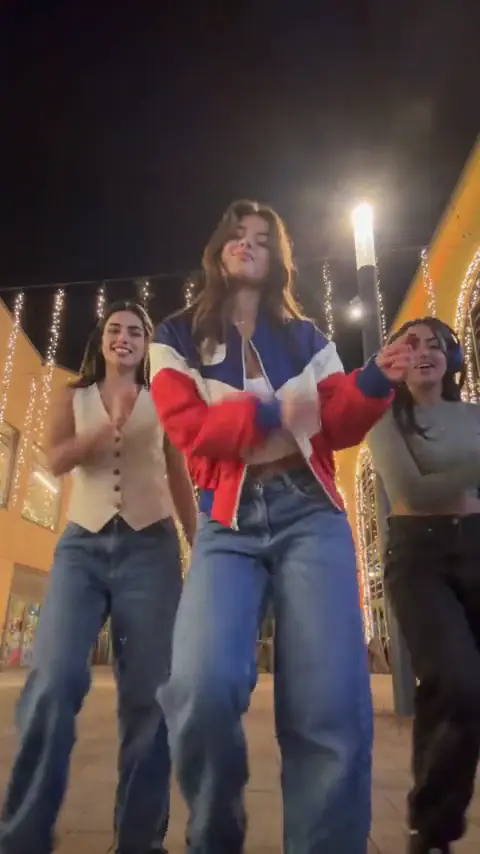
JINGLE BELL ROCK DANCE AI
Upload 1 photo and make a 4-second Jingle Bell Rock holiday lead with the supplied reference sound.
Dance
4s · 267 crRemake→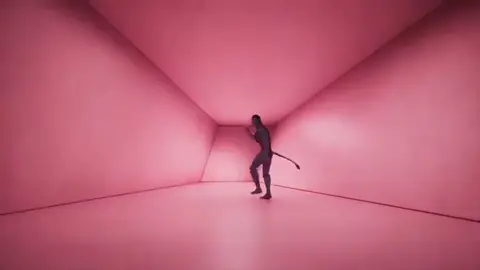 NEW
HOTLINE BLING DANCE AI
Turn 2 photos into a 9-second Hotline Bling color-box dance duet with the original trend audio in 9:16 or 16:9.
Dance
9s · 600 crRemake→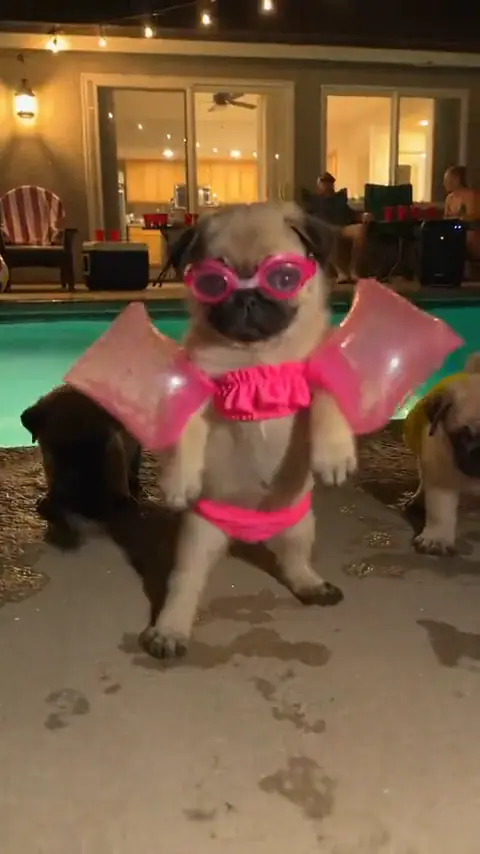 NEW
DOG POOL PARTY DANCE AI
Turn 1 pet photo into a 13-second 9:16 nighttime backyard dog pool party dance video with the original trend audio.
Dance
13s · 867 crRemake→
Browse every trend you can make today in AI video trends.
Make Your Wassup in a Minute AI Video Now
Upload 3 photos, choose 720p or 1080p, and generate the fixed 16:9 Wassup in a Minute scene with the original sound.
Written and maintained by MemeVideoMaker Editorial DeskPublished Last updated