AI trend

Airport Outfit Change AI: From the Gate to the Night Street

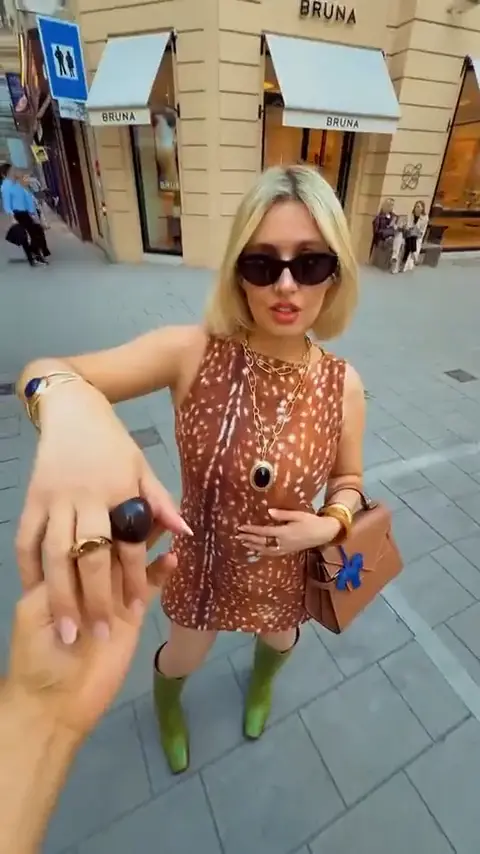
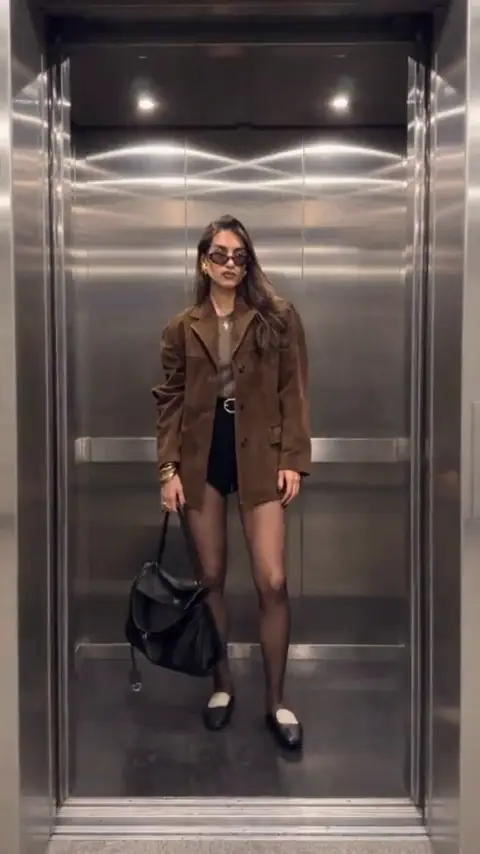
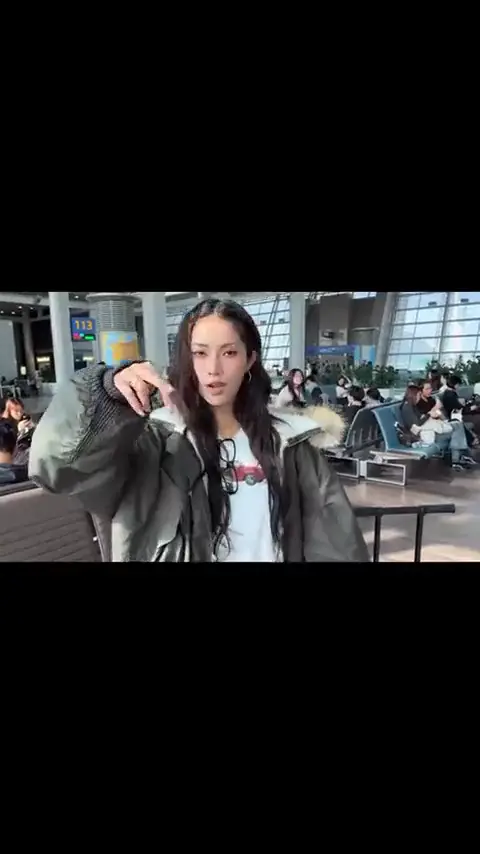
Airport Outfit Change AI turns two photos of you in two different outfits into an 8-second video that cuts from an airport terminal to a night street.

Vertical or widescreen, ready in 2–5 minutes.

AIRPORT OUTFIT CHANGE AI
VIRAL RIG
2 Photos8s HD

AIRPORT OUTFIT CHANGE AI

Upload two full-body outfit photos and get an 8-second airport-to-street reveal with a hand-cover transition.

Swipe ⟷
Example

What does an airport outfit change AI video look like?

You face the phone in your travel outfit, cover the lens with your hand, and reappear on a night city street in your second outfit. Your face and both outfits replace the person in the original video.

Human
9:16 Vertical·Clean MP4
Ready to Remake

Upload your photo to star in this exact scene in 3 minutes.

Remake ↑
Step by step

How do you make an airport outfit change video with two outfit photos?

Add a full-body photo of you in your travel outfit and one in your second outfit, press Generate, and download your 8-second airport outfit change video.

  1. 01Step 1

    Add your photo

    Add the airport outfit first and the night outfit second: the order of the photos is the order of the reveal. Your outfit photos are used only to build your reveal; see the privacy policy.

  2. 02Step 2

    Press Generate

    The button shows the price before anything is spent.

  3. 03Step 3

    Download or share

    Save the clip or send it straight from your phone.

Who to cast

Who is the airport outfit change meme funniest on?

The airport outfit change meme is funniest on someone whose two outfits could belong to two different people.

  • Human · 2 photos

    The friend who'd swap shirts with a stranger at the airport

    @Realrahsaun's "Exchanging shirts in the airport" short had 27,813,519 views by 15 November 2026, so airport wardrobe swaps already land. Cast the friend who would try that prank; this one needs no stranger, just two photos of them.

  • Human · travel look

    The sweatpants traveler who lands dressed for the night

    The comfiest flyer you know vanishes behind a hand and comes back dressed for a night out. Their sweats go in the first photo.

  • Human · going-out look

    The friend who packs three outfits for a two-day trip

    They finally get to wear two of them in one video: a hoodie into a suit, gym clothes into a dress. One photo per outfit, two photos in all.

Skip it if your two outfits look alike: jeans into slightly different jeans gives the reveal nothing to show.

Why here

How do you do the airport outfit change trend without going to an airport?

Use two photos: the airport and the night street are already in the clip, so you only bring the outfits. Filming it yourself means two takes in two places and a cut where your hand covers the lens.

Ways to make it
2 Rows
Way to make itWhat you needWhat you get
((Film it yourselfhttps:
www.tugmen.com/how-to-do-the-outfit-change-effect-on-instagram/))
Two locations, two outfits and a matched cut in an editor
This generatorTwo outfit photos of youAn airport-to-street reveal without a trip
← Swipe horizontally to view full parameters →

Filming wins when you are already at the gate; otherwise two photos get you the airport outfit change trend from home.

  • Route

    Skip filming two takes in a real airport

    Matching your position, light and pose across two locations is the hard part of filming this effect. Here there is nothing to line up: you never film either take.

  • Version

    Your own second outfit, not a shirt-swap prank

    In the shirt-swap pranks two strangers trade clothes. Here you change into your own second outfit, so the reveal reads as a glow-up.

  • Trust

    Read the whole airport cut before you spend a credit

    Every second of the hand cover and the full prompt are written out below, so you know what you get before you pay.

Copy and paste

Is there an airport outfit change prompt you can copy?

Yes, the full airport outfit change prompt is printed below. The generator already runs it for you; read it to see how the hand cover and the street reveal are described, or adapt it in another tool.

Show full details

Human

2 photos · 8 s · 720p · 16:9 · 534 credits

Video prompt

A single phone-shot transformation starts in an airport terminal with bright window light, rows of seats, and a close framing on one person. The first outfit comes from [Image 1], and the second outfit comes from [Image 2], while the same face and body identity continue through the change. 00:00–00:01.80: face the camera in the airport and raise one hand toward the lens. 00:01.80–00:03.10: bring the fingers closer until the hand becomes the foreground. 00:03.10–00:04.30: let the fingers cover the view and use that hand-cover transition to change locations. 00:04.30–00:05.20: reveal the second outfit in a nighttime city street close-up with storefront lights and passing car lights behind. 00:05.20–00:06.30: ease the phone back as the person turns the shoulders to show the new look. 00:06.30–00:07.30: move toward a street railing and rotate into a side-facing pose. 00:07.30–00:08.45: hold a three-quarter street view beside the railing until the clip ends. Keep the airport terminal windows, night street, hand gesture, and outfit order consistent, keep the uploaded person recognizable, and add no text, logos, or watermarks.
Credits

How much does an airport outfit change AI video cost?

The 720p clip costs less than 1080p, and 9:16 and 16:9 cost the same. Credits come off per video, and a run that fails is refunded under the refund policy.

Specs and credits
2 Rows
VersionPhotosLengthFormatQualityCredits
Human28 s16:9 or 9:16720p534
Human28 s16:9 or 9:161080p800
← Swipe horizontally to view full parameters →

For phone feeds, the 720p version is the cheaper choice and looks the same on a small screen.

The smallest one-time pack that covers the dearest version is $9.90 for 1,500 credits; credits do not expire. See pricing and credit packs.

Second by second

What happens in the airport outfit change video, second by second?

Your hand covers the lens in the airport and pulls away on a night street, where the camera eases back to show your second outfit. The places and the camera moves come from the original video.

Show full details
Second by second
7 Rows
TimeWhat happensHuman
0 to 1.8 sHandheld airport close-up with terminal windows, rows of seats, and the first outfit visible as the performer raises a hand toward the phone.You face the camera in your first outfit and reach a hand toward the lens.
1.8 to 3.1 sThe hand and fingers move into the foreground until the airport background and most of the face are covered.Your hand comes closer until it covers most of the frame.
3.1 to 4.3 sFingers and palm fill the frame, then the covered view gives way to the next location.Your hand fills the frame and the airport disappears behind it.
4.3 to 5.2 sNight street close-up with storefronts, vehicle lights, and the second outfit revealed directly to camera.You appear on the night street in your second outfit, face to the camera.
5.2 to 6.3 sThe camera eases back to a wider view while the performer turns slightly and lets the new outfit read from head to waist.You turn your shoulders as the camera eases back and the new outfit shows from head to waist.
6.3 to 7.3 sThe performer moves toward a street railing and rotates into a side-facing pose with night traffic behind.You step toward the railing and turn to show the side of your second outfit.
7.3 to 8.45 sFinal side-to-three-quarter outfit hold beside the railing, with the city street and car lights continuing behind.You settle into the final pose beside the railing with the traffic behind you.
← Swipe horizontally to view full parameters →

The reveal is a single moment, so the second outfit has to read at a glance.

Troubleshooting

Why doesn't my second outfit show in the airport outfit change video?

Usually because your second photo cuts off part of the outfit, so the reveal only has your top half to show. Upload a sharp full-body photo of the second look and run it again.

Problems and fixes
4 Rows
ProblemFix
Your first outfit comes out with a jacket or long hair you don't haveThe person in the original video wears them in the airport shot. Use a clear full-body photo of your first outfit with your face and hair visible, then run it again.
The hand only waves instead of covering the lensYour first photo is cropped too tightly for the reaching gesture. Use a photo from at least the knees up with both shoulders and a hand visible, then run it again.
Your second outfit only shows in a soft close-upThe second photo does not show the whole outfit. Upload a sharp full-body photo of the second outfit and try again.
The final pose drifts away from the railingThe two photos show you at very different sizes. Use two photos taken from a similar distance, then run it again.
← Swipe horizontally to view full parameters →

A full-body second photo prevents the most common problem with the reveal.

FAQ

What else do people ask about the airport outfit change AI?

Is it safe to upload photos of myself, and how long are they kept?

Yes. Your outfit photos are deleted 24 hours after your reveal is made, as the privacy policy explains. Upload only yourself or someone who said yes.

How is this different from Viggle or Higgsfield?

Here the airport-to-street reveal is already set, and you add two outfit photos. Viggle's Meme Maker puts a character into a clip you pick, and Higgsfield generates video from text prompts or references.

Can I post it on TikTok or Reels?

Yes. Pick 9:16 and it fills the screen on TikTok, Reels and Shorts; keep the AI label on if the app asks.

Why doesn't my face look like me after the switch?

The street shots are wider, so your face is smaller there. A sharp, front-facing photo for each outfit helps most; run it again for a new take.

Does the video have sound?

Yes. The reveal keeps the audio of the original airport clip, and you can't swap in another track.

Can my partner be the second outfit?

No. Both photos must show the same person: the reveal only works when one person changes clothes.
✨Make Video With Your Photos

Make Your Airport Outfit Change AI Video Now

Add two full-body photos in two outfits: leave the terminal in one and arrive on a night street in the other.

Written and maintained by MemeVideoMaker Editorial DeskPublished Last updated