Seedance 2.0 · ByteDance

Seedance 2.0 AI Video Generator Up to 4K With Sound

Text, image and reference to video on Seedance 2.0: 4 to 12 seconds from 480p up to 4K, with sound built in and no watermark.

  • Text, image & reference to video
  • 4–12 seconds
  • 480p / 720p / 1080p / 4K
  • Native sound
  • No watermark
0 / 5000
Native sound included

1500 credits for this run

Describe what you want to make.

No watermark · Credits back if a run fails · MP4 with sound

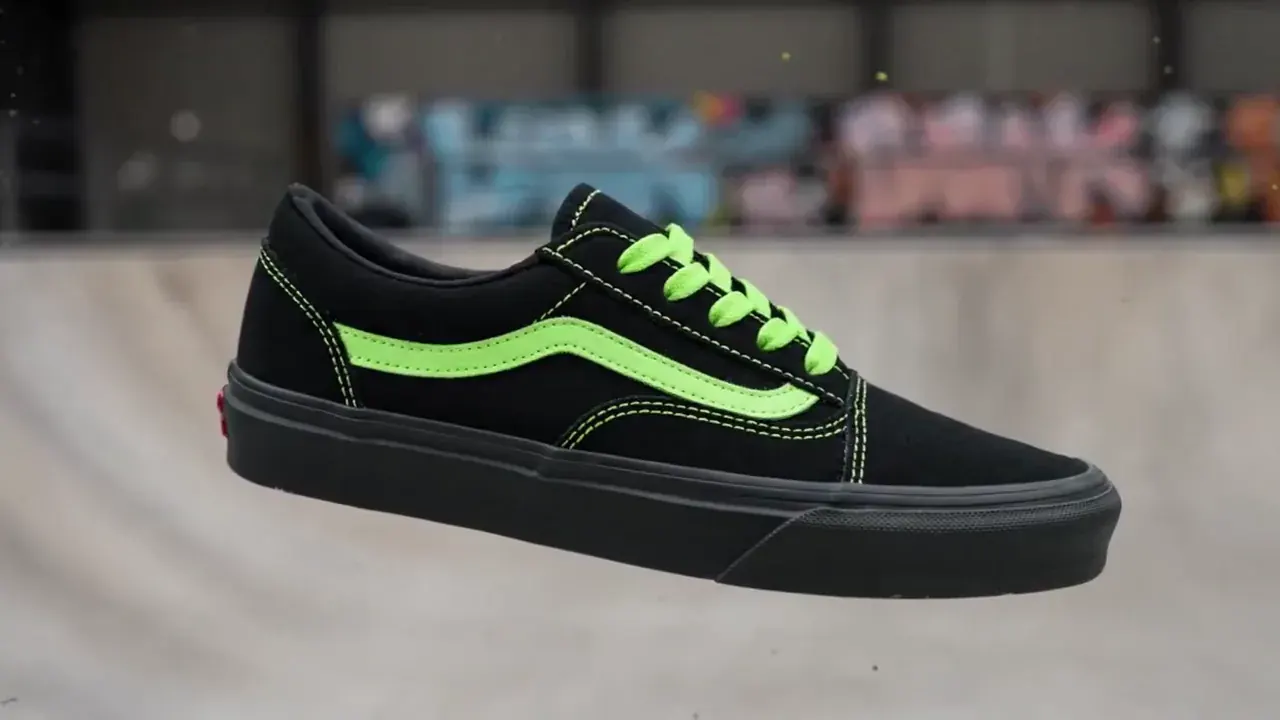
Sneaker paint drop

MiniMax H3 · 16:9 · 5s · 720p

{ "scene_description": "A white classic low-top canvas sneaker floats mid-air, slowly spinning. Suddenly, a burst of vibrant paint splashes across it — black and neon green. The shoe transforms instantly into a bold fashion-forward version in black with acid green details. In the blurred background, a skatepark can be seen, but the focus remains solely on the shoe.", "visual_style": "high-fashion streetwear", "camera_movement": "slow-motion rotation of the sneaker, locked-on shot with shallow depth of field", "audio_cue": "slow whoosh, paint burst impact, subtle tone shift at the transformation" }

Click any sample clip to preview1 / 8
Made With ByteDance Seedance 2.0

What Does the Seedance 2.0 AI Video Generator Actually Produce?

Four production workflows and six supporting editorial demos rendered on the Seedance 2.0 AI video generator (seedance-2.0 / seedance-2-0). Seedance 2.0 is the only model in our studio that renders native 4K (2160p) output — unmute any player to hear the dialogue, room tone, and foley that ByteDance bakes into the same MP4 pass as the picture.

Text to video · 4KSeedance 2.0 · 16:9 · 5s · 4K

A 4K Macro That Resolves Sapphire Crystal and Brushed Titanium

Seedance 2.0 is the only model in the studio that renders native 2160p. At 4K the dual-branch diffusion transformer preserves micro-textures — watch facets, sapphire crystal edge-light, and brushed-titanium grain — that collapse into noise at lower resolutions. Name the surface, the light rig, and one slow camera move.

Starter Recipe

Extreme macro close-up of a luxury mechanical wristwatch slowly rotating in mid-air. Sapphire crystal catching a sharp edge-light highlight. Tiny water droplets drift suspended around the bezel reflecting point light sources. Deep matte black background. Studio top-down spotlight, brushed titanium case, gold gear mechanics visible through the skeletal dial. Hyper-detailed surface textures.

More Seedance 2.0 AI Video Clips to Study

Every editorial demo below was generated on ByteDance Seedance 2.0 (seedance-2.0). Study the camera work and sound design, then write your own version in the generator above.

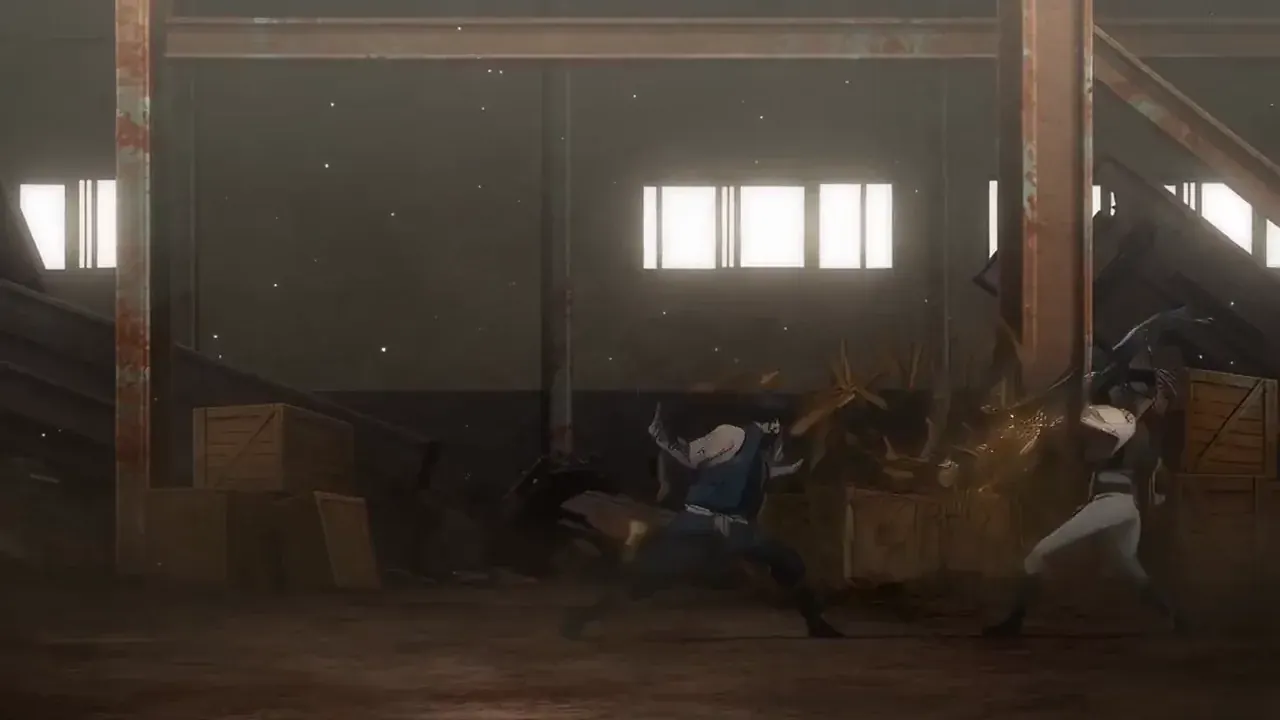
Martial Arts Slow Motion
Action · 10s
Automotive Track Reveal
4K · 8s
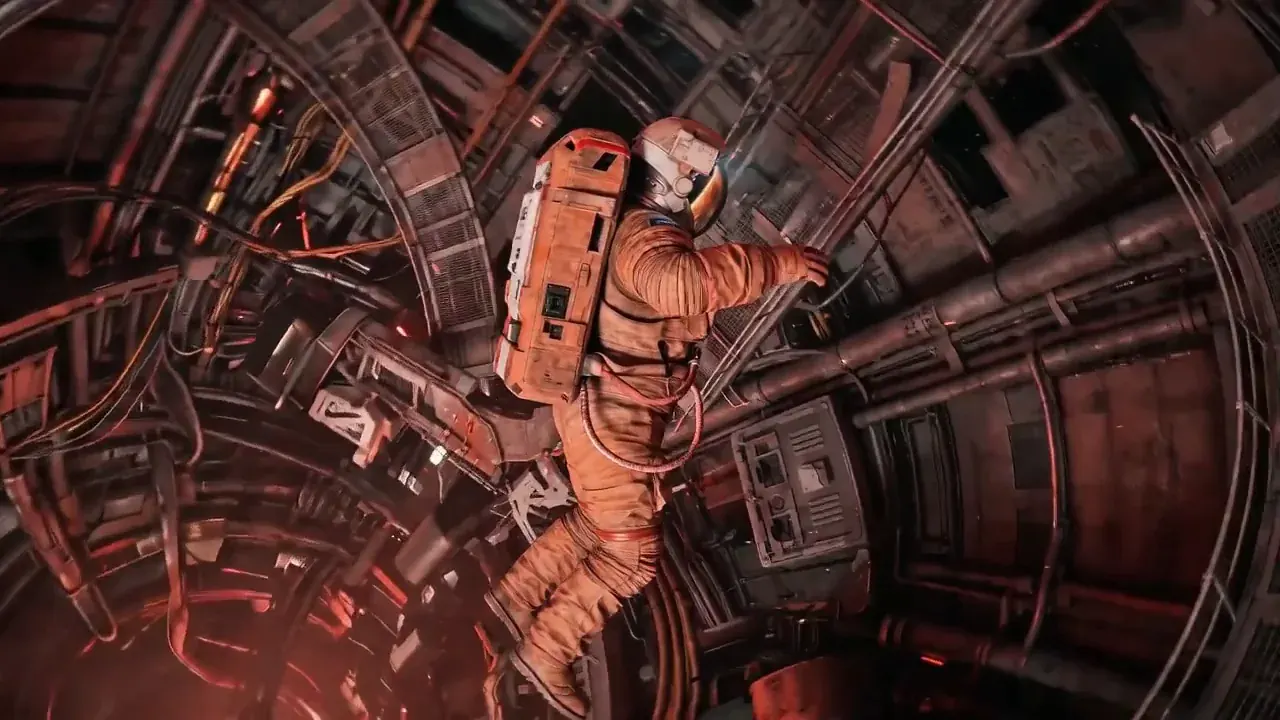
Sci-Fi Mars Landing
Cinematic · 8s
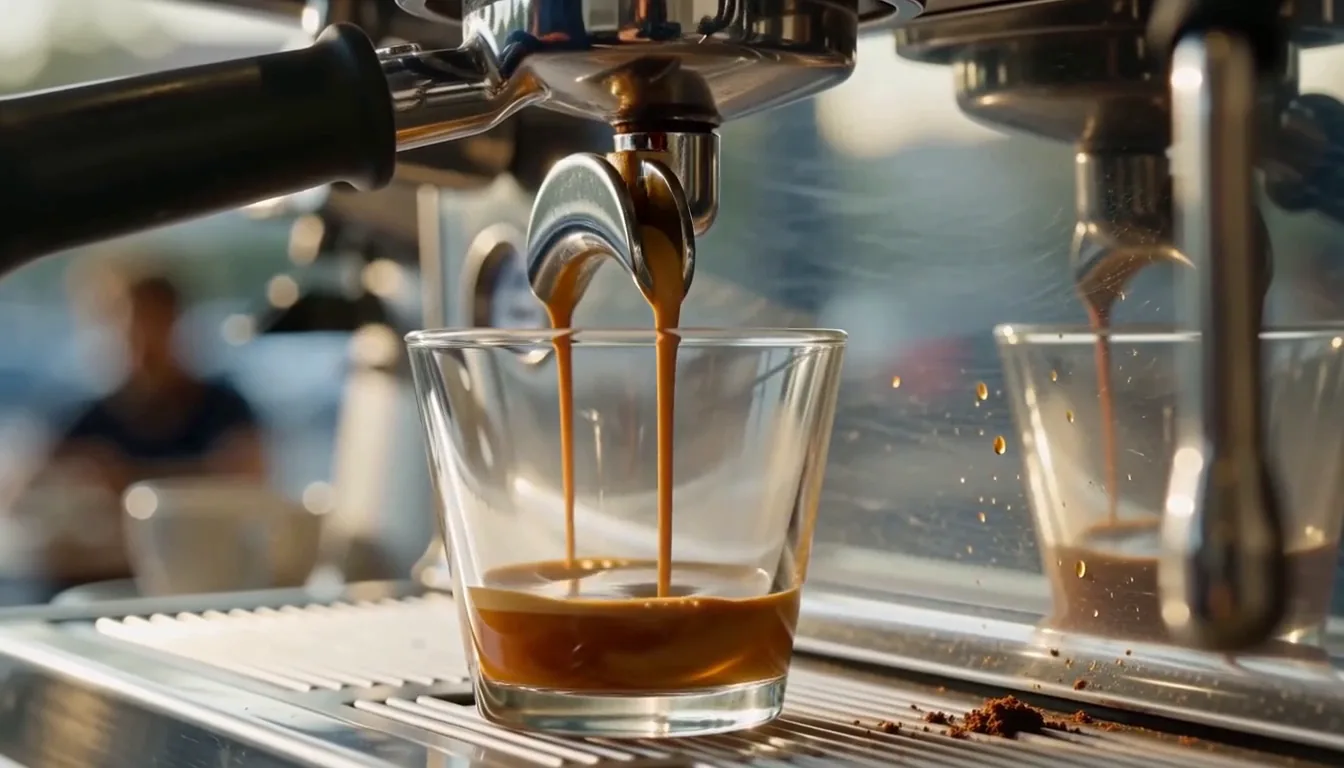
Espresso Pour Macro
Product · 5s
UGC Selfie-Cam Ad
9:16 · 8s
Misty Forest Walk
Cinematic · 8s
Capabilities

What Can ByteDance Seedance 2.0 (`seedance-2.0`) Do That Other Models Cannot?

ByteDance built Seedance 2.0 (searched as seedance-2.0, seedance-2-0, seedance 2.0 ai video) on the same unified audio-visual diffusion transformer as the rest of the Seed family, but gave it a unique resolution ceiling. These five capabilities explain why users choose the Seedance 2.0 AI video generator over its siblings.

Native 4K (2160p) Output — the Only Model in the Studio With It

While Seedance 2.5, Wan 3.0, and MiniMax H3 all cap at 1080p, Seedance 2.0 renders at true 4K (2160p) for 1,500 credits per second. That means a 5-second 4K clip costs 7,500 credits — meaningful for hero brand films, large-format displays, and any deliverable where a client requires UHD resolution.

2160p Output1,500/sOnly 4K Model in Studio
Native 4K · 2160pGenerate MP4

Extreme macro of the leather surface grain under directional sidelight. 4K to resolve individual stitch holes.

Four Resolution Tiers From 480p Draft to 4K Master

Seedance 2.0 exposes 480p (145/s), 720p (300/s), 1080p (750/s), and 4K (1,500/s). Draft a composition at 480p for a fraction of the cost, iterate at 720p, and switch to 4K only for the final render. No other single model in the picker spans that full range.

480p · 720p1080p · 4KDraft-to-Master Workflow
480p → 4KGenerate MP4

Sneaker rotates mid-air as paint arcs splash around it. Studio lighting. Camera orbits at 45 degrees.

Multimodal References: Up to 12 Files Including 9 Images, 3 Clips, and 3 Audio

In Reference mode, attach faces, products, motion clips, or vocal tracks and call each one by its label in the prompt. All 9 image slots are included in the per-second rate with no surcharge — the same zero-fee reference policy as Seedance 2.5.

9 Images (0 Fee)3 Clips · 3 AudioCharacter & Product Lock
12 Refs · 0 FeeGenerate MP4

The creator from Image 1 holds the oversized pastry from Image 2 and takes a bite, with ambient café sounds.

Native Audio: Speech, Foley, and Music in One MP4 Pass

Like every model in the ByteDance Seed family, Seedance 2.0 generates synchronised audio alongside the video. Put spoken dialogue in quotes with a tone cue, or describe ambient sounds and music. The output MP4 arrives with its soundtrack already in it — no separate voiceover or dubbing step.

Lip-Synced SpeechFoley & SFXMP4 With AAC Audio
Native AudioGenerate MP4

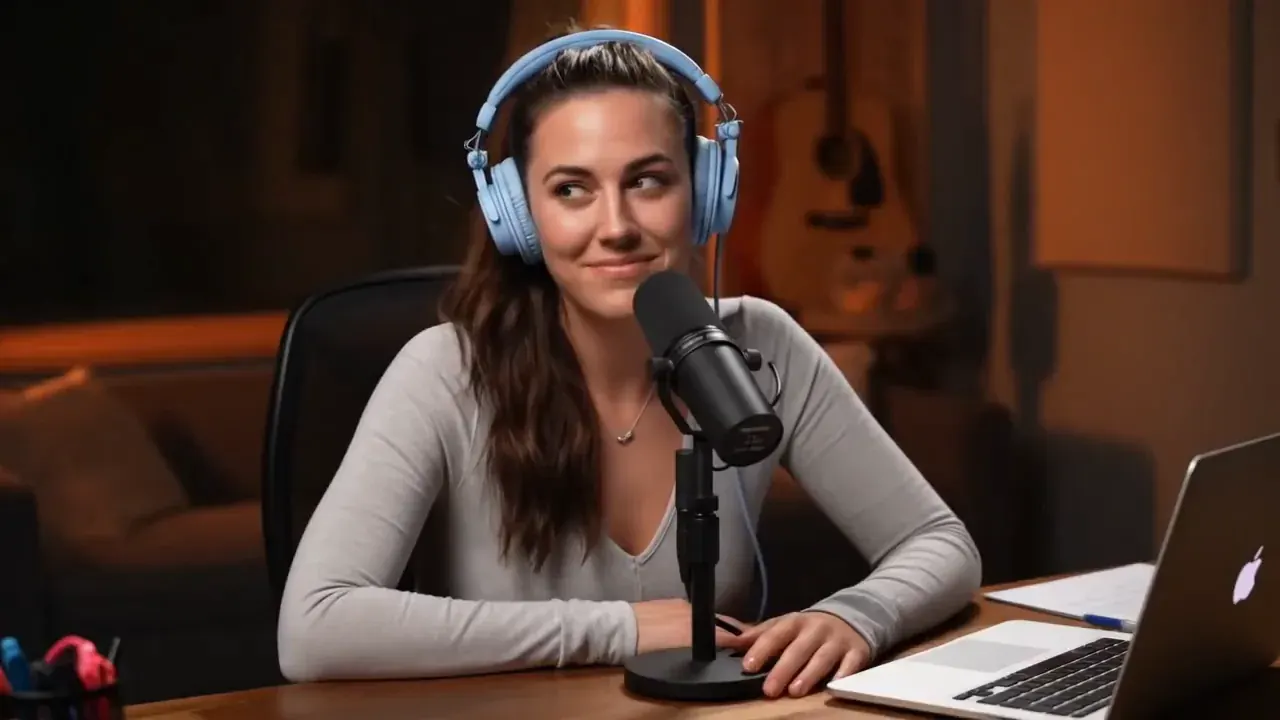
Front shot of a host speaking into a microphone in warm studio light. Natural room reverb.

6 Aspect Ratios Including Cinematic 21:9

Frame your shot in 16:9 for YouTube, 9:16 for Reels and TikTok, 1:1 or 4:3 for feeds, 3:4 for Pinterest, or 21:9 for a wide cinematic scope — all at the same per-second credit rate. In Image mode, first and optional last frames are accepted within a 0.4 to 2.5 width-to-height range.

16:9 · 9:16 · 1:14:3 · 3:4 · 21:9First & Last Frame
21:9 · 9:16 · 1:1Generate MP4

Vertical tracking shot of a rider on a neon-lit street, rain on asphalt, engine note building.

The Model

What Is Seedance 2.0 and Why Does ByteDance Still Offer It Alongside Seedance 2.5?

Seedance 2.0 (upstream API identifier seedance-2.0, URL slug seedance-2-0) is a multimodal cinematic AI video generation model from ByteDance Seed, the research lab behind Doubao, Dreamina (Jimeng AI), and CapCut’s AI features. It shares the same unified audio-visual diffusion transformer architecture as the rest of the Seed lineup, predicting pixel motion, 3D camera parallax, facial articulation, lip-synced dialogue, and environmental foley inside a single joint forward pass.

ByteDance continues to ship Seedance 2.0 alongside the newer Seedance 2.5 because the two models serve different production tiers. Seedance 2.5 is ByteDance’s flagship for multi-shot narrative continuity, clay-previz render control, and a longer 15-second ceiling — but it caps at 1080p. Seedance 2.0 is the only model in the family (and the only model on this studio) that exposes a genuine 4K (2160p) output tier at 1,500 credits per second. When a deliverable requires UHD pixels — a trade show loop, a 65-inch display hero, a YouTube Premiere that will be viewed on large screens — Seedance 2.0 is where that resolution lives.

On this studio, the Seedance 2.0 AI video generator runs in the same model picker as Seedance 2.5, Seedance 2.0 Fast, Seedance 2.0 Mini, Wan 3.0, and MiniMax H3, all drawing from a single shared credit balance. Draft cheap tests on Seedance 2.0 Mini or at 480p, approve direction at 720p or 1080p, and switch to 4K for the final render — without a separate account or subscription.
  • Native 4K (2160p) — the only model in the studio with it
  • 4–12s per clip, default 5s
  • Up to 12 reference files (images, clips, audio) with 0 surcharge

Seedance 2.0 at a Glance

Model Card
9 Facts
ByteDance Seedance 2.0 (seedance-2.0) core specifications on this AI video generator
AttributeSeedance 2.0 (seedance-2.0 / seedance-2-0)
DeveloperByteDance Seed (same lab as Seedance 2.5, Doubao, Dreamina)
Upstream API IDseedance-2.0 (also written seedance-2-0 or seedance 2.0)
Supported ModesText to video, image to video (first + last frame), reference to video
Single-Pass Duration4–12 seconds in 1s steps (default 5s)
Resolution Tiers480p (145/s) · 720p (300/s) · 1080p (750/s) · 4K (1,500/s)
Aspect Ratios6 shapes: 16:9, 9:16, 1:1, 4:3, 3:4, 21:9
Reference CapacityUp to 9 images, 3 video clips, 3 audio tracks (12 total, 0 image fee)
Prompt CeilingUp to 5,000 characters
AudioNative speech, singing, SFX, and music — generated with the picture in one pass
← Swipe horizontally to read full table →

Summary: ByteDance Seedance 2.0 generates 4–12 second MP4 clips from 480p up to 4K (2160p) with native audio, up to 12 reference files, and no watermark.

Model Comparison

Seedance 2.0 vs Seedance 2.5, Wan 3.0, and MiniMax H3: Which Should You Pick?

All video models on this studio share one credit wallet. The right choice depends on what the shot needs: Seedance 2.0 for 4K resolution, Seedance 2.5 for multi-shot continuity, Wan 3.0 for short hooks, or MiniMax H3 for the lowest per-second cost.

Seedance 2.0 vs Others
7 Models
Side-by-side specification comparison of Seedance 2.0 against Seedance 2.5, Wan 3.0, and MiniMax H3 on this AI video generator
SpecSeedance 2.0Seedance 2.5Wan 3.0MiniMax H3
Upstream IDByteDance seedance-2.0ByteDance seedance-2.5Alibaba wan3.0-videoMiniMax MiniMax-H3
Duration range4–12s (default 5s)4–15s (default 5s)2–15s (default 5s)4–15s (default 8s)
Resolutions480p, 720p, 1080p, 4K480p, 720p, 1080p480p, 720p, 1080p480p, 720p, 1080p
720p rate (/s)30045012035
1080p / 4K rate (/s)1080p: 750 · 4K: 1,5001080p: 1,100 (no 4K)1080p: 240 (no 4K)1080p: 55 (no 4K)
Aspect ratios6 (includes 21:9)6 (includes 21:9)5 (no 21:9)6 (includes 21:9)
Reference allowance9 img + 3 vid + 3 aud (12 max)9 img + 3 vid + 3 aud (12 max)10 img + 5 vid + 5 aud (20 max)9 img + 3 vid + 3 aud (12 max)
← Swipe horizontally to read full table →

Summary: pick Seedance 2.0 when you need native 4K output, Seedance 2.5 for flagship multi-shot continuity up to 15s, Wan 3.0 for short hooks, or MiniMax H3 for everyday cost efficiency.

Use Cases

When Should You Choose Seedance 2.0 Over Seedance 2.5?

Seedance 2.0 earns its place whenever resolution matters more than duration. If your deliverable will be viewed on a large screen, printed as a still from a video frame, or sent to a client who checks pixel count in the spec sheet, Seedance 2.0 is the right model.

Hero Brand FilmsText or reference · 16:9 · 8s · 4K

4K Product Spots for Trade Shows, OOH, and Large Displays

Render a hero brand film at 2160p so it holds up on a 65-inch trade-show monitor, a cinema pre-roll, or a digital-out-of-home (DOOH) billboard. Seedance 2.0 is the only model in the picker that outputs at this resolution.

  • True 4K (2160p) at 1,500 credits per second
  • Draft at 480p or 720p first, then re-render only the hero take at 4K
  • Same 12-file reference system as Seedance 2.5
Product Macro & TextureImage · 16:9 · 5s · 4K

Close-Ups Where Surface Detail Sells the Product

Jewelry facets, fabric weave, food ingredients, watch mechanisms — any tabletop macro that needs the camera to push in without the image falling apart. 4K gives the model four times the pixel count to preserve those surfaces.

  • Describe the surface texture and a single slow camera move
  • 4K resolves stitching, crystal facets, and ingredient layers
  • Add a last frame to land on the product label or logo
Social & UGC AdsText or reference · 9:16 · 8s · 720p

Creator-Style Vertical Ads With Spoken Lines

Not every Seedance 2.0 job needs 4K. At 720p, Seedance 2.0 offers a middle-ground per-second rate (300/s) for spoken social ads where the native audio and lip sync are the draw — and you can always re-render the winning creative at 1080p or 4K.

  • Quote the spoken line and describe the tone
  • 9:16 and 16:9 at the same per-second cost
  • Reference an Image 1 face to lock the presenter across variants
Client DeliverablesText · 16:9 · 5s · 4K

UHD Spec Sheets and Master Files

Some production pipelines and client contracts require 4K masters regardless of the distribution resolution. Seedance 2.0 satisfies that line item without upsizing from 1080p — the render is native 2160p, not a software upscale.

  • Native 2160p, not AI-upscaled from a lower resolution
  • Pairs with 1080p or 720p comps for approvals
  • Same credit wallet as all other models — no separate subscription

Need 15-second multi-shot continuity or clay-previz render control? Switch the model picker to Seedance 2.5.

How to Use

How Do You Use the Seedance 2.0 AI Video Generator?

Three steps from prompt to MP4. The generator at the top of this page defaults to Seedance 2.0, and the credit price updates on the button before you press it.

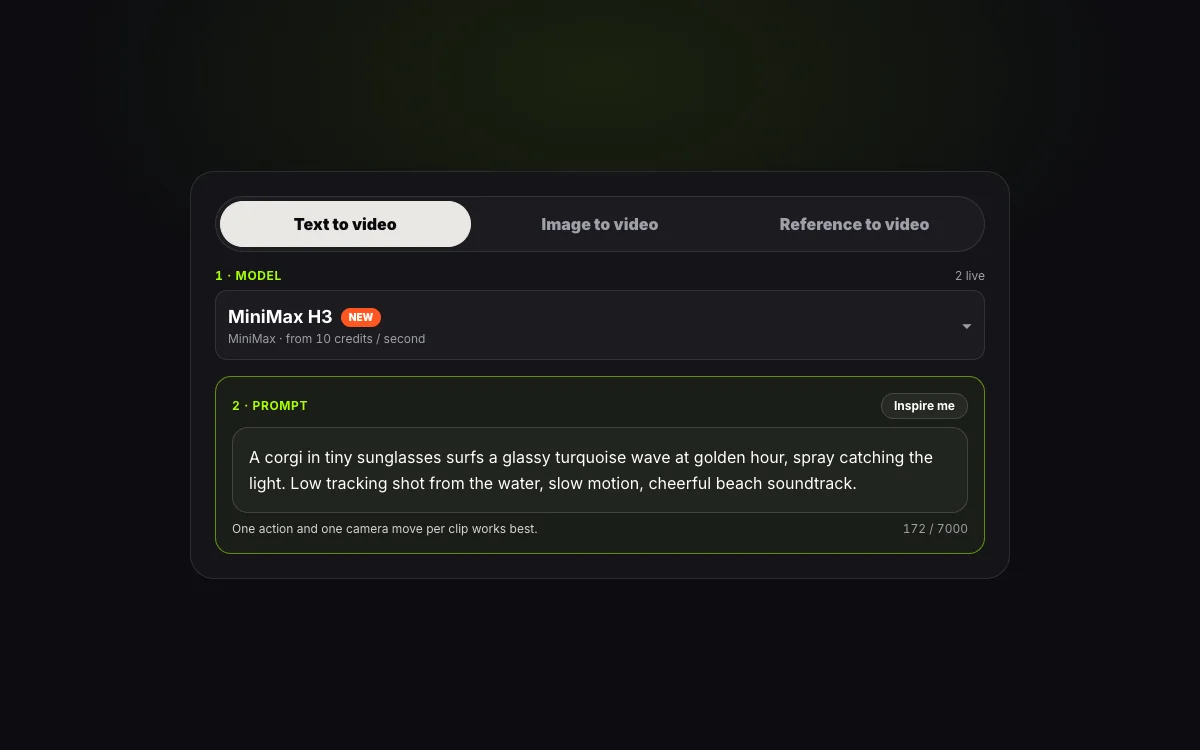
  1. STEP 01Step 01 · Prompt
    Step 1: writing a prompt in the Seedance 2.0 AI video generator

    Step 1: Pick a Mode and Describe the Shot

    Choose Text, Image, or Reference. Describe the subject, one action, the camera, and what should be heard — or press Inspire me for a starter. In Reference mode, attach up to 12 files and label each in the prompt.

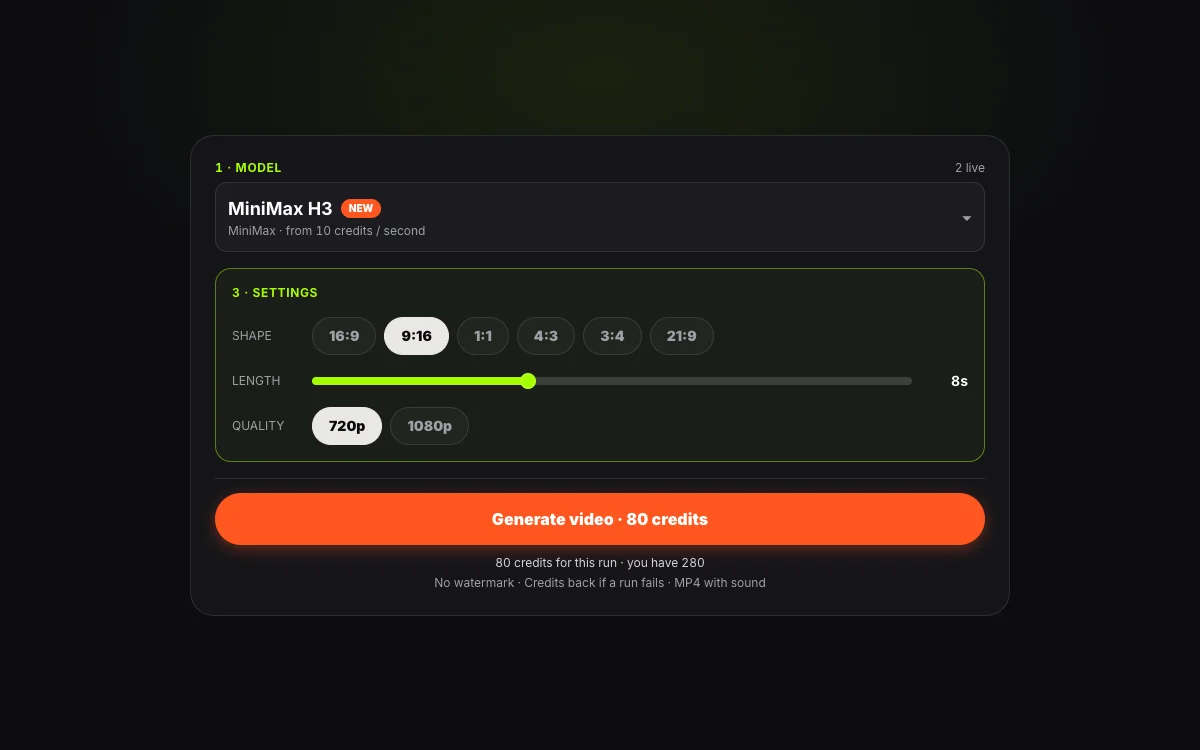
  2. STEP 02Step 02 · Settings
    Step 2: choosing shape, length, and 4K resolution for a Seedance 2.0 clip

    Step 2: Set Shape, Length, and Resolution

    Pick an aspect ratio (16:9 through 21:9), a duration from 4 to 12 seconds, and a resolution tier — 480p for drafts, 720p or 1080p for production, or 4K for the hero render. The credit cost refreshes as you change each setting.

  3. STEP 03Step 03 · Export
    Step 3: downloading a finished Seedance 2.0 4K MP4 clip

    Step 3: Generate, Preview, and Download

    Press Generate and watch the render progress. The finished MP4 has native sound and no watermark. It stays in My Creations for 30 days. A failed run returns its credits automatically.

Prompting

How Should You Write Prompts for Seedance 2.0?

Seedance 2.0 follows the same prompt grammar as the rest of the ByteDance Seed family. Structure beats length: say what is seen, how the camera moves, and what is heard, and limit each beat to one clear action.

Prompt Formula5 Parts
  1. 01Subject & setting
  2. 02One action
  3. 03Camera
  4. 04Sound
  5. 05Style & resolution cue
Seedance 2.0 Prompt Formula
5 Parts
A five-part prompt formula for Seedance 2.0 with a strong cue for each part
PartWhat to sayExample cue
Subject & settingWho or what, where, and in what lighta ceramic vase on a marble shelf, warm window light
One actionA single visible movement per beatthe camera pushes in as steam rises from the spout
CameraShot size and one moveclose-up, slow dolly forward on a 85mm lens
SoundWhat is heard, and any spoken line in quotesporcelain clink, gentle room echo, she says "This one."
Style & resolution cueLook, grade, or medium — mention 4K if rendering at that tierwarm 35mm film grain, shallow depth of field, 4K detail
← Swipe horizontally to read full table →

Summary: a strong Seedance 2.0 prompt names the subject, one action, the camera, the sound, and the visual style.

Seedance 2.0 renders audio with the picture. Put spoken words in quotes and briefly describe the voice. If you attach a reference audio file, state which element it controls — the vocal, the beat, or the ambient bed.

Weak Prompt vs Strong Prompt on Seedance 2.0

Rewrite Examples
3 Rewrites
Weak and strong Seedance 2.0 prompts for the same creative idea
WeakStrong
A beautiful jewelry adExtreme macro of a solitaire diamond ring rotating on a black velvet cushion, light catching each facet as it turns, soft music-box melody, 4K detail
A person talking about their morning routineVertical handheld selfie in a sunlit bathroom, she holds a jade roller up and says "Five minutes, every morning" in a calm tone, natural bathroom reverb
A cool car shotLow tracking shot beside a white sports car on a coastal highway at golden hour, ocean glare on the windshield, tyre hum and wind buffet building
← Swipe horizontally to read full table →

Summary: replace feeling words with what the camera sees and the microphone hears, and name textures explicitly when rendering at 4K.

Timed Beats for Multi-Scene Clips

For a clip with more than one scene, write beats as time ranges: 0–4s the establishing wide, 4–8s the cut to a medium close-up, 8–12s the final pack shot. Keep the total inside the 12-second limit, give each beat one action, and consider using a last frame in Image mode if the ending needs to land on a specific composition.

Before You Press Generate

Pre-Flight Check
5 Checks
A last-check list before running a Seedance 2.0 prompt
CheckWhy it matters
One action per beatTwo actions in one beat split the model’s attention and blur both
Camera named onceCompeting camera moves (e.g. dolly + pan + zoom) cause drift
Sound describedSilence is only what you ask for — name the sounds you want to hear
References labelledCall each file Image 1, Video 1, or Audio 1 in the prompt text
Resolution matched to purposeDraft at 480p or 720p; reserve 4K for the hero render to save credits
← Swipe horizontally to read full table →

Summary: one action, one camera move, a described sound, labelled references, and an intentional resolution tier make Seedance 2.0 renders land on the first try more often.

Specs & Limits

What Are the Seedance 2.0 Limits on This Generator?

The numbers below are read from the live generator configuration, not from a brochure. If a limit ever changes upstream, this table updates with it.

Specs & Limits
9 Limits
Seedance 2.0 limits and options on this AI video generator
ItemLimit
Duration4 to 12 seconds, default 5
Quality tiers480p, 720p, 1080p, and 4K (2160p) MP4 with sound
Aspect ratios16:9, 9:16, 1:1, 4:3, 3:4, 21:9
PromptUp to 5,000 characters
Frames (image mode)One first frame, one optional last frame, aspect 0.4 to 2.5 width to height
References9 images, 3 clips, and 3 audio files, 12 files in total
Upload sizeImages up to 20 MB
WatermarkNone
Retention30 days in My Creations; uploads deleted after 24 hours
← Swipe horizontally to read full table →

Summary: Seedance 2.0 on this studio generates 4–12 second MP4s from 480p up to 4K with up to 12 reference files.

Choosing a Mode

Which Seedance 2.0 Input Mode Fits Your Idea?

The same Seedance 2.0 engine sits behind three input modes. Choose by what you already have in hand.

Seedance 2.0 Modes
3 Modes
When to use text, image, or reference to video on Seedance 2.0
You haveUseGives you
Only a descriptionText to videoA scene built entirely from your prompt, with native sound, at up to 4K
A photo or two framesImage to videoYour still brought to life — set a first frame and an optional last frame for exact start and end compositions
A face, product, or motion to preserveReference to videoThe same subject across new scenes, from up to 9 images, 3 clips, and 3 audio files
← Swipe horizontally to read full table →

Summary: start in text for new scenes, image for a photo you own, and reference when a character or product must stay recognisable.

Pricing & Credits

How Much Does a Seedance 2.0 AI Video Cost Per Clip?

You pay per second of rendered video, with the exact cost shown on the Generate button before you press it. The rate depends on resolution tier and clip length — the tables below give the full breakdown.

Seedance 2.0 Credit Cost
4 Clips
Seedance 2.0 credit cost for common clip lengths across all four resolution tiers
Clip480p720p1080p4K
4 seconds580 credits1,200 credits3,000 credits6,000 credits
5 seconds725 credits1,500 credits3,750 credits7,500 credits
8 seconds1,160 credits2,400 credits6,000 credits12,000 credits
12 seconds1,740 credits3,600 credits9,000 credits18,000 credits
← Swipe horizontally to read full table →

Summary: Seedance 2.0 costs 145 credits per second at 480p, 300 at 720p, 750 at 1080p, and 1,500 at 4K.

Packs & Plans
4 Tiers
Credit packs and plans for Seedance 2.0 video
TierPriceCredits5s clips at 720p5s clips at 4K
Small pack$9.901,500 credits1—
Medium pack$24.904,000 credits2—
Pro plan$24.90/mo9,000/mo61
Premium plan$99/mo40,000/mo265
← Swipe horizontally to read full table →

Summary: packs start at $9.90, and a 5-second 720p Seedance 2.0 clip costs 1,500 credits while a 5-second 4K clip costs 7,500 credits.

Spend Fewer Credits Per Usable Clip

  1. 1Draft at 480p (145/s) or on Seedance 2.0 Mini (50/s) to lock in framing and timing before switching to 4K.
  2. 2A single action per beat and one clear camera move get a usable take in fewer retries.
  3. 3If 1080p is sufficient for your deliverable, the per-second rate (750/s) is roughly half the 4K rate (1,500/s).

A failed render returns its credits automatically. Unused credits on a first pack qualify for a refund within 7 days under our refund policy.

Know Before You Render

What Will Seedance 2.0 Not Do?

Understanding the boundaries saves credits and frustration. These are the limits that matter most, and what to do about each one.

01

12s

Maximum single-clip duration

Need more than 12 seconds? Render beats as separate clips and join them, passing the last frame of one as the first frame of the next. Or switch to Seedance 2.5 for up to 15 seconds.

02

0.4 to 2.5

Image frame aspect range

First and last frame images must fall within this width-to-height ratio. Crop very tall or very wide images before uploading.

03

4K

4K needs credits from a pack or plan

The 4K tier requires credits from a purchased pack or active subscription. Check the quality menu lock icon before planning a batch.

04

18+

Your own or permitted images only

Upload only images you own or have permission to use, of adults who consent. Impersonating a real person is not allowed under our terms.

Seedance 2.0 vs Seedance 2.5 for multi-shot continuity

While Seedance 2.0 can handle timed-beat multi-shot prompts, Seedance 2.5 has ByteDance’s newest multi-shot narrative weights trained specifically for cross-cut identity lock and scene transitions. If multi-shot story logic matters more than 4K pixels, Seedance 2.5 is the stronger choice.

Label realistic footage as AI-generated

Clips that look like real events should carry the AI label that TikTok and YouTube ask for. See our responsible use page.

Seedance 2.0 FAQ

Questions About the Seedance 2.0 AI Video Generator

1.What is Seedance 2.0?

Seedance 2.0 (seedance-2.0, also written seedance-2-0 or seedance 2.0) is a multimodal AI video generation model from ByteDance Seed. It turns a text prompt, a first and last frame, or up to 12 reference files into an MP4 of 4 to 12 seconds with native sound. Its distinguishing feature is native 4K (2160p) output — the only model on this studio with that tier.

2.Does Seedance 2.0 really output 4K video?

Yes. The upstream seedance-2.0 endpoint renders at native 2160p (true 4K), not an AI upscale of a lower resolution. On this generator the 4K tier costs 1,500 credits per second. Other models in the family — including Seedance 2.5 — cap at 1080p.

3.What is the difference between Seedance 2.0 and Seedance 2.5?

Seedance 2.0 offers four resolution tiers (480p, 720p, 1080p, 4K) across 4–12 seconds. Seedance 2.5 caps at 1080p but stretches to 15 seconds with ByteDance’s newest multi-shot narrative weights and clay-previz render control. Pick 2.0 when resolution matters most; pick 2.5 when duration and multi-shot continuity are more important.

4.How long can a Seedance 2.0 video be?

4 to 12 seconds per clip, default 5 seconds. For longer pieces, render separate clips and join them using the last frame of one as the first frame of the next.

5.How much does a Seedance 2.0 clip cost?

It costs 145 credits per second at 480p, 300 at 720p, 750 at 1080p, and 1,500 at 4K. A 5-second 720p clip is 1,500 credits; a 5-second 4K clip is 7,500 credits. Packs start at $9.90.

6.Does Seedance 2.0 generate sound?

Yes. Speech, sound effects, ambient room tone, and music are generated together with the picture in one pass. The MP4 plays with AAC audio already encoded. Put spoken lines in quotes and describe the voice to direct the dialogue.

7.Can I use reference images and audio with Seedance 2.0?

Yes. In reference to video mode, Seedance 2.0 accepts up to 9 images, 3 video clips, and 3 audio tracks — 12 files total. All image slots are included at no extra fee.

8.What happens if a Seedance 2.0 render fails?

The credits for that run return to your balance automatically. To improve the next attempt, simplify the prompt to one action and one camera move per beat, or test the same idea on Seedance 2.0 Mini at a lower cost before re-running on Seedance 2.0.
Start Now

Ready to Render Your First Seedance 2.0 Video in Up to 4K?

Write your shot in the prompt box, pick a resolution from 480p up to 4K, and download an MP4 with native sound and no watermark. The exact credit cost shows before you press Generate.