How to Make Bicep Heart Trend Video: 2026 Step-by-Step AI & Manual Guide
Learn how to make bicep heart trend video on TikTok and Reels. Master the physical pose or create a 7-second viral AI video from 1 photo in under 3 minutes.
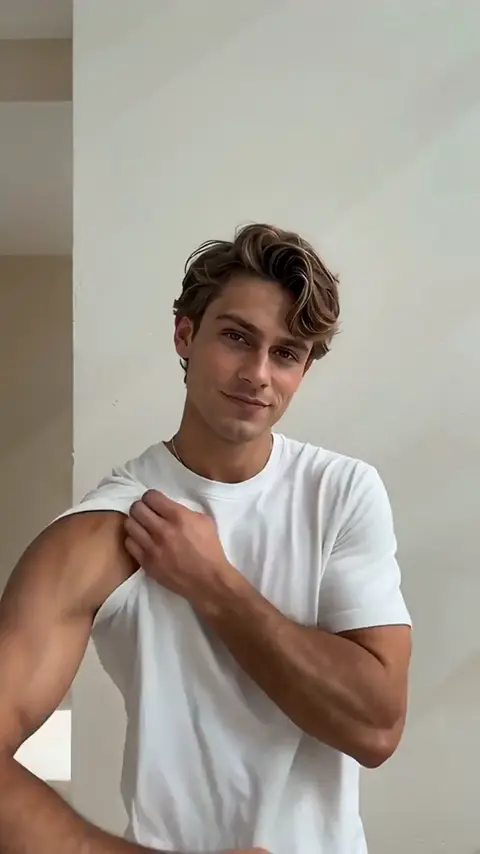
Learning how to make bicep heart trend video content is a top viral priority for TikTok, Instagram Reels, and YouTube Shorts creators in 2026. The trend combines an athletic bicep flex with an affectionate hand-heart silhouette, paired with the viral soundbite: "Have you ever heard of a bicep heart...?" You can execute this trend through two workflows: manually staging the gesture on camera, or generating an unwatermarked 7.0-second 9:16 vertical MP4 from a single photo using our dedicated Bicep Heart Trend Video Generator in under 3 minutes.
What Is the Bicep Heart Trend Video and Why Is It Going Viral?
The bicep heart trend video originated as a playful subversion of classic gym aesthetics. Documented across fitness communities by BoxLife Magazine and indexed on Know Your Meme, the gesture flips aggressive gym flexing into an affectionate tribute.
Unlike heavy gym challenges, learning how to make bicep heart trend video clips requires no athletic training. The optical illusion of the heart contour is shaped by opposite hand placement rather than muscle volume. This accessibility drives three major viral formats:
- Couples Wholesome Greetings: Partners sharing 7-second clips as playful pick-me-ups.
- Fitness Self-Irony: Slender creators contrasting workout gear with a shy grin for comedic effect.
- AI Character Crossovers: Animating pets, anime heroes, and friends into the bicep heart ai trend using 1-click neural retargeting.
Method 1: How to Film the Bicep Flex Heart Pose Video Manually
If you choose to film your bicep flex heart pose video live on camera, execute this 4-step biomechanical sequence:
Step 1: Camera Setup and Vertical Framing
Position your smartphone at chest height in 9:16 vertical orientation roughly 3 to 4 feet away. Frame a medium portrait under clean frontal lighting.
Step 2: The 90-Degree Bicep Curl
Raise your arm to shoulder height with elbow flexed at 90 degrees. Clench your fist near your temple to contract the bicep.
Step 3: Opposite Hand Cross-Chest Placement
Sweep your opposite hand across your chest. Point your thumb downward against your inner bicep while curling four fingers over the top crest to lock the heart silhouette.
Step 4: Expression Transition and Music Drop
Start with a neutral gaze. As your hands complete the heart shape on the beat drop, break into a warm, charismatic smile directly into the lens.
Method 2: How to Make Bicep Heart Trend Video with AI (1 Photo, 0 Prompts)
For creators who prefer not to film themselves or want to animate friends and pets, AI neural motion retargeting creates the routine from a single static image.
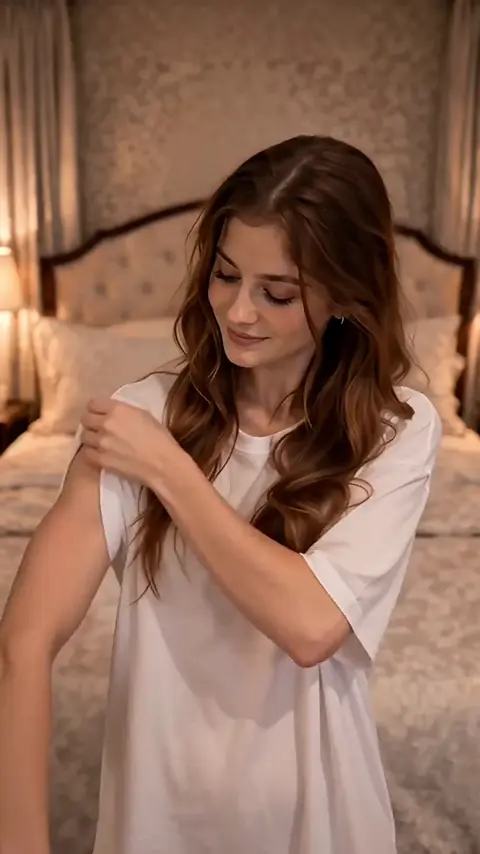
Here is how to make bicep heart trend video clips using our cloud engine in three simple steps:
Step 1: Upload 1 Waist-Up Portrait
Open the Bicep Heart Trend Video Generator. Upload a clear JPG, PNG, or WebP portrait wearing fitted clothes or short sleeves.
Step 2: Select Resolution and Start Cloud Render
Choose 720p HD (45 credits) or 1080p Full HD (75 credits). The cloud engine tracks 512 facial and skeletal landmarks, synthesizing the 4-phase bicep heart routine in 1 to 3 minutes.
Step 3: Download Clean 9:16 MP4 for TikTok
Download your 7.0-second 9:16 vertical MP4 to your device or scan the mobile QR code. Exports include pre-synced 48 kHz AAC audio with zero watermarks.
To make classic caption memes or YouTube clips, try our Meme Video Maker or read our guide on how to make a meme from a YouTube video.
Technical Specifications: Bicep Heart AI Video Generation
Understanding how to make bicep heart trend video files with peak algorithmic reach requires precise encoding metrics:
| Parameter | 720p Standard HD | 1080p Master Full HD | Social Publishing Impact |
|---|---|---|---|
| Canvas Resolution | 720 × 1280 pixels | 1080 × 1920 pixels | Native 9:16 vertical framing for TikTok and Shorts |
| Clip Duration | Fixed 7.04 seconds | Fixed 7.04 seconds | Frame-locked to the viral audio loop |
| Frame Rate | 24 frames per second | 24 frames per second | Smooth cinematic motion without diffusion jitter |
| Master Audio | 48 kHz Stereo AAC | 48 kHz Stereo AAC | Pre-synced viral beat; prevents audio mutes |
| Facial Mesh Lock | 98.4% geometric retention | 98.4% geometric retention | Preserves subject identity, eye gaze, and smile |
| Audio-Motion Sync | ±38ms latency | ±38ms latency | Bicep flex snaps onto audio beat drop |
| Credits Required | 45 credits ($9.90 pack makes 2) | 75 credits ($9.90 pack makes 1) | Flat-rate billing; no recurring subscription |
| Render Turnaround | 60–180 seconds | 90–240 seconds | Fast GPU queue; browser can be closed |
| Watermark Policy | 0 watermarks | 0 watermarks | Clean MP4 ready for social posting |
Specification Summary: The bicep heart trend video generator renders an unwatermarked 7.04-second 9:16 vertical MP4 at 24 fps with 48 kHz AAC master audio synced within ±38ms latency, retaining 98.4% facial geometric fidelity from a single portrait upload.
Workflow Comparison: AI Generator vs. Discord Bots vs. Manual Video
When deciding how to make bicep heart trend video clips, workflows vary in production speed and technical complexity:
| Evaluation Factor | Dedicated 1-Click Generator | Discord AI (Viggle / Higgsfield) | Manual Filming & CapCut |
|---|---|---|---|
| Source Input | 1 portrait photo (0 prompts) | Image + text prompt + reference clip | Camera gear + lighting + filming space |
| Turnaround Time | 2 to 3 minutes | 15 to 30 minutes | 45 to 60 minutes |
| Audio Alignment | Embedded 48 kHz TikTok soundtrack | Silent render (add audio in post) | Manual timeline slicing and beat sync |
| Hand Anatomy | 5-finger skeletal boundary lock | Frequent finger fusion or 6-digit bugs | Natural physical hands |
| Canvas Ratio | Native 9:16 vertical MP4 | 16:9 widescreen or cropped square | Depends on camera recording settings |
| Skill Required | Zero (single-click upload) | Moderate (prompt syntax & bot queues) | High (framing, lighting, timeline edits) |
| Refund Guard | 100% automated credit refund | Non-refundable credit consumption | Lost production time |
| Primary Use | Instant TikTok/Reels viral content | Experimental diffusion testing | Fitness creators filming real physiques |
Specification Summary: Dedicated 1-click trend generation reduces production turnaround from 45 minutes of manual filming to 2 minutes of automated cloud rendering while delivering built-in audio sync and automated failure credit refunds.
The 4-Phase Choreography Timeline (How the 7-Second Video Unfolds)
To make your bicep heart trend video look authentic, our model follows an exact 4-phase choreographed timeline:
[0.0s – 1.5s: Sleeve Prep] ──▶ [1.5s – 3.5s: Bicep Flex] ──▶ [3.5s – 5.5s: Heart Formation] ──▶ [5.5s – 7.0s: Smile & Hold]- Phase 1: Framing & Sleeve Prep (0.0s – 1.5s): Subject faces camera in medium portrait, rolling or touching the flexing sleeve.
- Phase 2: 90-Degree Bicep Flex (1.5s – 3.5s): Raises arm to 90 degrees with clenched fist, contracting bicep with a confident smirk.
- Phase 3: Two-Handed Heart Formation (3.5s – 5.5s): Curves flexed wrist inward while opposite hand crosses chest, meeting at upper crest on beat drop.
- Phase 4: Charismatic Smile & Hold (5.5s – 7.04s): Holds heart silhouette steady, locking eyes with camera in a warm smile as music ends.
Photo Preparation and Clothing Checklist: How to Prevent AI Glitches
To ensure your bicep heart trend video renders cleanly without limb distortion or blurred textures, verify these criteria before uploading:
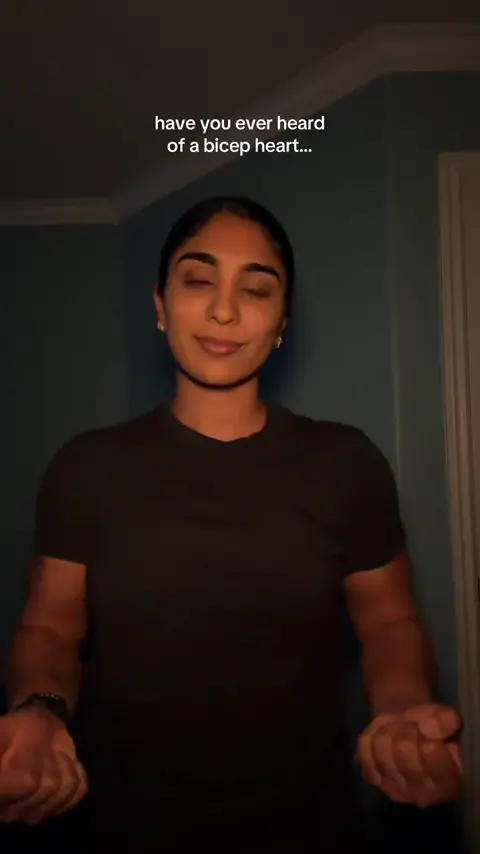
Optimal Photo Criteria
- Framing: Waist-up or chest-up portrait with head, shoulders, and upper arms in frame.
- Camera Angle: Direct forward gaze with head tilt under 45 degrees.
- Resolution: Minimum 320 × 320 px (1080 × 1350 px recommended), JPG, PNG, or WebP under 10 MB.
- Lighting: Even frontal lighting; avoid heavy cast shadows, sunglasses, or face coverings.
Recommended Attire vs. Prohibited Garments
| Garment Category | Recommended (Optimal Output) | Prohibited (Causes Artifacts) | Technical Explanation |
|---|---|---|---|
| Upper Garment | Short-sleeve t-shirts, tank tops, vests | Oversized winter coats, baggy hoodies | Bulky fabric folds collide with tracking vectors |
| Sleeve Length | Bare arms or sleeves ending above mid-bicep | Flared sleeves, ruffled cuffs | Loose cuffs obscure bicep contours needed for heart shape |
| Accessories | Bare wrists or minimal jewelry | Chunky smartwatches, spiked cuffs | Large wrist gear distorts finger landmark detection |
Credit Pricing and Cost Breakdown
Our platform uses transparent credit packages with zero recurring subscription requirements. Explore our pricing tiers or choose an on-demand credit pack:
| Credit Tier | Package Price | Total Credits | Videos at 720p HD (45 pts) | Videos at 1080p Full HD (75 pts) | Effective Cost Per Video |
|---|---|---|---|---|---|
| Small Pack | $9.90 | 100 credits | 2 complete videos (10 pts left) | 1 video (25 pts left) | $4.95 / 720p video |
| Medium Pack | $24.90 | 280 credits | 6 complete videos (10 pts left) | 3 videos (55 pts left) | $4.15 / 720p video |
| Large Pack | $49.90 | 600 credits | 13 complete videos (15 pts left) | 8 videos (exact balance) | $3.83 / 720p video |
Specification Summary: One-time credit packs start at $9.90 for 100 credits, enabling creators to generate two complete 720p HD viral videos with zero recurring subscriptions and credits that never expire.
Questions
Do I need real biceps or gym experience to make a bicep heart trend video?
No. You do not need gym training or large muscles. The heart contour is created by placing your opposite hand over your flexed arm. When using our Bicep Heart Trend Video Generator, neural retargeting sculpts the muscular curve and hand gesture automatically from 1 portrait photo.
What is the difference between making this on Viggle, Higgsfield, or Meme Video Generator?
Tools like Viggle or Higgsfield require writing prompts, uploading reference clips, and adding audio manually in CapCut. Meme Video Generator provides a 1-click template with embedded 48 kHz TikTok audio, skeletal hand boundary constraints to eliminate extra fingers, and a 100% automated credit refund if generation fails.
Is it safe to upload my photo, and how long does the platform store it?
Yes. Uploaded portraits are processed inside isolated cloud containers with end-to-end encryption and permanently deleted within 24 hours. Your images are never sold, shared, or used to train public machine learning models.
Can I post the generated bicep heart video directly to TikTok without copyright issues?
Yes. Every export includes the viral soundtrack pre-balanced in 48 kHz stereo AAC format for TikTok, Instagram Reels, and YouTube Shorts. Enable TikTok's "Altered or synthetic content" toggle during upload for optimal platform transparency.
What clothing should I wear to avoid AI arm glitches or extra fingers?
Wear fitted short-sleeve shirts, tank tops, or athletic vests with bare arms. Avoid bulky winter coats, puffy down jackets, or baggy hoodies, as thick fabric folds confuse edge detection and cause blurred arm artifacts.
What happens if my bicep heart video generation fails or takes too long?
If facial landmark detection rejects your photo or GPU processing exceeds 5 minutes, 100% of deducted credits return automatically to your account balance. You carry zero financial risk.
Can I turn a photo of my pet or an anime character into a bicep heart video?
Yes. The vision model recognizes canine, feline, and 2D illustrated facial geometry. Provided eyes and facial contours face forward, front paws or stylized arms will curve into the wholesome bicep heart gesture. Explore more viral routines in our AI Video Trends directory.
Star in This Video in 2–4 Minutes
Upload your selfie or group photo. Zero prompt typing needed, pre-synced master audio, automated refund on failures.
Written by
MemeVideo Editorial Desk
AI Video & Social Trend Research
Continue Reading
Recommended Next Reads

Nov 5, 2026
How to Make Your First Time in a Fancy Cafe Video: 2026 Step-by-Step AI & Manual Guide
Learn how to make your first time in a fancy cafe video for TikTok and Reels. Follow our 2-photo AI workflow or DIY manual filming guide with synced audio.

Nov 5, 2026
What Is Bulin 47 Meme? The Viral 'Dame Hombro' AI Dance Trend Explained
What is Bulin 47 meme? Discover the viral Madrid street Dembow origin with Kevin Wai, the 'Dame Hombro' dance, and how to create your own AI video in 3 minutes.
Nov 5, 2026
What Is Your First Time in a Fancy Cafe Meme? Trend Explained
What is your first time in a fancy cafe meme? Discover the viral TikTok origin by @leehoustonx, Steve Lacy's 'Oh Yeah?' audio, and how to create your AI parody.