AI trend

Shutup Remix AI Trend: Put Yourself in the Park Rap Take

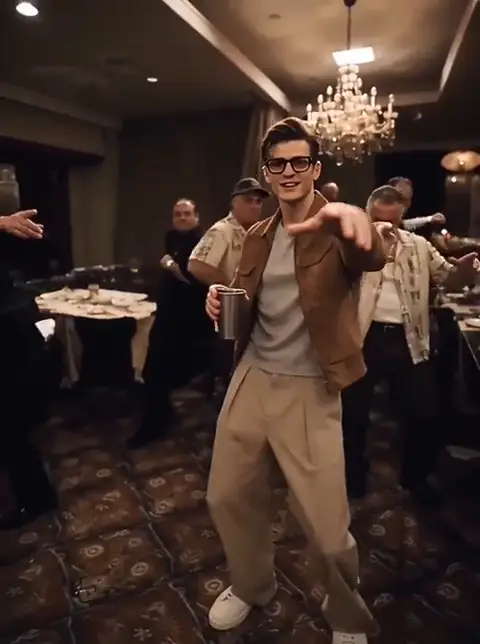
Shutup Remix AI Trend turns 1 photo into a 9-second 16:9 rap-style video of you facing the camera with a crowd behind you.

Ready in 2–5 minutes with one Human version and the original sound.

Also called stormzy shut up ai · tell my man shut up ai

SHUTUP REMIX AI TREND
VIRAL RIG
1 Photo9s HD

SHUTUP REMIX AI TREND

1 photo, 9-second Shutup Remix park rap take.

Swipe ⟷
Example

What does a Shutup Remix AI Trend video look like?

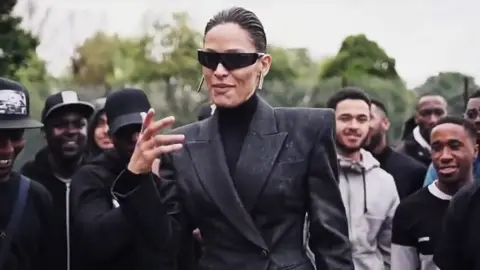
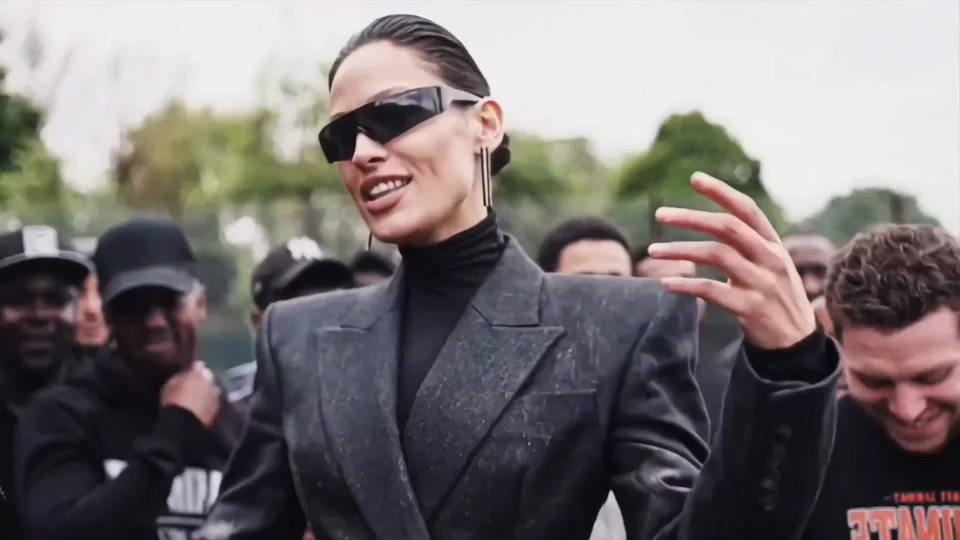
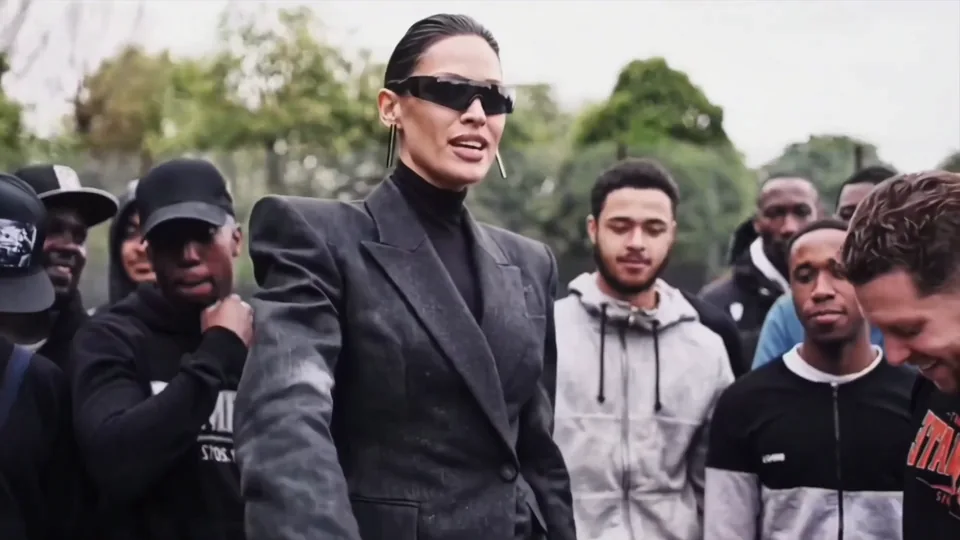
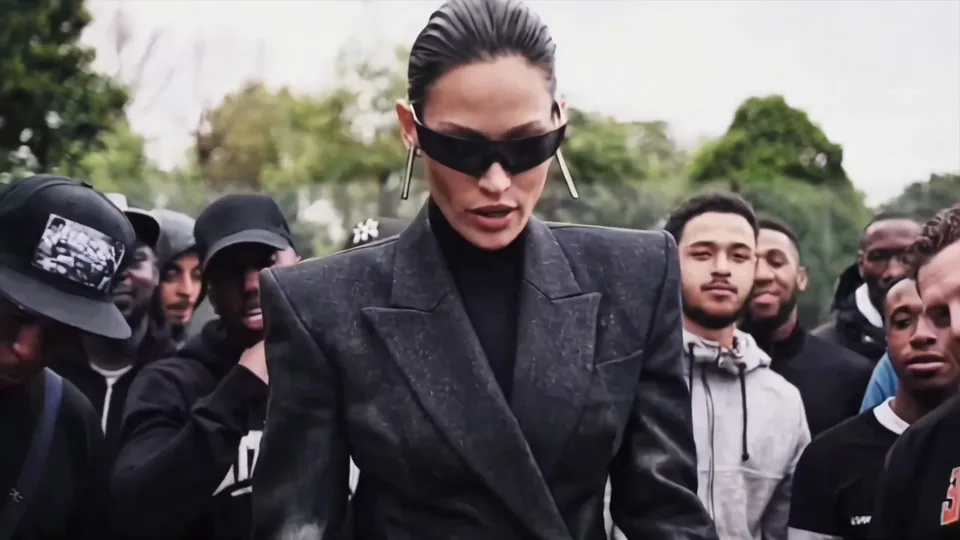
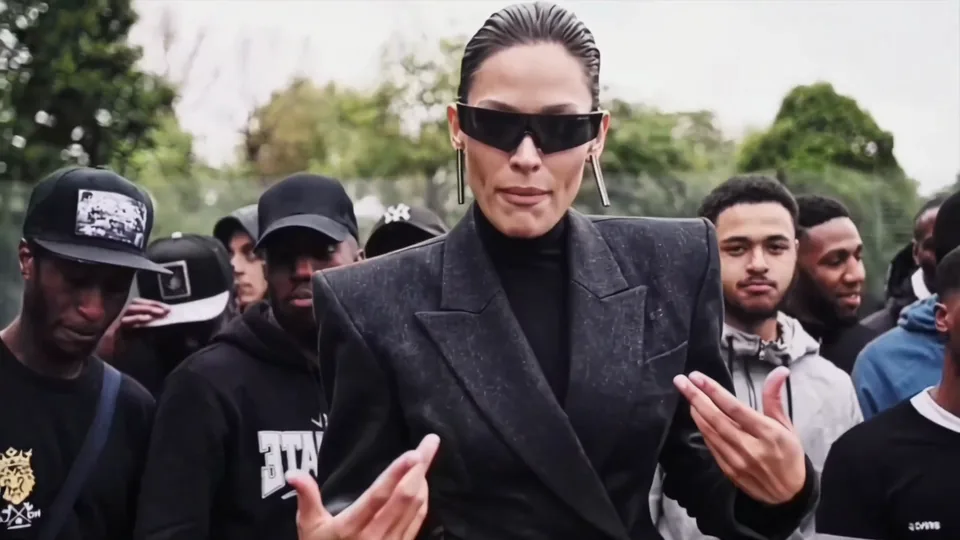
A single portrait takes the foreground in a daylight park rap take while the crowd stays behind it. The Human version is for anyone who wants a serious, expressive delivery from one clear photo.

Human
9:16 Vertical·Clean MP4
Ready to Remake

Upload your photo to star in this exact scene in 3 minutes.

Remake ↑
Second by second

What happens in a shutup remix trend video, shot by shot?

The joke is built through changing hand relationships rather than a new location: a centered address becomes a reach, a face-side gesture, open hands near the lens and a compact finish.

Reference clip · Clip time

  1. Centered performer begins a hand gesture before a park crowd.
    Clip time 0.3 s

    Opening address

    One centered performer opens the park take with an open mouth and a hand beginning a chest-level phrase in front of the crowd.

  2. Performer reaches one arm toward the lower foreground.
    Clip time 1.6 s

    Forward reach

    One arm extends toward the lower foreground as the performer angles away from the lens.

  3. Performer dips the head with one hand beside the face.
    Clip time 3.0 s

    Face-side gesture

    The performer dips the head and raises one hand beside the sunglasses.

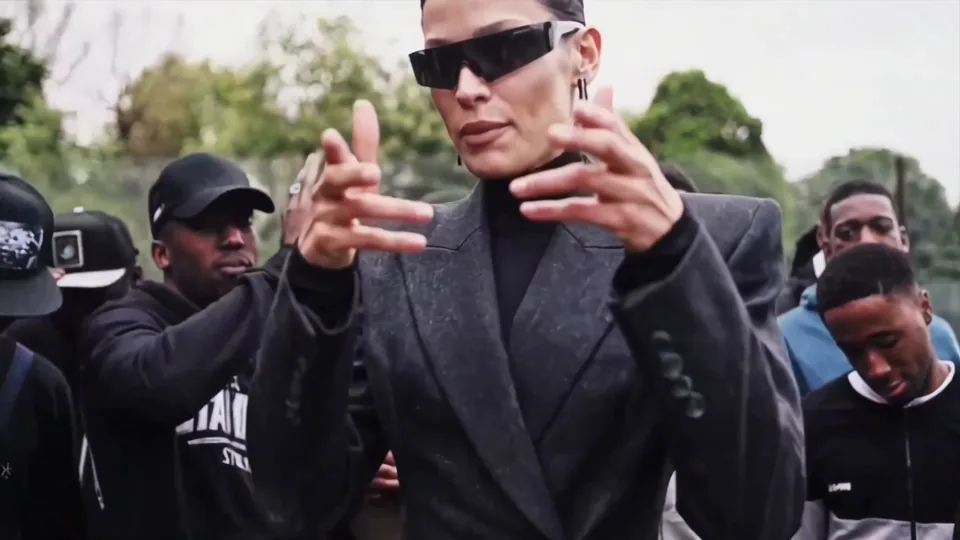
  4. Both of the performer's open hands move toward the camera.
    Clip time 4.5 s

    Open hands

    Both open hands move toward the lens while the crowd stays at the edges.

  5. Performer sweeps both hands across the jacket.
    Clip time 6.0 s

    Torso sweep

    Hands return across the charcoal jacket in a broad torso sweep.

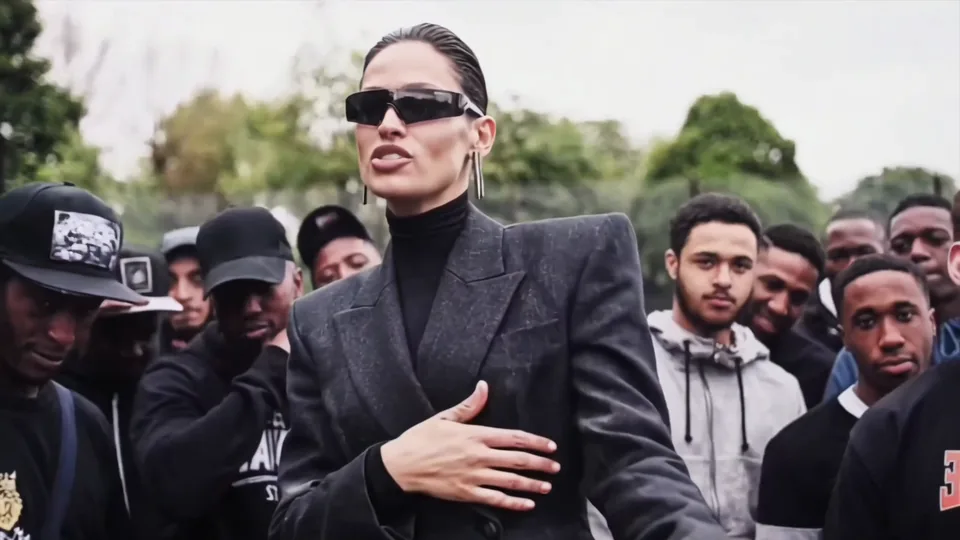
  6. Performer finishes facing forward with one hand near the chest.
    Clip time 7.8 s

    Closing chest gesture

    The performer faces forward and settles one hand near the chest as the crowd remains behind.

The Human version replaces the single foreground performer while keeping the same six observed gesture relationships and crowd framing.

Step by step

How do you make a shutup remix ai video from one photo?

Choose the Human version, upload one portrait and let the generator carry the park crowd and gesture sequence into a 9-second clip. This shutup remix ai video keeps one centered lead throughout.

  1. 01Step 1

    Add your photo

    Pick the Human version and add one face-and-shoulders photo. Use a photo you own or have permission to use, and review the privacy policy before uploading.

  2. 02Step 2

    Press Generate

    The button shows the 720p or 1080p price before you start. The usual wait is 2–5 minutes, and the original audio stays with the generated take. The shutup remix trend remains a 16:9 export.

  3. 03Step 3

    Download or share

    Download the finished 16:9 video, check the hands and face, then add the platform's AI label when you post.

    For this wide export, place your face slightly above center, keep both elbows below the crop, and leave a clean margin around the head before pressing Generate. This framing gives the motion model room for the forward reach without cutting the wrists.

Who to cast

Who fits a Shutup Remix trend edit?

The format works with someone whose face reads immediately and whose personality can carry a deliberately serious rap pose.

  • Human · 1 photo

    You, trying the Stormzy Shut Up AI tutorial @f5ee0597

    A viewer who wants to turn one portrait into a crowd-backed rap clip gets the joke: an everyday photo becomes the lead of a full street cypher. This Human version takes 1 photo and follows @f5ee0597.

  • Human · 1 photo

    The Shutup Remix friend who gestures with both hands

    A friend with readable expressions makes the two-handed phrase feel like a knowingly dramatic response while the crowd holds the frame behind them. Use one front-facing Human photo.

  • Human · 1 photo

    The Shutup Remix overdressed park rapper

    Someone with a clear personal style can replace the source look while the park crowd adds exaggerated stage energy. Keep the Human version to preserve one consistent lead.

A blurry face, a covered mouth or a group photo is a poor fit because the take depends on one recognizable lead.

Why here

Which shutup remix capcut template route fits a Shutup Remix AI Trend edit?

No. The opened tutorial exposes a CapCut route, but this Human version keeps the one-photo park performance in a browser workflow with the original audio included. The shutup remix capcut template remains an optional route.

Ways to make it
2 Rows
Way to make itWhat you needWhat you get
((CapCut template tutorialhttps:
www.tiktok.com/@f5ee0597/video/7706578100942802207))
CapCut and one uploaded photo
This generatorOne uploaded photoA 9-second 16:9 Human take with the park crowd and audio
← Swipe horizontally to view full parameters →

The generator route keeps the photo count, horizontal output and original audio choice visible.

  • Route

    Use the CapCut route without losing the one-photo setup

    The opened TikTok tutorial links a CapCut template, while this Human version keeps the trend's single-photo crowd performance shape.

  • Fidelity

    Keep the front-facing gesture in front of the crowd

    The observed sequence moves from a chest gesture to a reach, face-side hand, open hands and a torso sweep while the crowd stays behind.

  • Lock

    Carry your own outfit through the park take

    Your first photo becomes the replacement face, hair and clothes so the source sunglasses, blazer and turtleneck do not become accidental identity cues.

  • Format

    Choose a wide frame for the full crowd edge

    The only version is a 16:9 Human take, leaving room for the background people and hand movement on both sides of the lead.

Copy and paste

How do you use a shutup remix prompt for a Stormzy Shut Up AI Shutup Remix AI Trend video?

Yes. This shutup remix prompt is a readable version of the observed gestures, framing and identity boundary; you can use the generator without editing it yourself.

Show full details

Human

1 photo · 9 s · 720p · 16:9 · 600 credits

Video prompt

A daylight park performance in a handheld medium close-up: a green tree line and a large crowd in black caps and hoodies stay behind one centered lead, with black wraparound sunglasses and a charcoal double-breasted blazer visible in the source scene. The lead is the person in [Image 1] in every frame; their face, hair, skin tone and clothing come from that photo. 00:00–00:01.25: face the lens and start a rhythmic chest-level hand phrase. 00:01.25–00:02.75: angle the body and reach one arm forward and down. 00:02.75–00:04.00: dip the head, then raise a hand beside the face. 00:04.00–00:05.35: open both hands toward the camera, with fingers becoming the closest action. 00:05.35–00:06.85: draw the hands back and sweep them across the front of the outfit. 00:06.85–00:09.00: face forward again and finish with a compact gesture near the chest. Keep the outdoor crowd behind the replacement, preserve one continuous take and the original audio, and keep the source performer’s face, hair, sunglasses, blazer and turtleneck out unless [Image 1] shows them. Add no text, logos or watermarks.
Credits

How much does a Shutup Remix video cost?

The Human version is the only option: choose 720p or 1080p, see the amount before generating, and use the refund policy if a generation fails.

Specs and credits
2 Rows
VersionPhotosLengthFormatQualityCredits
Human19 s16:9720p600
Human19 s16:91080p900
← Swipe horizontally to view full parameters →

One photo, one 16:9 Human version and the original audio keep the Shutup Remix choice simple.

The smallest one-time pack that covers the dearest version is $9.90 for 1,500 credits; credits do not expire. See pricing and credit packs.

Troubleshooting

Why does a Shutup Remix edit look wrong?

Most visible problems come from a covered face, inherited clothing or hands that leave the tight foreground; each fix is a photo or retry choice.

Problems and fixes
5 Rows
ProblemFix
The replacement keeps the original performer's sunglasses or blazerThe source has black wraparound sunglasses and a charcoal double-breasted blazer. Choose a photo whose face, hair and clothing you want to carry through, then run the Human version again.
The face becomes soft during the hand phraseThe lead fills much of the handheld medium close-up while the hands move near the lens. Use a sharp, front-facing photo with the face and shoulders clearly visible.
The gestures look too small or stop at the torsoThe source relies on raised fingers and open palms close to camera. Pick a photo with both shoulders and upper torso visible, then retry the same version.
The background crowd is pulled into the replacementThe large crowd sits close behind the centered lead. Use one clearly framed person in the photo and keep the Human version selected.
The uploaded photo is rejectedThe face is hidden, too dark, or not clearly visible. Replace it with a well-lit face-and-shoulders photo; failed generations follow the site's refund policy at refund policy.
← Swipe horizontally to view full parameters →

Use a clear solo portrait and retry when the face, outfit or hand framing drifts.

Posting

Which sound goes with a Tell My Man Shut Up AI video?

The opened tutorial labels its attached track “original sound - Trendingcapcutz” and uses the Stormzy Shut Up AI and tell my man to shut up wording. A tell my man shut up ai edit should match the sound you are permitted to use and keep TikTok's AI label on the post.

Hashtags

Use the tags shown with the tutorial, such as #stormzyshutupai and #stormzyshutup, only when they accurately describe your edit.

FAQ

What else do people ask about the Shutup Remix trend?

Is my portrait safe to upload, and when is it deleted?

Use a photo you own or have permission to use, then read the privacy policy for retention details. Upload only a portrait you are allowed to use.

Can I post my Shutup Remix video on TikTok?

Yes, when the image and audio use are permitted. Keep the platform's AI-generated label and identify the clip as an edit.

Why doesn't the face look like me?

Use even lighting and keep your eyes, mouth and hairline unobstructed. A covered face gives the model less identity detail during the hand-forward pose.

Can my dog or cat do it?

Not in this Human version. It accepts one person-style portrait, so use a pet-focused version only when one is explicitly provided for the trend.

Is the Shutup Remix trend real?

The format is visible in TikTok tutorial and template posts, including the @f5ee0597 tutorial.

Do I need the shutup remix capcut template?

No. The opened tutorial shows a CapCut route, but the generator handles the one-photo Human take and keeps its output settings visible before you start.

Does my uploaded image add the crowd?

No. Your first photo becomes the foreground lead; the outdoor crowd and park framing come from the chosen video.

Can I use a vertical photo for this Shutup Remix horizontal take?

Yes, if the face and shoulders remain clear. A portrait crop with the mouth, hairline and upper torso visible gives the 16:9 composition enough identity detail.

How is this different from Viggle or Higgsfield in a Shutup Remix edit?

Viggle and Higgsfield are separate AI video tools with their own current workflows. This page documents the one-photo Human route and its 16:9 output; compare their live options on their own pages.
✨Make Video With Your Photos

Make Your Shutup Remix AI Trend Video Now

Give your most serious friend one clear portrait and let the park crowd turn a hand gesture into a shareable rap edit.

Written and maintained by MemeVideoMaker Editorial DeskPublished Last updated